3-112
Confidential
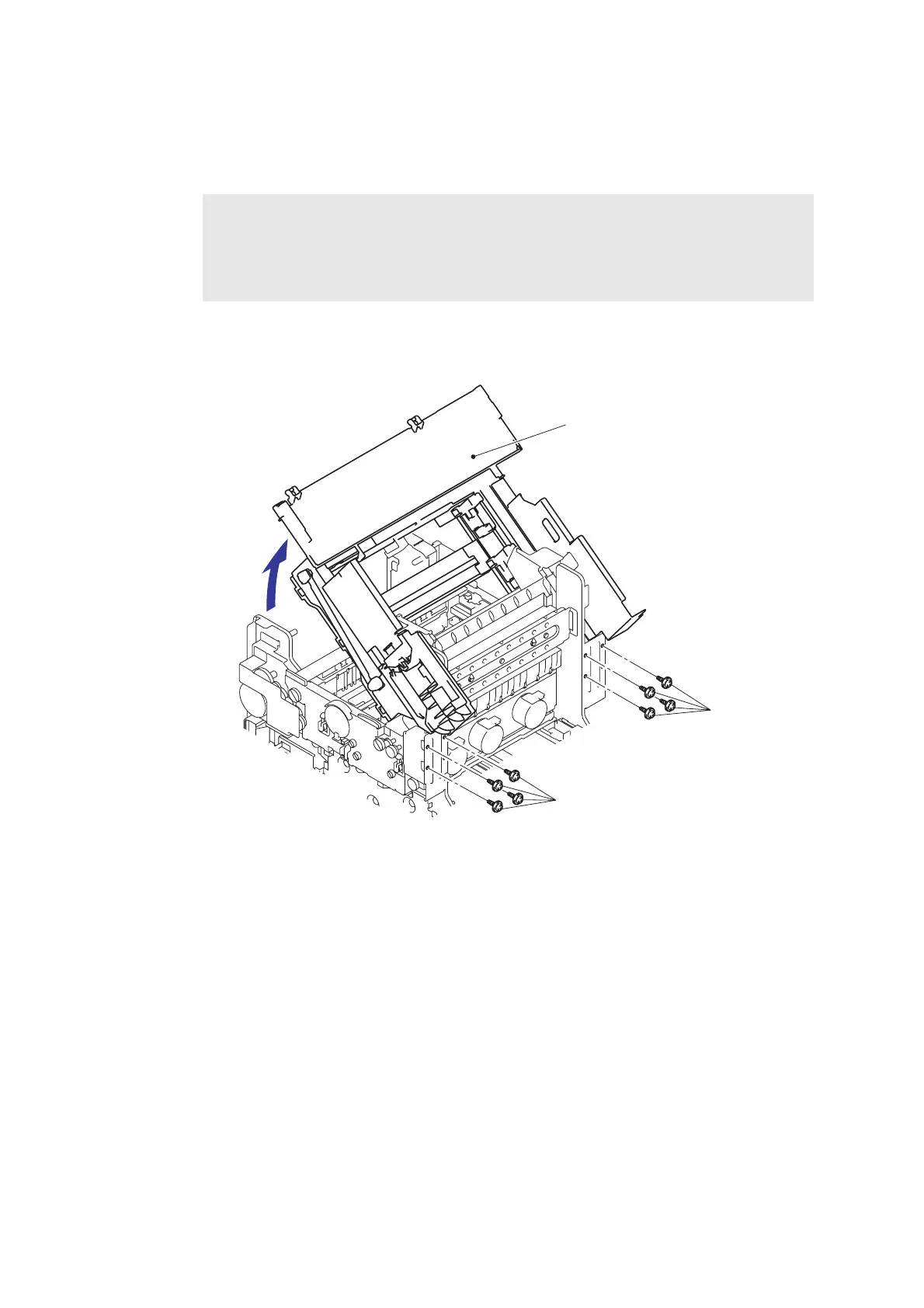
(1) Disconnect the wiring such as the Engine harness and Wireless LAN harness from the
Carriage unit.
(2) Pull the Open lever to open the Top cover with holding down the surface of the Top cover.
(3) Remove the eight Taptite cup S M4x8 screws with holding the Carriage unit to remove the
Carriage unit from the Main body.
Fig. 3-130
Note:
If the parts of the Top cover have already been removed, the Top cover is burst open by
the force of the spring. For this reason, be sure to hold down the surface of the Top
cover when opening it.
If the parts of the Top cover have not been removed, disconnect the wiring of each part.
Carriage unit
Taptite cup S
Taptite cup S M4x8
M4x8



 To Next Page
 Loading...












