3-138
Confidential
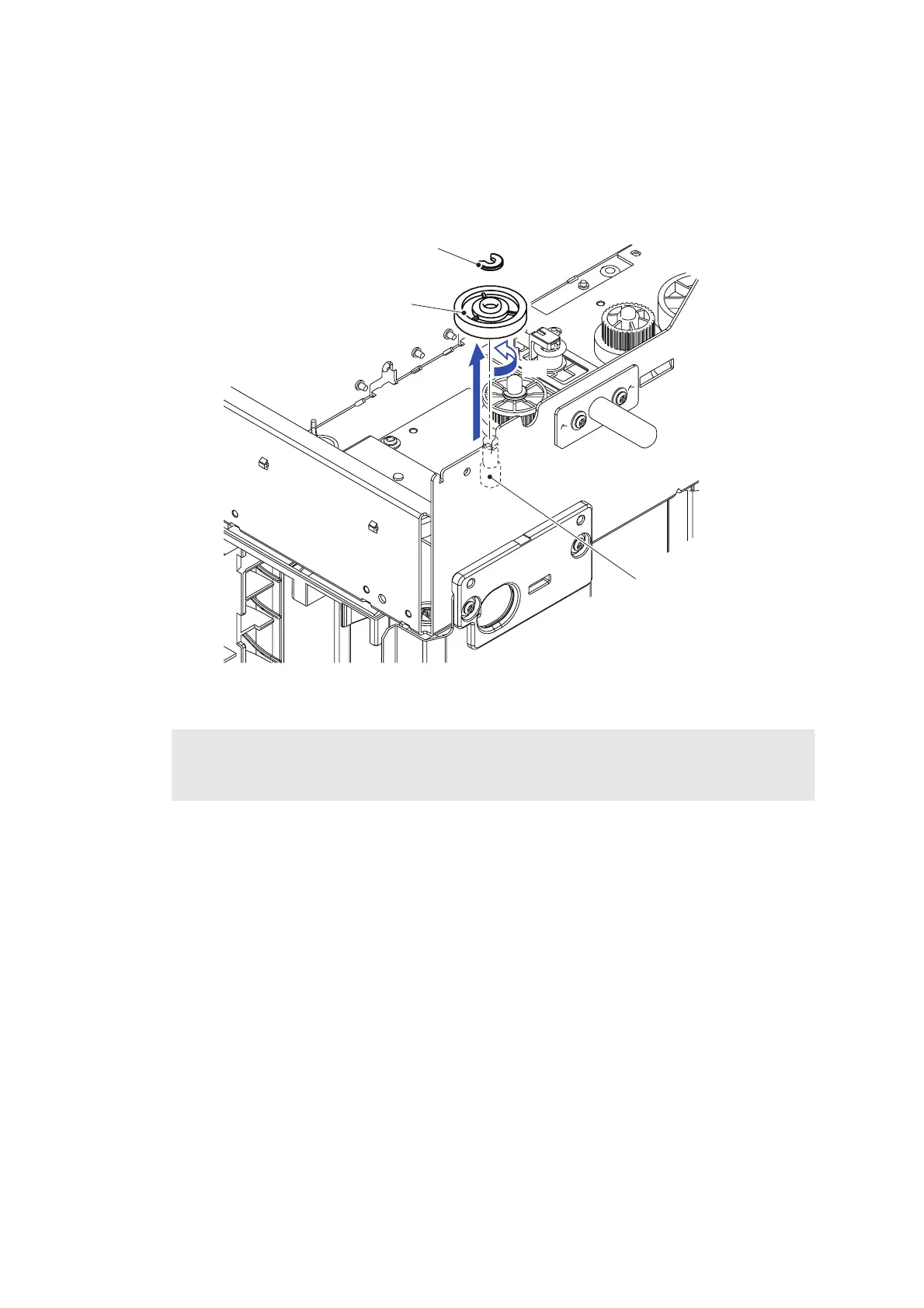
11.13 One Way Clutch Gear ASSY
(1) Remove the Collar from the PF clutch shaft.
(2) Rotate the One way clutch gear ASSY in the direction of the arrow 2a to remove it from
the PF clutch shaft.
Fig. 3-172
Assembling Note:
When assembling the One way clutch gear ASSY, be sure to assemble it as rotating it in the
direction of the arrow 2a in the same removal procedure.
One way clutch gear ASSY
Collar
PF clutch shaft
<Front>
2a
2b



 To Next Page
 Loading...












