3-172
Confidential
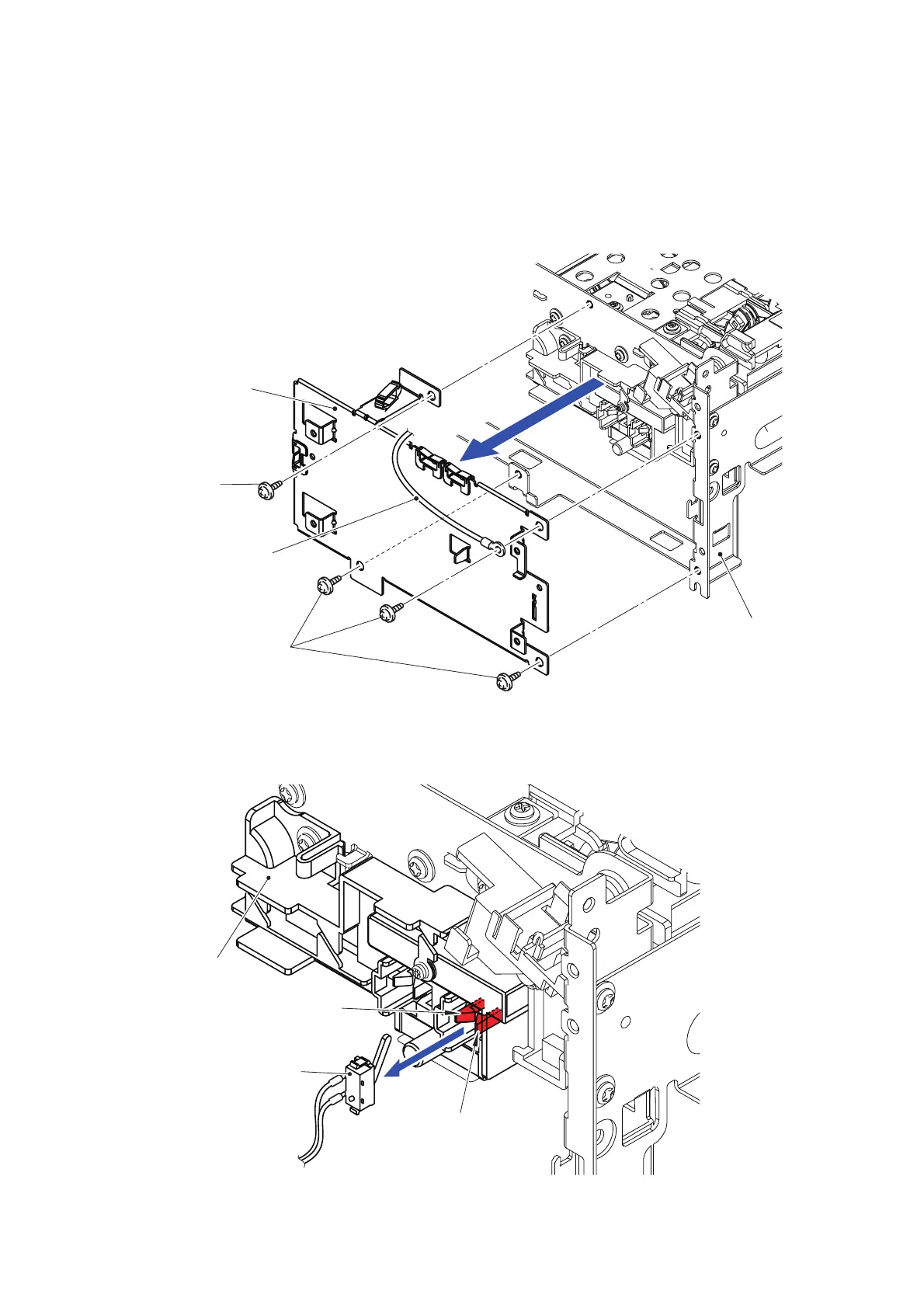
12.10 Stacker Cover Sensor
(1) Disconnect all the harnesses wired on the Stacker PCB base plate.
(2) Remove the Taptite cup S M3x6 SR screw to remove the FG harness from the Stacker
frame R.
(3) Remove the three Taptite cup S M3x6 SR screws to remove the Stacker PCB base plate
from the Stacker frame R.
Fig. 3-228
(4) Disconnect all the harnesses wired on the SW holder.
(5) Release the two Hooks to remove the Stacker cover sensor from the SW holder.
Fig. 3-229
Stacker PCB
Taptite cup S
FG harness
Stacker frame R
<Right side>
Taptite cup S
base plate
M3x6 SR
M3x6 SR
SW holder
Hook
Stacker cover sensor
Hook
<Right side>



 To Next Page
 Loading...












