3-156
Confidential
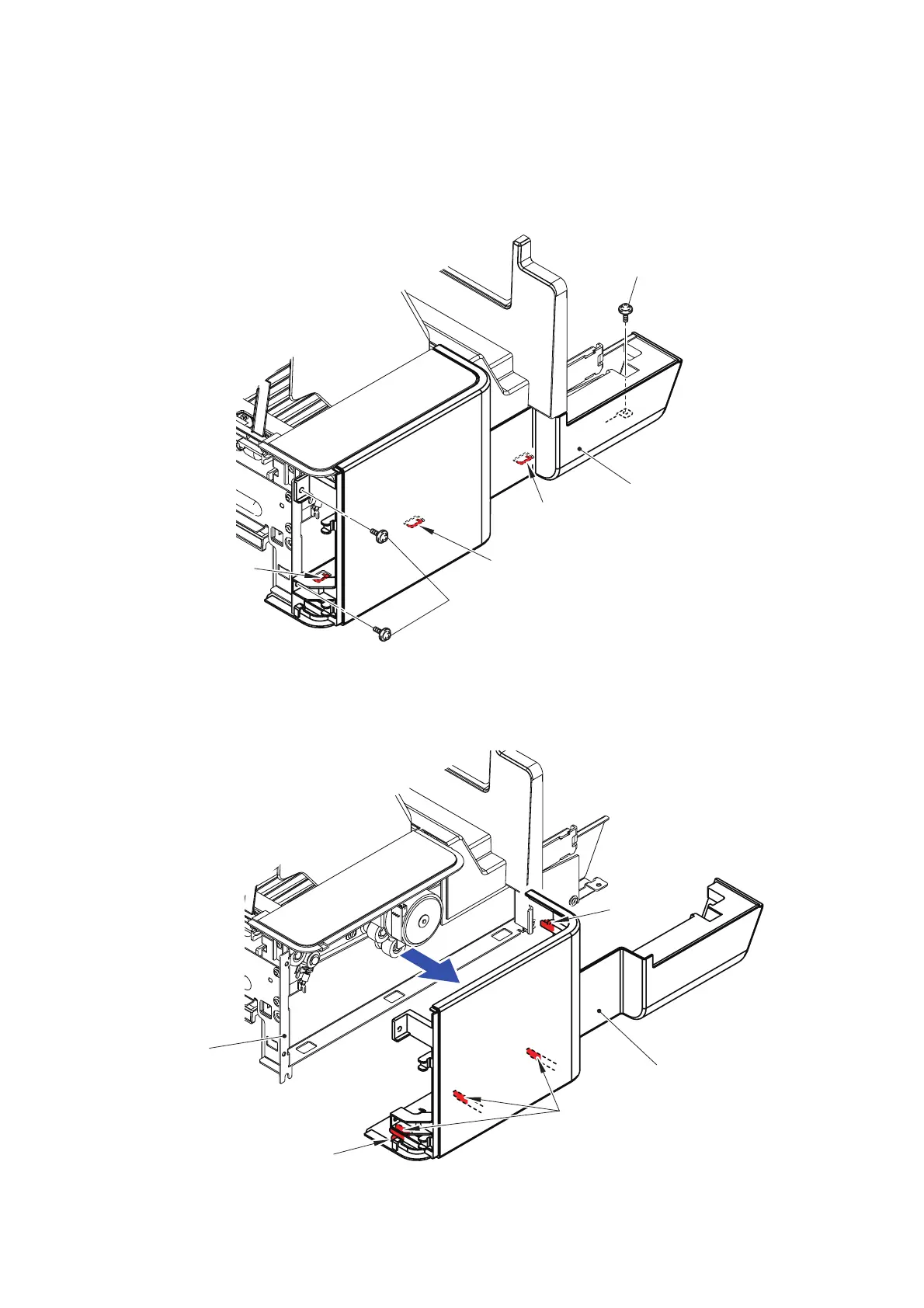
12.2 Stacker Side L/R
(1) Close the Stacker rear to place the main body as shown in the figure.
(2) Remove the three Taptite cup S M3x6 SR screws from the Stacker side L.
(3) Release the three Hooks.
Fig. 3-202
(4) Press the bottom surface of the cover to release the one Boss, and release the four
Hooks to remove the Stacker side L from the Stacker frame L.
Fig. 3-203
Hook
Taptite cup S M3x6 SR
Stacker side L
Taptite cup S M3x6 SR
Hook
Hook
<Left side>
Stacker side L
Hook
Boss
Hook
<Left side>
Stacker frame L



 To Next Page
 Loading...












