3-173
Confidential
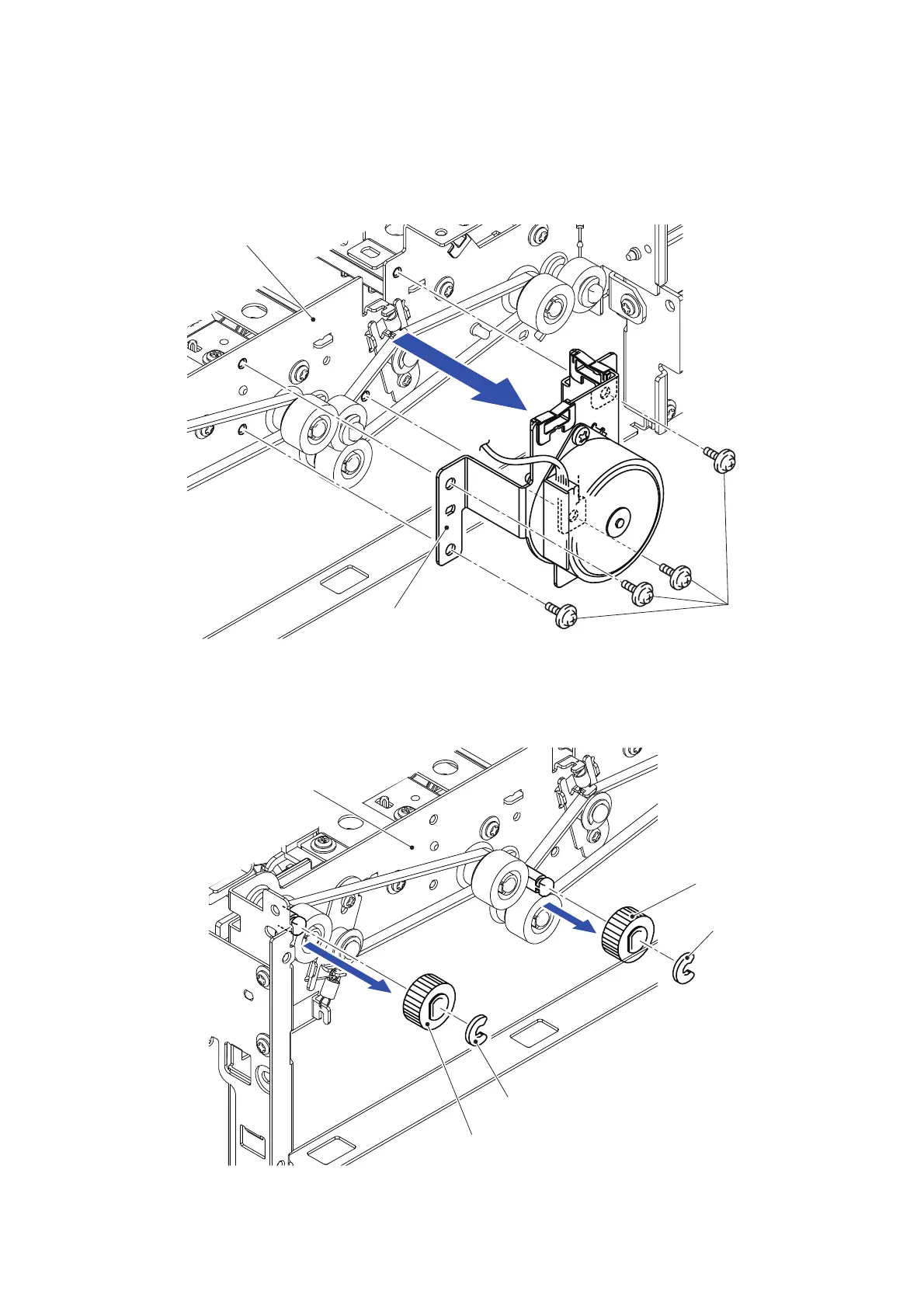
12.11 Eject Belt 1/2/Stacker Motor Bracket
(1) Disconnect the wiring of the harness of the Stacker motor bracket.
(2) Remove the four Taptite cup S M3x6 SR screws to remove the Stacker motor bracket
from the Stacker frame L.
Fig. 3-230
(3) Remove the Collar 6 to remove the Eject roller 5 gear from the Stacker frame L.
(4) Remove the Collar 6 to remove the Eject roller 4 gear from the Stacker frame L.
Fig. 3-231
Stacker motor bracket
Taptite cup S M3x6 SR
Stacker frame L
<Left side>
Eject roller 5 gear
Collar 6
Eject roller 4 gear
Collar 6
4
3
Stacker frame L
<Left side>



 To Next Page
 Loading...












