7-3
Confidential
2.1.1 Paper feeding kit 1/2/3/4, Ink head wiper ASSY
■ Paper feeding kit 1/2/3/4
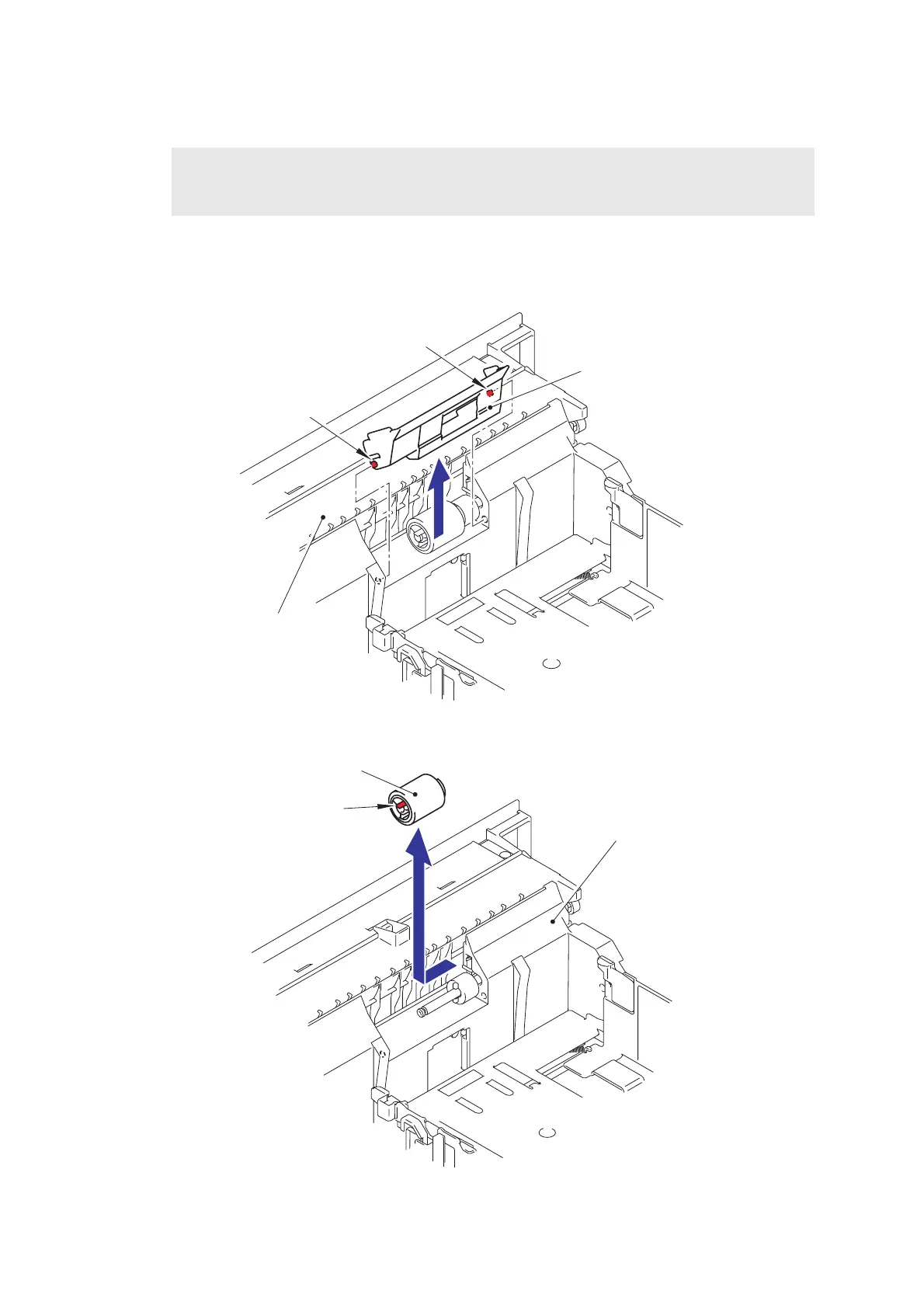
(1) Open the Retard roller cover and remove the two Pins to remove the Retard roller cover
from the Paper tray.
Fig. 7-1
(2) Release the Hook of the Retard roller to remove the Retard roller from the Paper tray.
Fig. 7-2
Note:
When replacing the Paper feeding kit 1, be sure to replace the Ink head wiper ASSY at the
same time.
Retard roller cover
Paper tray
Pin
Pin
Paper tray
Hook
Retard roller



 To Next Page
 Loading...












