7-4
Confidential
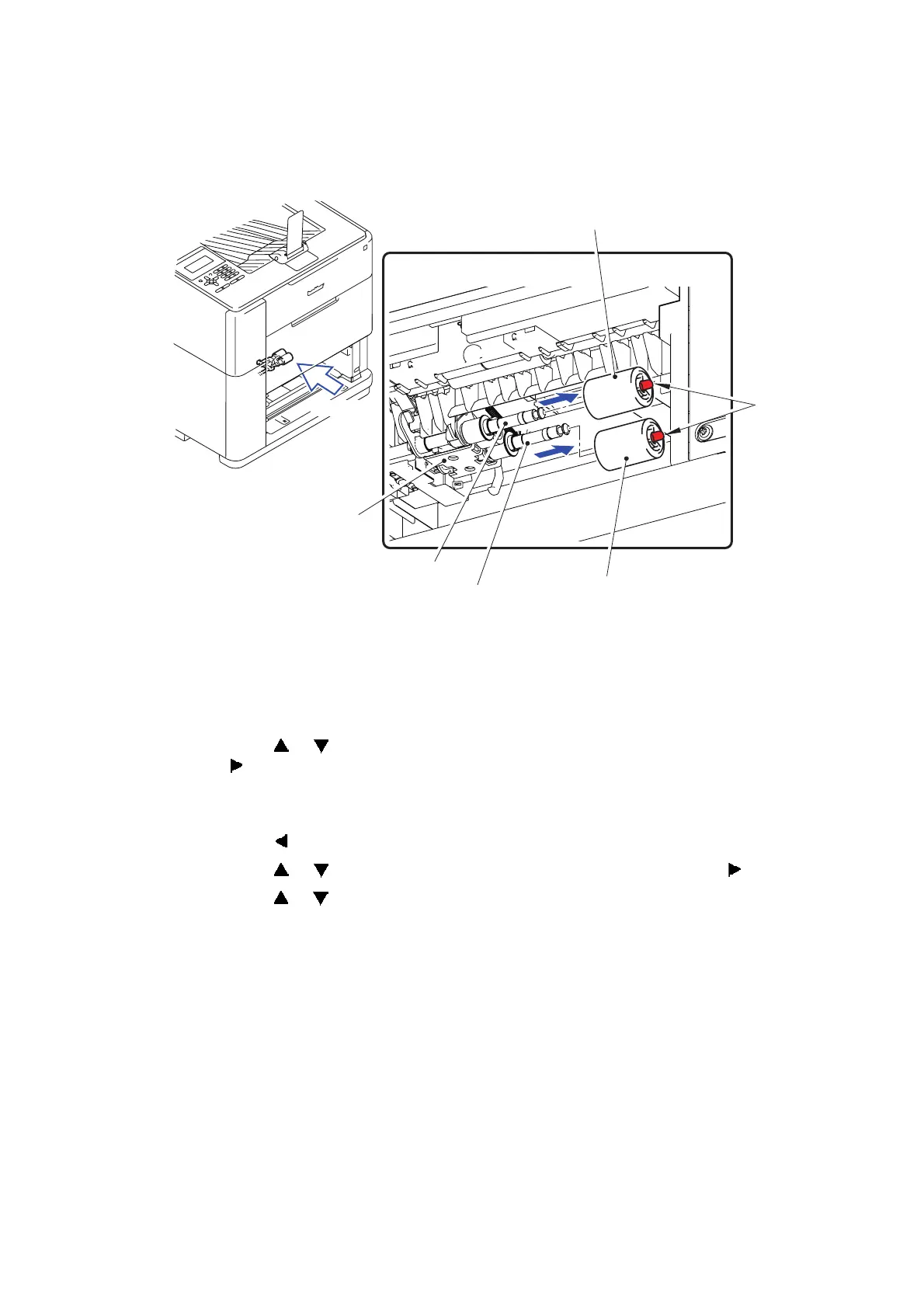
(3) Release the Hook to remove the Pick-up roller from the PF drive shaft.
(4) Release the Hook to remove the Separation roller from the Paper feed shaft.
Fig. 7-3
■ Ink head wiper ASSY
(5) Insert the AC cord to the machine, enter the initial state of the maintenance mode, and
press the 1 and 8 buttons in this order. "PlatenPosition" is displayed on the LCD.
(6) Press the or button to display "WipeGlassSurface" on the LCD, and press
the button. Check that "BLACK" is displayed on the LCD to replace the Ink head wiper
ASSY.
(7) Press the OK button. The glass face goes down.
(8) Press the button. "WipeGlassSurface" is displayed on the LCD.
(9) Press the or button to display "BlackWipe" on the LCD, and press the button.
(10) Press the or button to display "NOZZLE WIPE POS" on the LCD, and press the OK
button. Pull the Open lever, open the Top cover, and check that the Ink head wiper ASSY
is moved to the replacement position.
(11) Pull out the AC cord from the machine.
Hook
Pick-up roller
Separation roller
Paper feed shaft
PF drive shaft
Paper feed
<A view>
A view
frame unit



 To Next Page
 Loading...












