3-151
Confidential
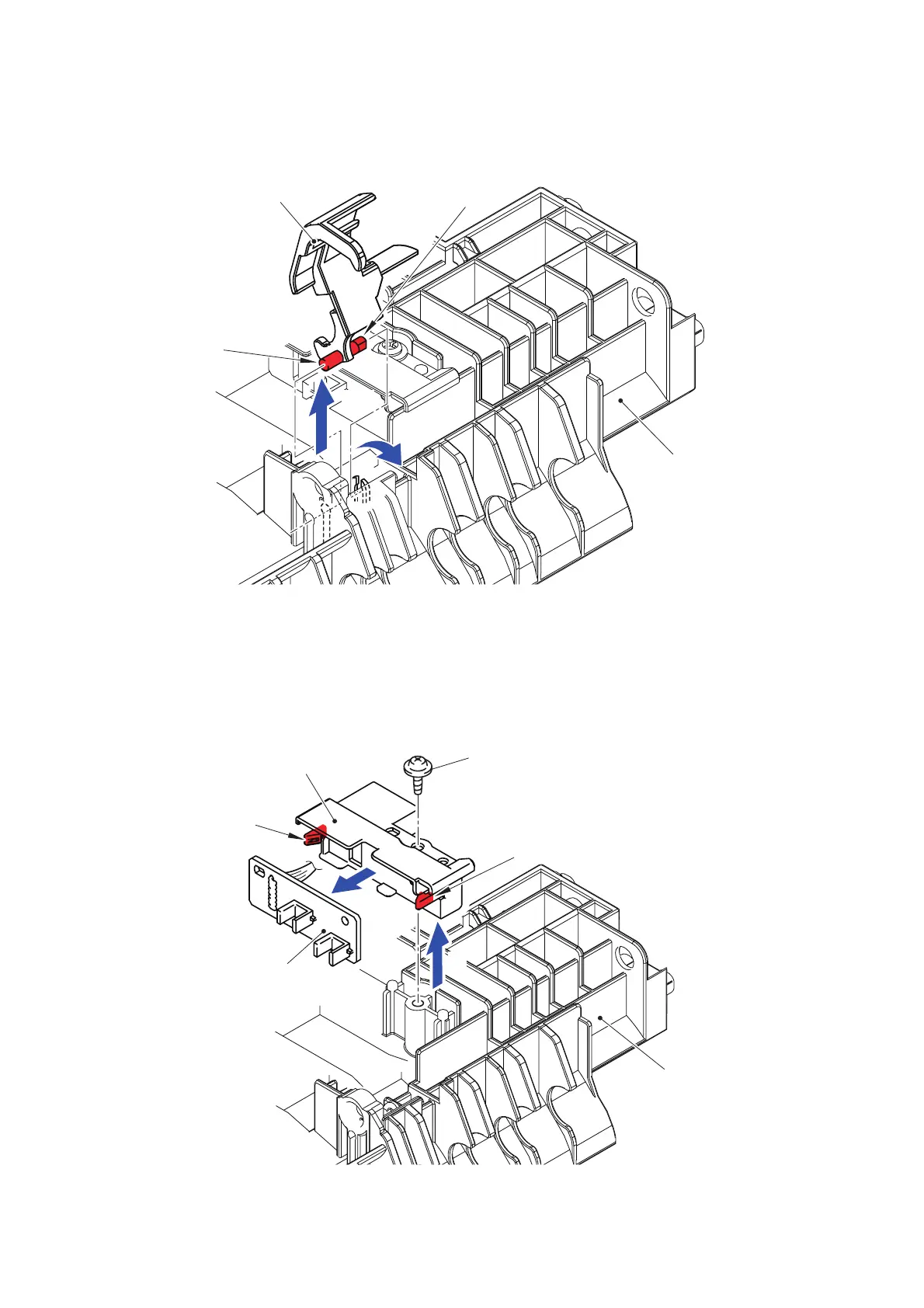
(14) Rotate the Paper feed actuator by 80° in the direction of the arrow 14a to pull it out in the
direction of the arrow 14b.
Fig. 3-194
(15) Remove the Taptite cup B M3x8 screw to remove the Paper empty sensor PCB holder
from the LT paper feed frame ASSY.
(16) Release the two Hooks to remove the Paper empty sensor PCB ASSY from the Paper
empty sensor PCB holder.
Fig. 3-195
LT paper feed frame ASSY
Hook
Paper feed actuator
Hook
14b
14a
LT paper feed frame ASSY
Hook
Taptite cup B M3x8
Hook
Paper empty sensor PCB holder
Paper empty sensor PCB ASSY
16
15



 To Next Page
 Loading...












