4
4
4-48
4-48
Disassembly/Assembly > Document Exposure/Feeder System > Removing the DADF Pickup Unit (MF4890dw/MF4880dw) > Procedure
Disassembly/Assembly > Document Exposure/Feeder System > Removing the DADF Pickup Unit (MF4890dw/MF4880dw) > Procedure
[2]
[3] [1]
[2]
Caution:
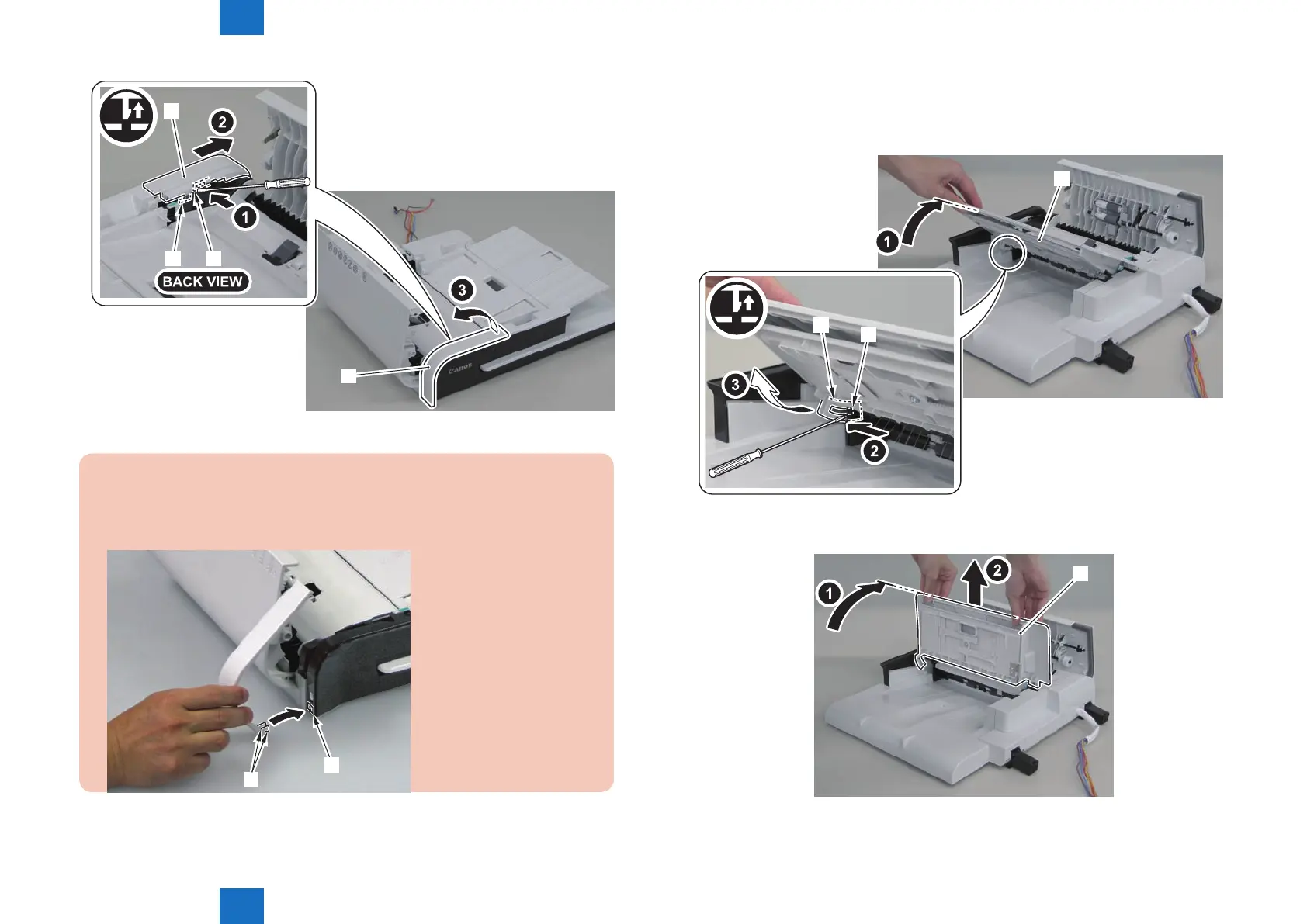
When assembling the DADF upper front cover, align the 2 hooks[1] at left side to
DADF front cover hole[A] to install the cover.
[1]
[A]
F-4-119
3)Open the DADF tray[1] until it stops. Then release the claw by pushing the hook[2] in the
direction of the arrow[A] with a at-blade screwdriver, and move the tray in the direction of
the arrow.
[1]
[2]
[3]
4)Open the DADF tray[1] to the position shown in the gure below, and remove it upward.
[1]
F-4-120
F-4-121















 To Next Page