3
3
3-38
3-38
Disassembly/Assembly > Controller System > Removing the Engine Controller PCB (LBP3580/6780x) > Procedure
Disassembly/Assembly > Controller System > Removing the Engine Controller PCB (LBP3580/6780x) > Procedure
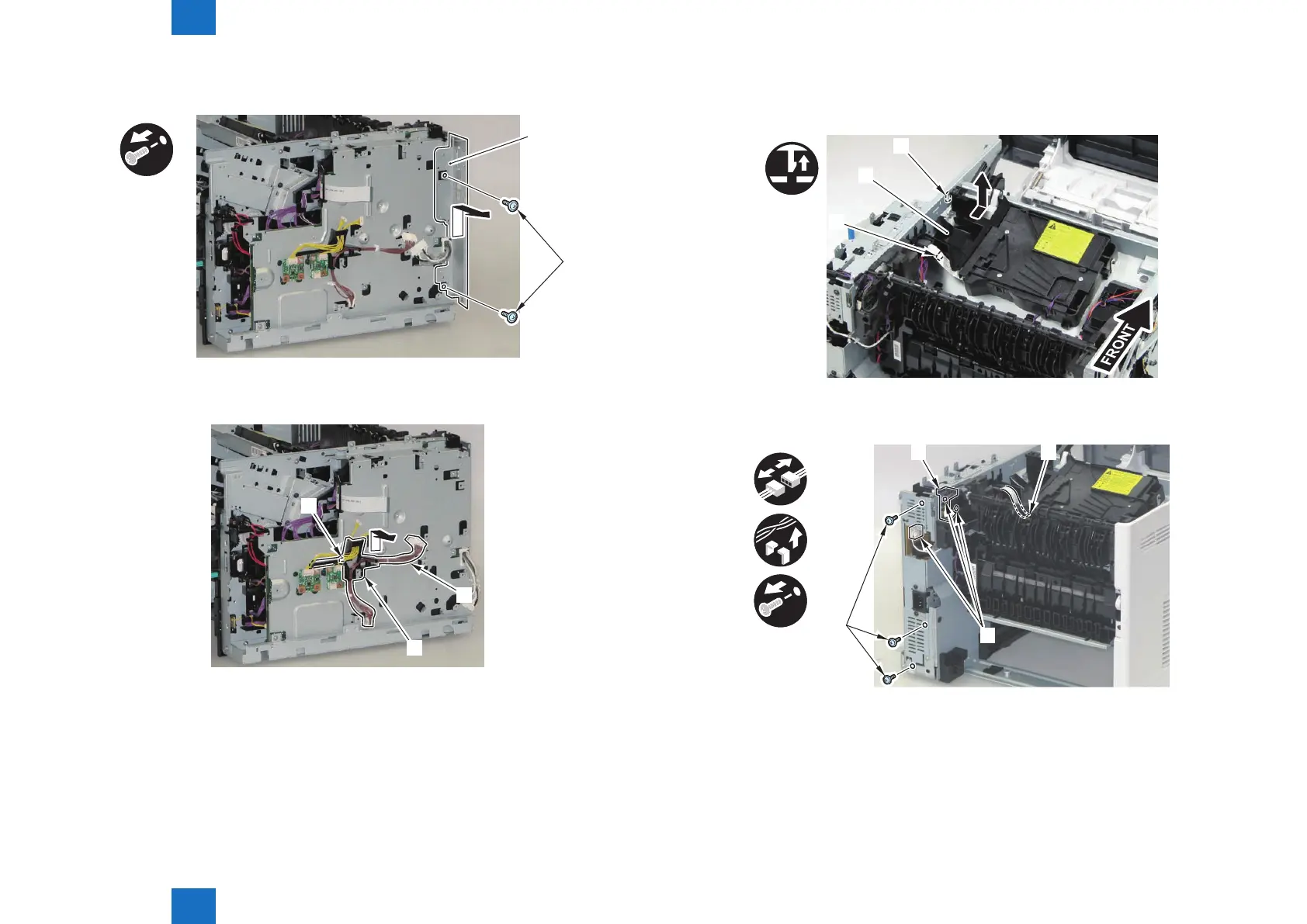
2) Remove the PCB Installation Plate [1].
• 2 Screws (black) [2]
x2
[1]
[2]
3) Remove the harness [1] and the Harness Guide [2].
• 1 Hook [3]
[1]
[3]
[2]
F-3-78
F-3-79
4) Remove the Scanner Cover [1].
• 1 Claw [2]
• 1 Hook [3]
[2]
[1]
[3]
5) Disconnect the Flat Cable [1] and 3 connectors [2], and remove the Harness Guide [3] and
3 screws (black) [4].
x3
x4
[2]
[4]
F-3-80
F-3-81














 To Next Page