3
3
3-45
3-45
Disassembly/Assembly > Controller System > Removing the High Voltage Power Supply Unit > Procedure
Disassembly/Assembly > Controller System > Removing the High Voltage Power Supply Unit > Procedure
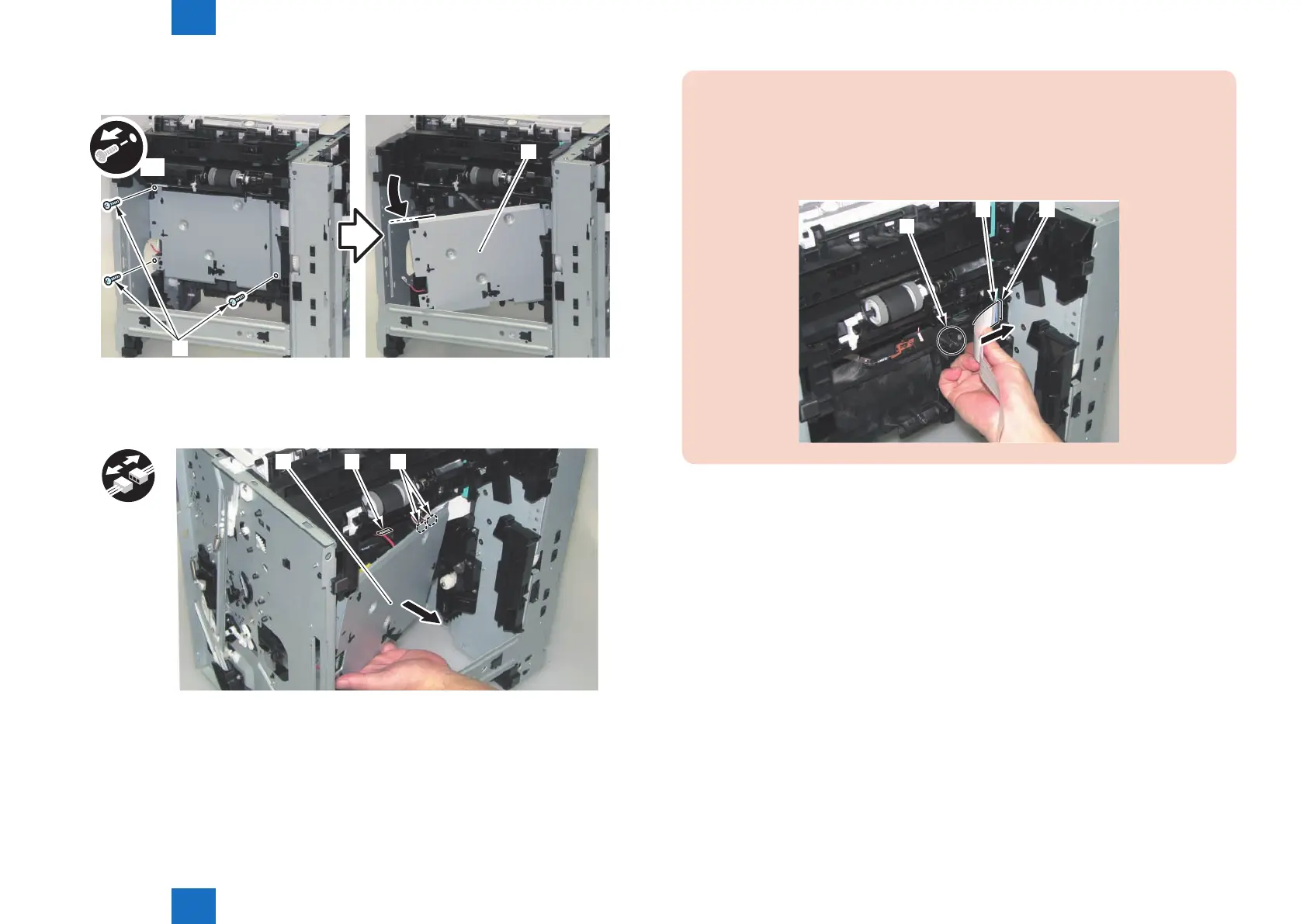
8) Open the High Voltage Power Supply Unit [1].
• 3 Screws [2]
x3
[1]
[2]
9) Remove the High Voltage Power Supply Unit [1].
• 2 Connectors [2]
• 1 Faston Terminal [3]
[1]
x3
[2][3]
F-3-97
F-3-98
CAUTION:
• When disassembling/assembling the High Voltage Power Supply Unit, be careful not
to lose the spring [1] on the Main Frame.
• When installing the High Voltage Power Supply Unit to the main body, pass the Flat
Cable [2] through the hole [3] on the Right Side Plate.
[1]
[2] [3]














 To Next Page