3
3
3-70
3-70
Disassembly/Assembly > Pickup Feed System > Removing the Pickup Unit > Procedure
Disassembly/Assembly > Pickup Feed System > Removing the Pickup Unit > Procedure
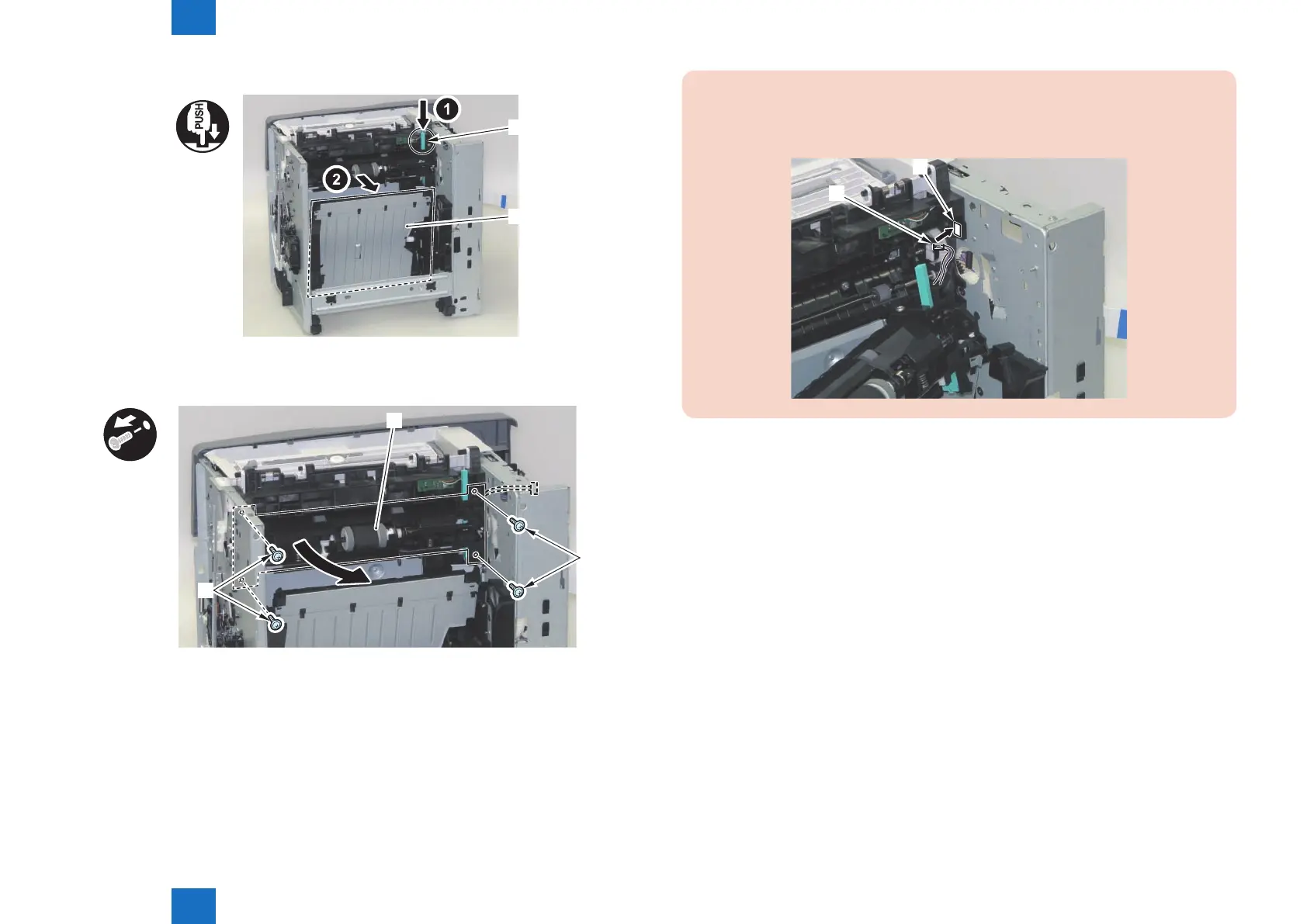
8) Press the jam removal button [1]. Open the Duplex Feed Unit [2].
[1]
[2]
9) Remove the Pickup Unit [1].
• 4 Screws [2]
x4
[1]
[2]
[2]
F-3-150
F-3-151
CAUTION:
When installing the Pickup Unit to the main body, be sure to pass the connector [2]
through the hole [1] on the Right Side Plate.
[2]
F-3-152














 To Next Page