2
2
2-21
2-21
Technology > Embedded RDS > E-RDS Setup > Steps to E-RDS settings
Technology > Embedded RDS > E-RDS Setup > Steps to E-RDS settings
5. Perform installation or deletion of the CA certicate if necessary, and reboot the device.
• Installation of the CA certicate: Perform installation from SST.
• Deletion of the CA certicate: When the following operation is performed, the CA certicate
in the factory setting is automatically installed.
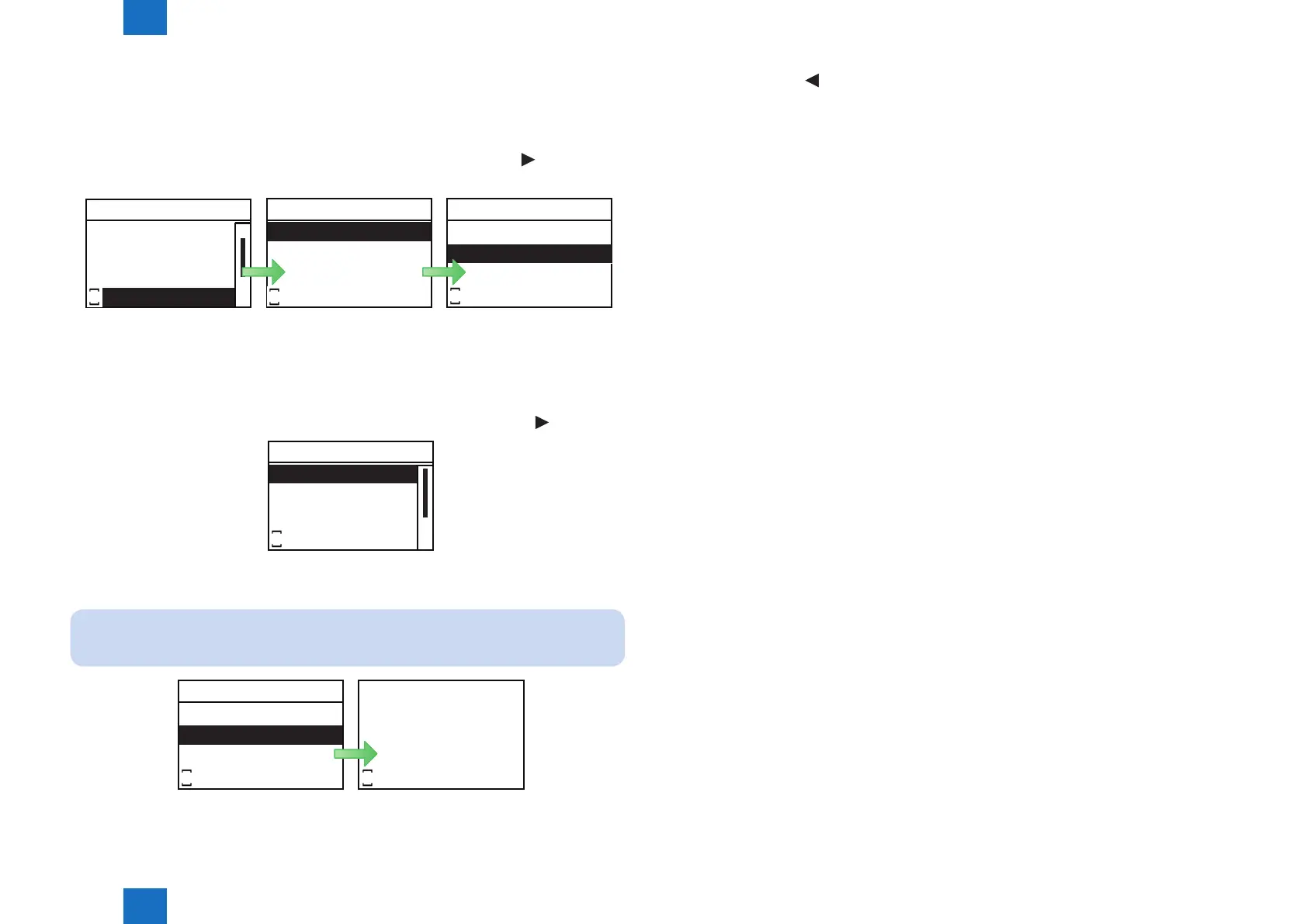
1) Select [NETWORK GR.] > [CA-KEY] > [CLEAR] and press [OK] or [
] button to
display Conrm Clear screen. Select [Yes] and press [OK] button.
NETWORK GR.
CA-KEY
JOB SERIALIZE
BUFFER LIMIT
E-RDS
S
CA-KEY
CLEAR
S
Excute?
No
Yes
S
2) Reboot the device.
6. Activate [SERVICE MODE]. (See 1. for the procedure.)
7. Select [NETWORK GR.] > [E-RDS] > [E-RDS SWITCH] and press [OK] or [
] button.
E-RDS
COM-TEST
E-RDS SWITCH
RGW-ADDRESS
RGW-PORT
S
8. Select [On] and press [OK] button.
NOTE:
This operation enables the communication function with UGW.
E-RDS SWITCH
Off
On
S
Settings changed.
S
F-2-30
F-2-31
F-2-32
9. Press [Back] or [ ] button to go back to E-RDS Setup menu.














 To Next Page