2
2
2-37
2-37
Technology > MEAP > Preparation for Using SMS > Device Settings
Technology > MEAP > Preparation for Using SMS > Device Settings
Installing a server certicate (reference information)
On Internet Explorer 7 (IE) or later, if [ Default Key ] installed as standard on the device is
used, "Certicate Error" appears during access due to "Internet Explorer Enhanced Security
Conguration".
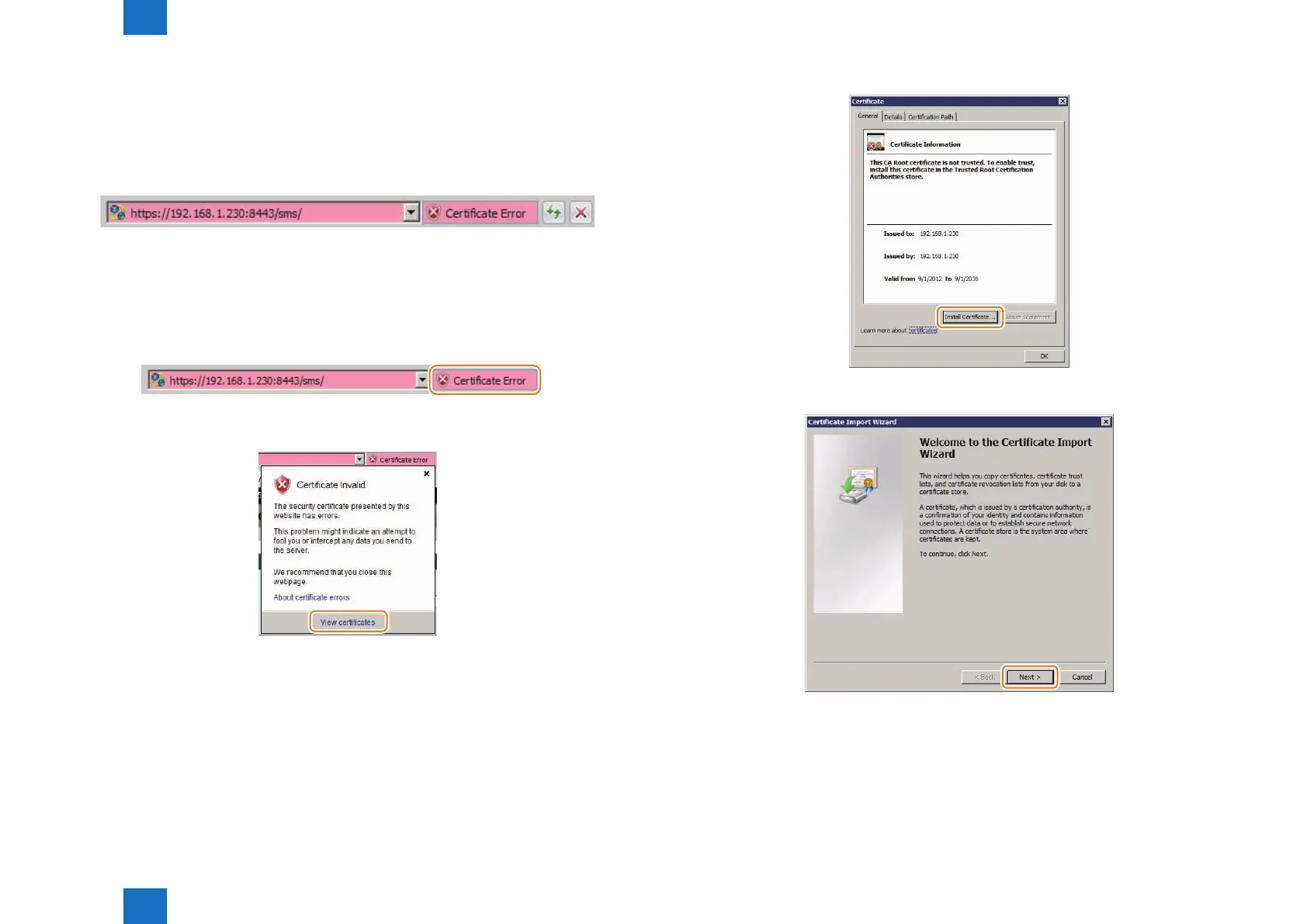
Error display example
To disable display of "Certicate Error", use the following procedure (for IE8) to set the key
generated in "Key Pair and Server Certicate when Using Encrypted SSL Communication" (i.e.
the key with the IP address of the device specied as the shared name) as an SSL key.
1) Access SMS from the browser, and then click "Certicate Error" in the URL entry eld.
2) Click [ View certicates ].
F-2-58
F-2-59
F-2-60
3) Click the [ Install Certicate... ] button on the [ General ] tab.
4) [ Certicate Import Wizard ] will appear. Click the [ Next ] button.
F-2-61
F-2-62














 To Next Page