2
2
2-36
2-36
Technology > MEAP > Preparation for Using SMS > Device Settings
Technology > MEAP > Preparation for Using SMS > Device Settings
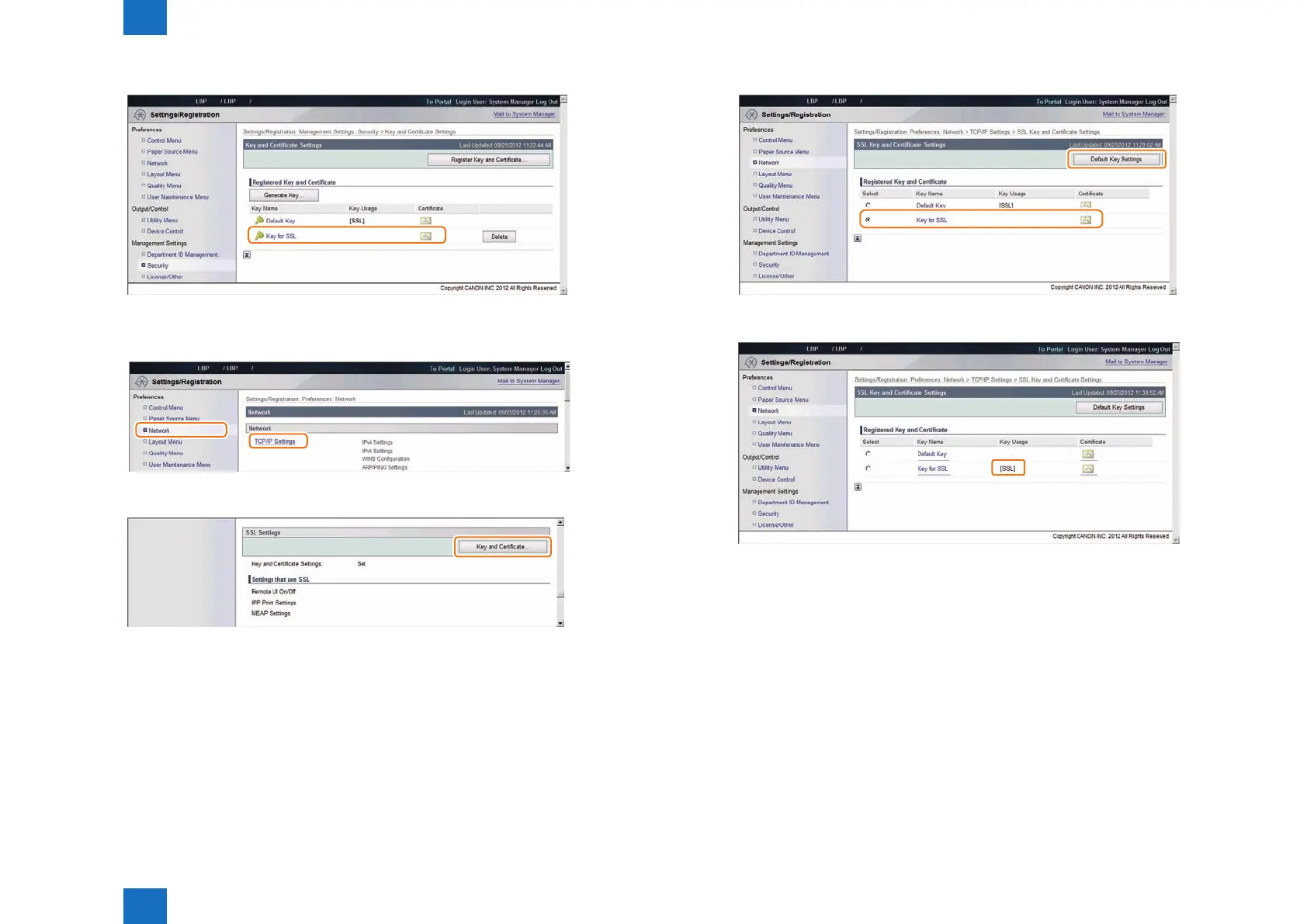
5) Check to see that the generated key appears in [ Registered Key and Certicate ].
Default Key Settings
1) Click [ Preferences ] > [ Network ] > [ TCP/IP Settings ] .
2) Click [ Key and Certicate... ] button.
F-2-53
F-2-54
F-2-55
3) Select the generated key, and then click the [ Default Key Settings ] button.
4) Check that [ SSL ] is displayed in the [ Key Usage ] entry eld.
5) Log out from the remote UI, and then restart the device.
F-2-56
F-2-57














 To Next Page