2
2
2-35
2-35
Technology > MEAP > Preparation for Using SMS > Device Settings
Technology > MEAP > Preparation for Using SMS > Device Settings
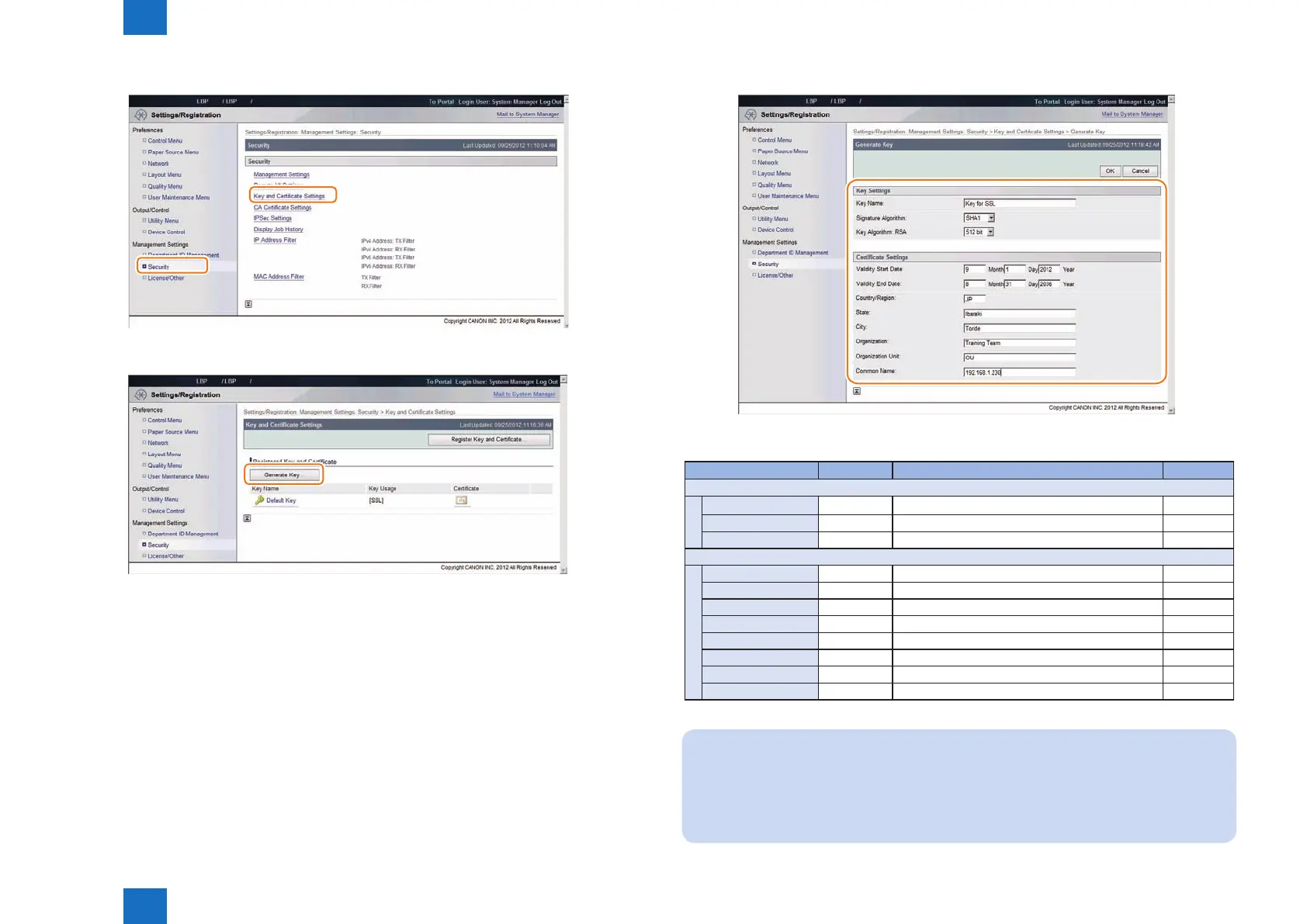
2) Click [ Management Settings ] > [ Security ] > [ Key and Certicate Settings ].
3) Click [ Generate Key... ] button.
F-2-50
F-2-51
4) Enter the necessary information, and then click the [ OK ] button.
Input example
Item name Type Content Entry
Key Settings
Key Name Compulsory An arbitrary character string Default Key
Signature Algorithm Compulsory Selected from:SHA1/SHA256/SHA384/SHA512 RSA
Key Algorithm Compulsory Selected from:512/1024/2048/4096 512
Certicate Settings
Validity Start Date Compulsory Date 15/5/2011
Validity End Date Compulsory Date 15/5/2036
Country/Region Compulsory Country or region name US
State Arbitrary State name -
City Arbitrary City name -
Organization Arbitrary Organization name -
Organization Unit Arbitrary Organization unit -
Common Name Arbitrary Common Name* -
Note:
When the IP address of the device has been entered in the [Common Name] entry
eld, if you install a server certicate to the browser ( see "Installing a server certicate
(reference information)" ), the message "Certicate Error" that usually appears when
access is made from Internet Explorer 7 or later will not be displayed.
F-2-52
T-2-12














 To Next Page