2
2
2-54
2-54
Technology > MEAP > MEAP Application Management > Managing the License File
Technology > MEAP > MEAP Application Management > Managing the License File
●
Procedure downloading / removing an invalidated license le
Note:
The downloaded license le can be used for reinstallation only in the same iR device
(with the same device serial number).
1) Login to SMS.
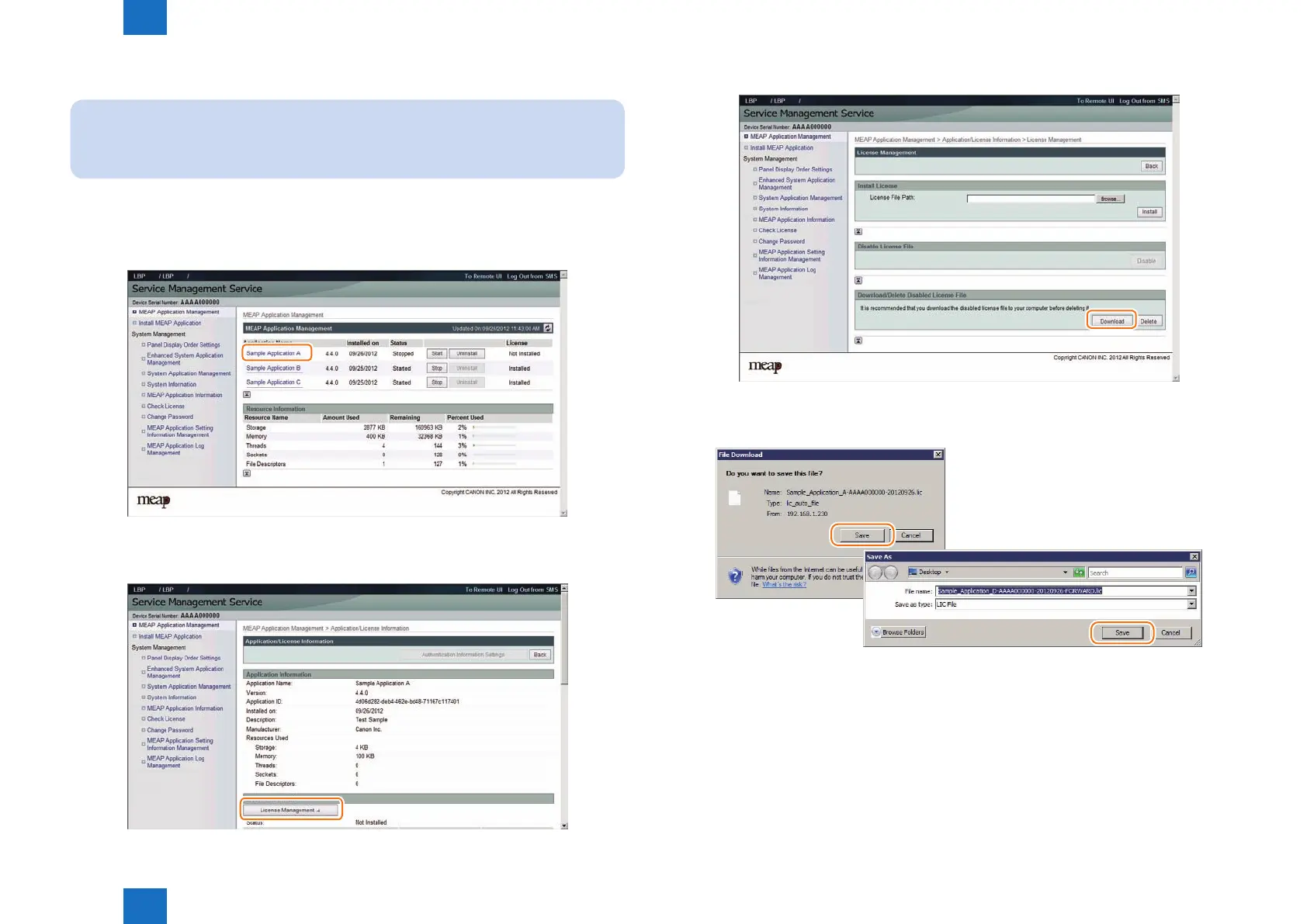
2) Application List page appears. On MEAP Application Management page , click the name of
the application you want.
3) Check Application/ License Information page appears.
4) On Application / License Information page, click [ License Management ] button.
F-2-102
F-2-103
5) License Management page appears. To download, click [ Download ] button.
6) When you have selected [ Download ] button, specify where you want to store the le by
following the instructions on the screen.
F-2-104
F-2-105














 To Next Page