2
2
2-53
2-53
Technology > MEAP > MEAP Application Management > Managing the License File
Technology > MEAP > MEAP Application Management > Managing the License File
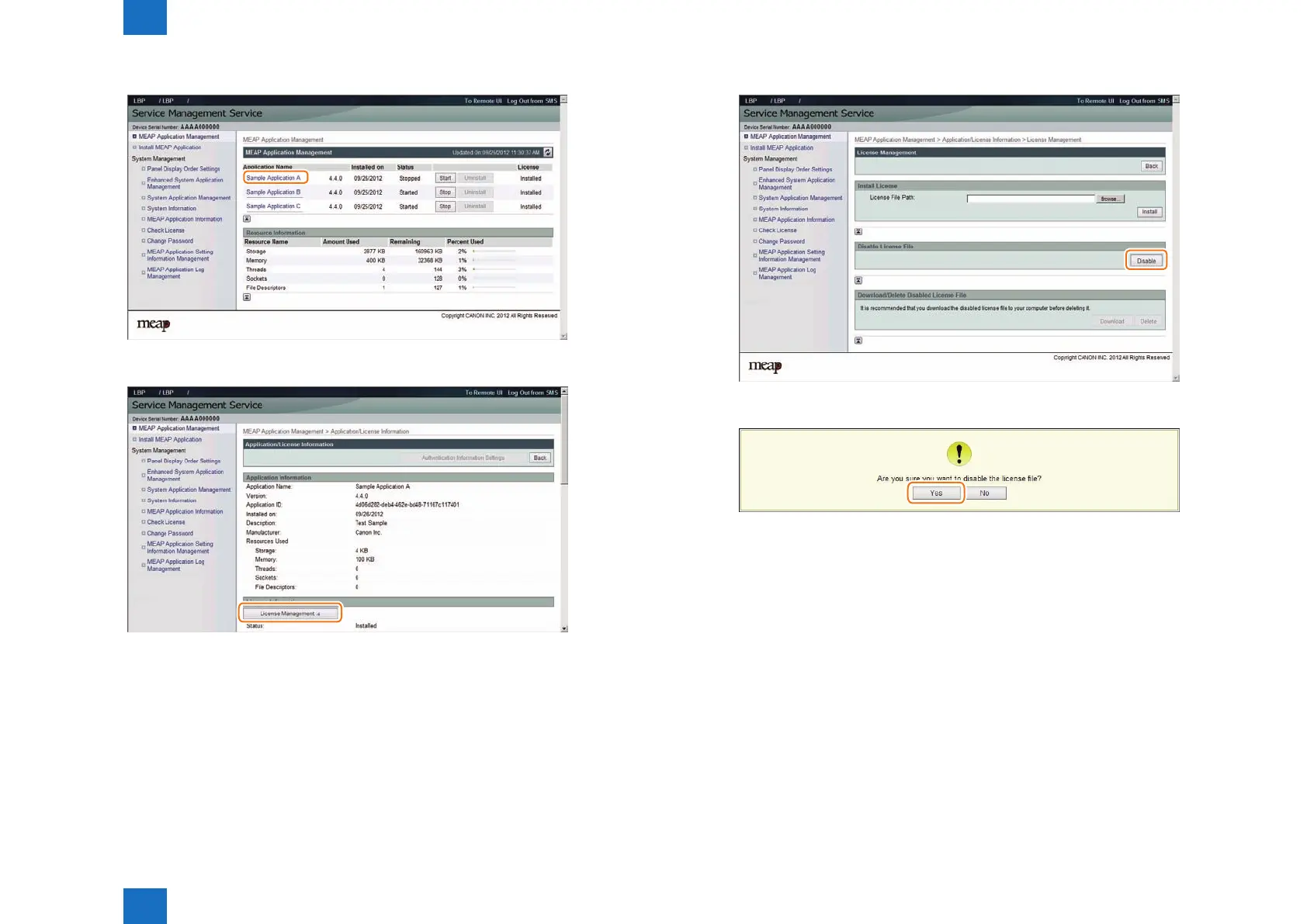
2) Click the name of the application that you want to disable.
3) On Application/ License Information page, click [ License Management ] button.
F-2-98
F-2-99
4) License Management page appears. Click [ Disable ] button.
5) Click [ Yes ].
F-2-100
F-2-101














 To Next Page