2
2
2-60
2-60
Technology > MEAP > Enhanced System Application Management > SSO-H (Single Sign-On-H) overview
Technology > MEAP > Enhanced System Application Management > SSO-H (Single Sign-On-H) overview
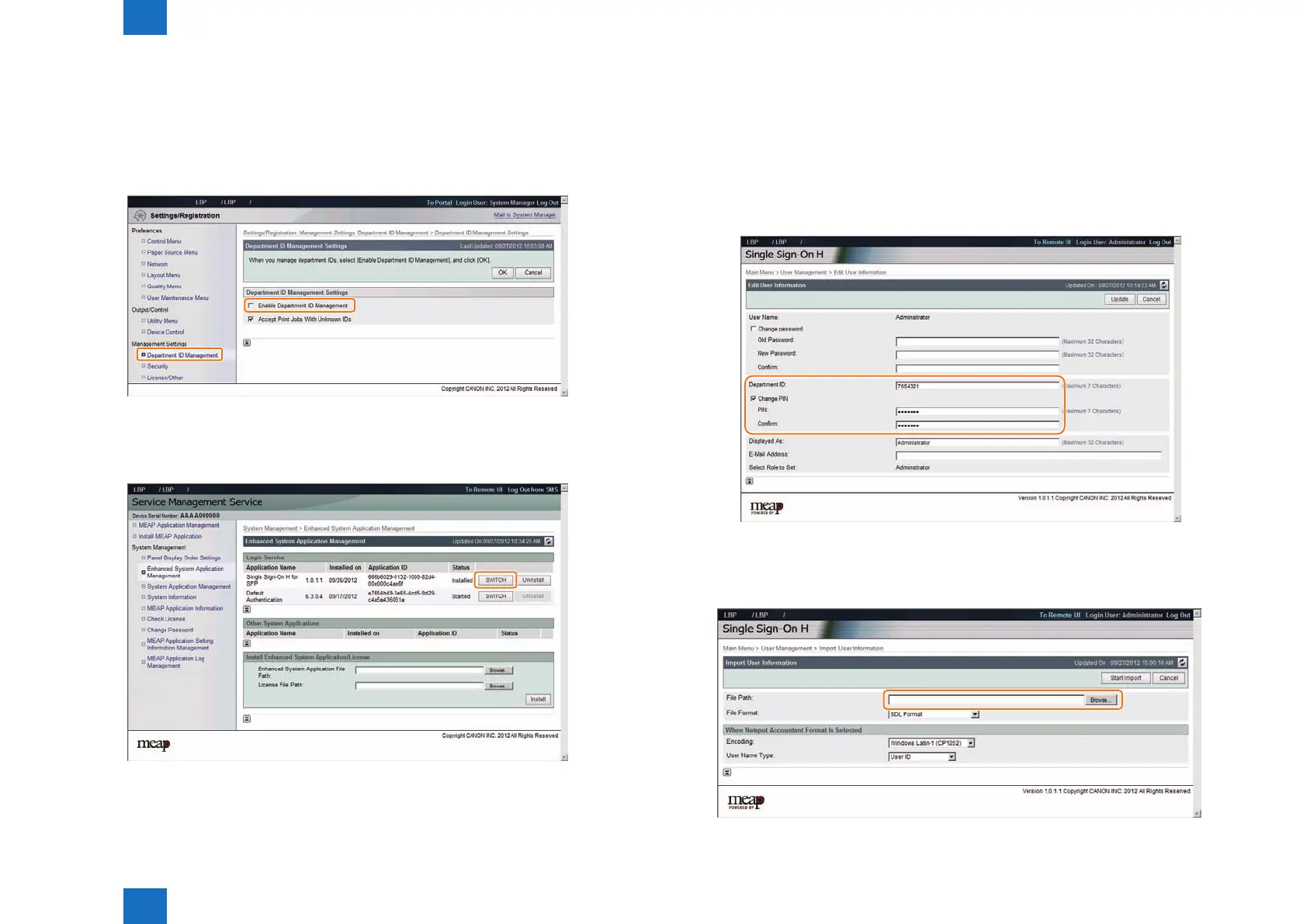
14) Disable Depart ID Management.
In user mode ([Settings/Registration]), select [Management Settings] > [User Management]
> [Department ID Management] > [OFF]. In the case of remote UI, access [Settings/
Registration] > [Management Settings] > [User Management] > [Department ID
Management] > [Department ID Management Settings], and deselect [Enable Department
ID Management].
15) Change the authentication method back to SSO-H authentication.
Access SMS, and select [Single Sign-On H] in [Enhanced System Application Management]
> [Login Service]. (How to log in to SMS can be found in "Login to SMS". )
16) Restart the device.
Restart the device in order to reect the changes in login service.
F-2-120
F-2-121
17) Change the user registration information of SSO-H.
Access the URL shown below, and change the content to the information registered in
Department ID Management.
Or, import the setting le whose content you want to use.
SSO-H user registration information edition screen
(SSO management screen [Main Menu] > [User Management] > [Edit User Information] or
https://<IP address>:8443/sso/Edit).
SSO-H user registration information import screen
(SSO management screen [Main Menu] > [User Management] > [Import User Information]
or (https://<IP address>:8443/sso/Import).
F-2-122
F-2-123














 To Next Page