ICS-3000 Ion Chromatography System
142 Doc. 065031-04 1/08
3. Remove the fitting plug from the rear of the port.
4. Cut a length of green, 0.75-mm (0.030-in) ID PEEK tubing. The
tubing will be used to connect the sample loading port and the sample
port on the valve.
5. Attach a 1/4-28 fitting and ferrule to one end of this tubing and
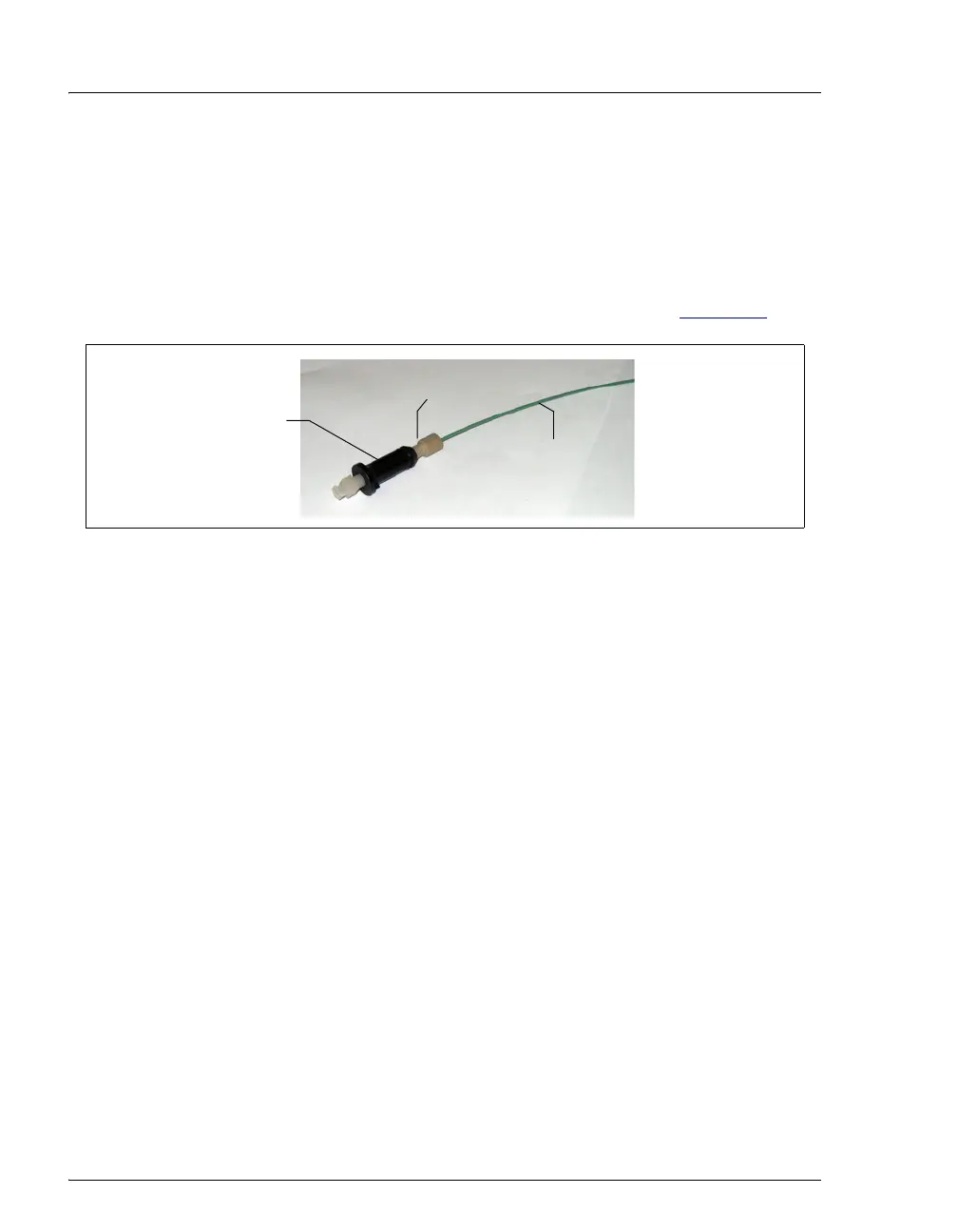
connect it to the rear of the sample loading port (see Figure 5-4
).
6. Thread the free end of the tubing through the sample loading port
opening on the DC. Insert the port into the opening and turn it until it
snaps into place.
7. Attach a 10-32 fitting and ferrule to the free end of the tubing and
connect it to sample port
S (5) on the injection valve.
Loading the Sample
1. Fill a syringe with a calibration standard or sample.
2. Insert the syringe into the sample loading port on the front of the DC.
3. Verify that the injection valve is in the Load position. If it is not,
switch the valve by clicking the valve control on the Control panel or
pressing the
VALVE button on the front of the DC.
4. Overfill the sample loop with several sample loop volumes. Excess
sample will exit through the injection valve waste line.
5. Leave the syringe in the port. This prevents the sample from exiting
the loop before injection.
6. Switch the injection valve to the Inject position by clicking the valve
control on the Control panel or pressing the
VALVE button on the
front of the DC.
Figure 5-4. Sample Loading Port Tubing Connection
Sample Loading Port
Green, 0.75-mm
(0.030-in) ID PEEK
Tubing
1/4-28 Fitting
and Ferrule



 To Next Page