9 • DC Service
Doc. 065031-04 1/08 313
3. If a bubble is still trapped in the cell, try these techniques to remove
it:
• Loosen and then tighten the cell outlet fitting.
• Temporarily disconnect the backpressure coil from the suppressor
REGEN IN port and then plug and unplug the end of the tubing
with your fingertip 2 or 3 times to create a pressure difference.
9.24 ED Service Procedures
9.24.1 Disconnecting the Amperometry Cell
Before performing an amperometry cell service procedure, follow these
instructions to disconnect the cell.
1. Turn off the cell voltage from the Control panel in Chromeleon or
Chromeleon Xpress.
2. Turn off the pump flow from the Control panel in Chromeleon or
Chromeleon Xpress or press
PUMP FLOW on the front of the pump.
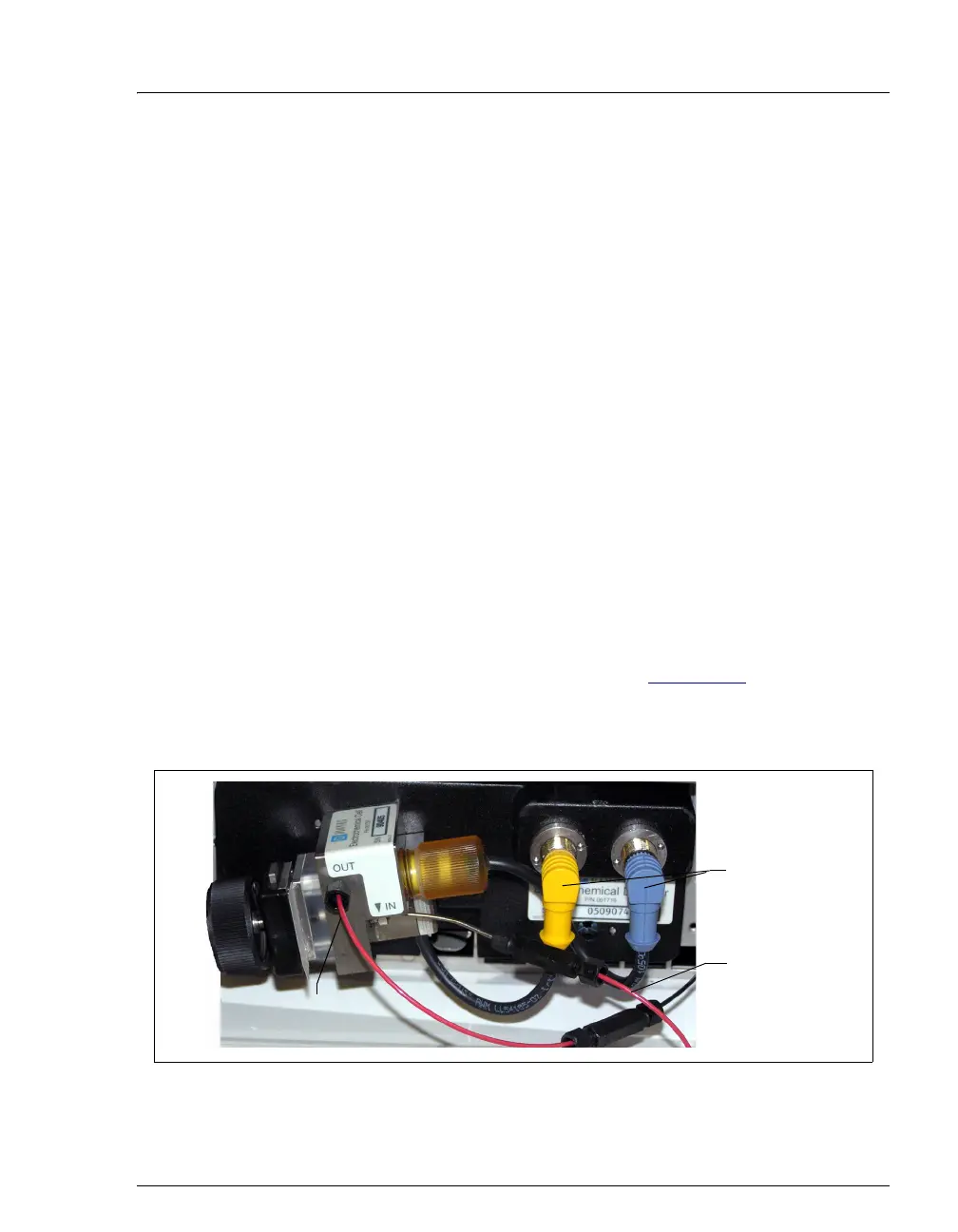
3. Disconnect the inlet and outlet lines from the amperometry cell and
disconnect the two electrical cables (see Figure 9-32
).
4. Grasp the cell by the cell body and pull straight out to remove it from
the detector.
Figure 9-32. Disconnecting the Amperometry Cell (Titanium Cell Shown)
Disconnect
cables
Disconnect
outlet line
Disconnect
inlet line



 To Next Page