9 • EG Service
Doc. 065031-04 1/08 291
7. Twist the ring on the CR-TC electrical cable counterclockwise to
loosen it and then pull the cable straight out of the
CR-TC 1 (or CR-TC
2
) bulkhead connector. Remove the CR-TC from the EG.
9.13.2 Installing and Hydrating the New CR-TC
Always hydrate a new CR-TC before initial operation. This requires
pumping ASTM Type I (18 megohm-cm) filtered and deionized water
through the CR-TC for 10 minutes while bypassing the analytical
columns and the suppressor.
1. Remove the plugs from the ports on the new CR-TC (CR-ATC,
P/N 060477; CR-CTC, P/N 060478).
2. Locate the CR-TC Hydration Tubing Kit (P/N 063487) provided in
the EG Ship Kit.
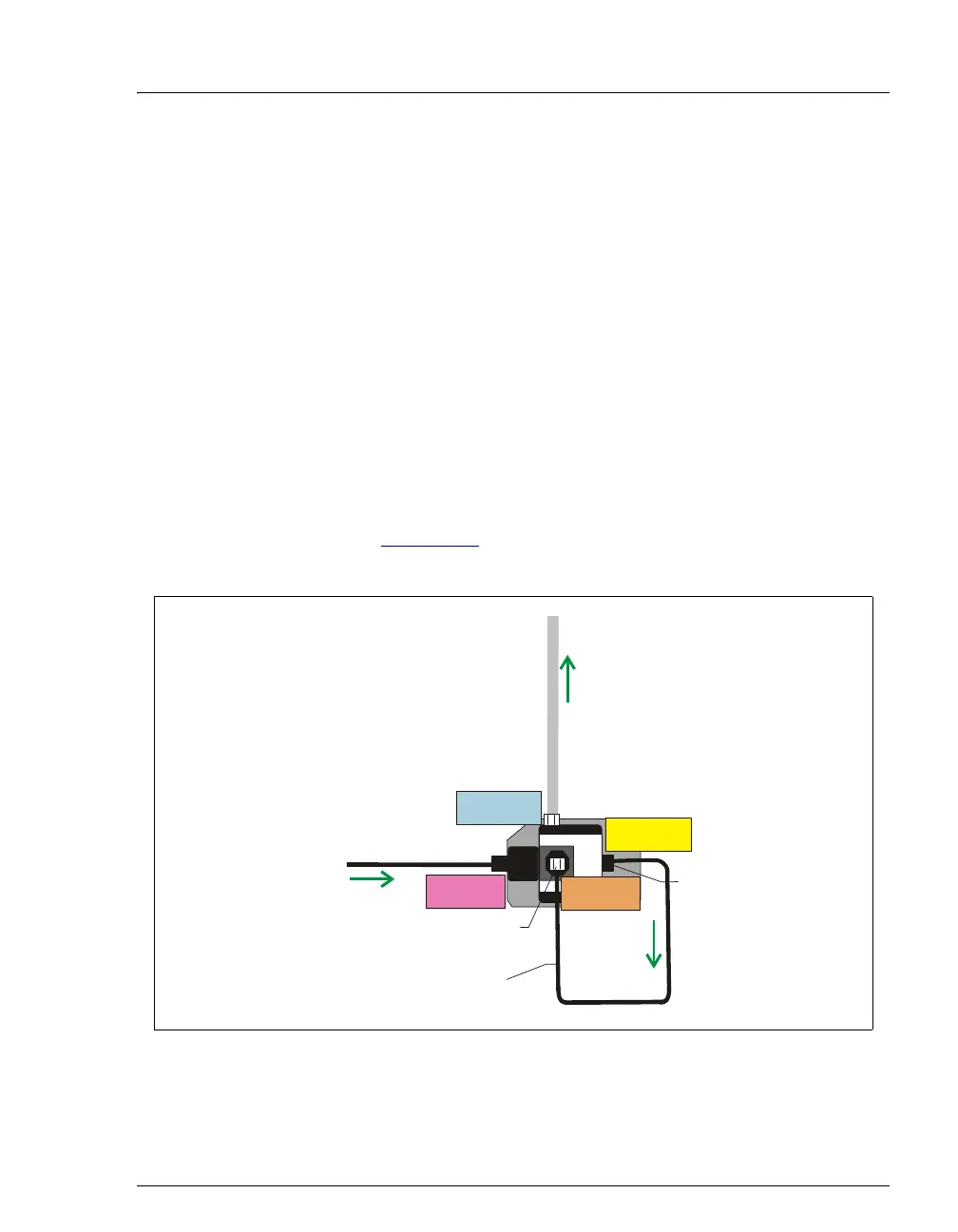
3. Refer to Figure 9-18
to plumb the four ports on the CR-TC for the
hydration procedure.
4. On the panel tabset, select the Detector Compartment tab. Under
Suppressor Settings, verify that Mode is set to Off.
Figure 9-18. CR-TC Plumbing for Hydration
CR-TC
From Pump
Outlet
Preplumbed to RFIC Eluent
Degasser REGEN IN Port
CR-TC Hydration Kit
Tubing Assembly
(P/N 063487)
Regen In
Eluent Out Port
(yellow label)
Eluent In Port
(red label)
Regen In Port
(orange label)
Regen Out Port
(blue label)
10-32 Fitting
1/4-in Fitting



 To Next Page