9 • DP/SP Service
Doc. 065031-04 1/08 269
9.5.4 Removing the Piston Seal Wash Seal
1. Remove the O-ring (P/N 040695) from the seal wash body.
2. Follow these steps to remove the piston seal wash seal (P/N 063382)
from the seal wash body:
a. Using a large flat-blade screwdriver, remove the retainer
(P/N 062092) for the seal from the seal wash body.
b. Insert the piston into the seal wash body from the O-ring side and
gently push the seal out of the retainer.
9.5.5 Installing the Piston Seals
1. Follow these steps to reassemble the seal wash body:
a. Place the seal wash body on a clean work surface.
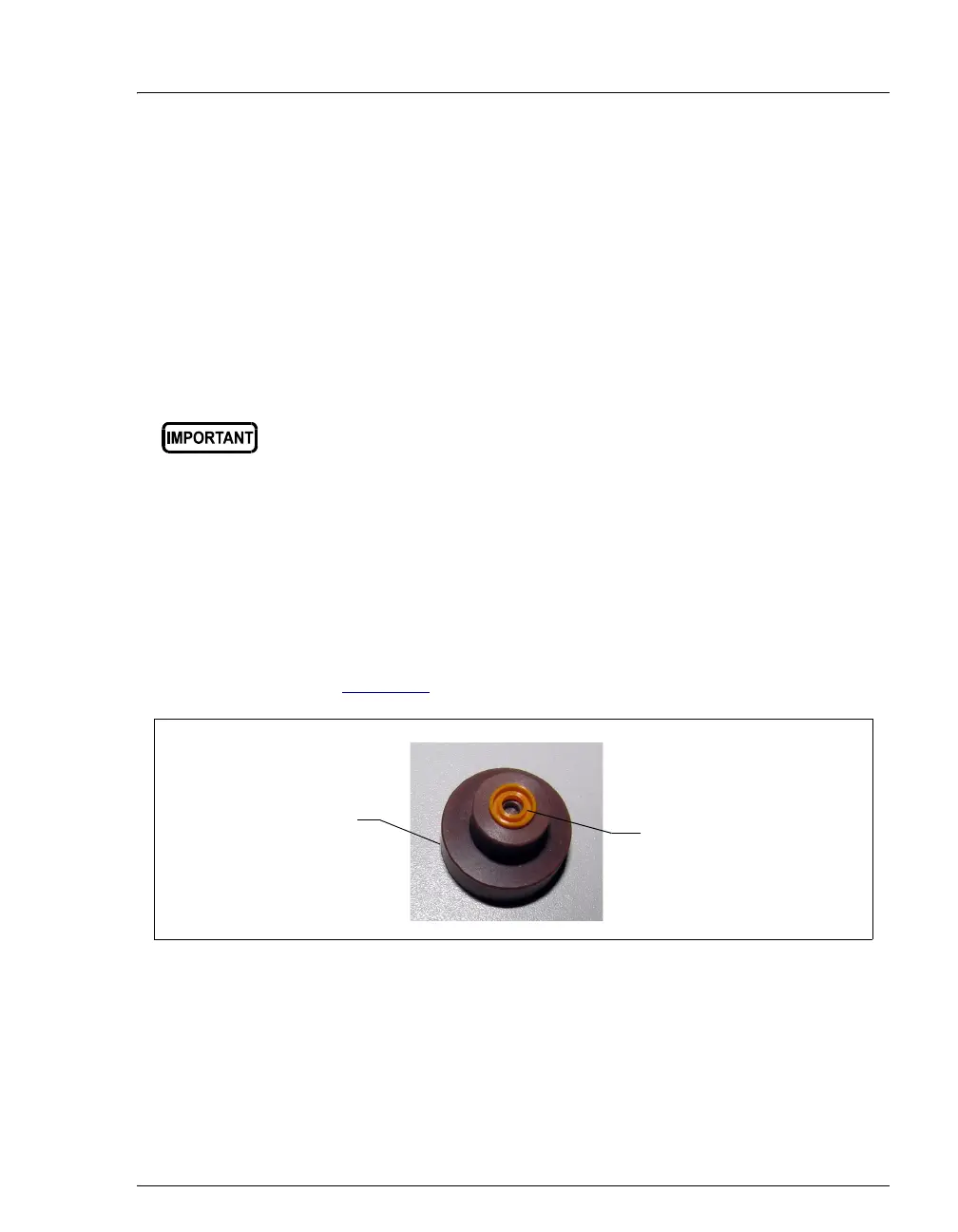
b. Slide the seal wash seal (P/N 063382), with the open side of the
seal facing upward, onto the seal insertion tool (P/N 063675) (see
Figure 9-6
).
c. Insert this end of the tool partway into the seal wash body. Make
sure the tool is centered and does not rock back and forth. Then,
press firmly on the tool and the seal wash body until they snap
together.
d. Remove the seal insertion tool from the seal wash body.
Do not use a sharp tool (such as tweezers) to remove the piston seal
wash seal. This may scratch the seal and the inside of the pump
housing; scratches will prevent a proper seal and cause leakage.
Figure 9-6. Piston Seal Wash Seal and Seal Insertion Tool
Seal Insertion Tool
(P/N 063675)
Piston Seal Wash Seal
(P/N 063382)



 To Next Page