TC Service
Doc. 065031-04 1/08 331
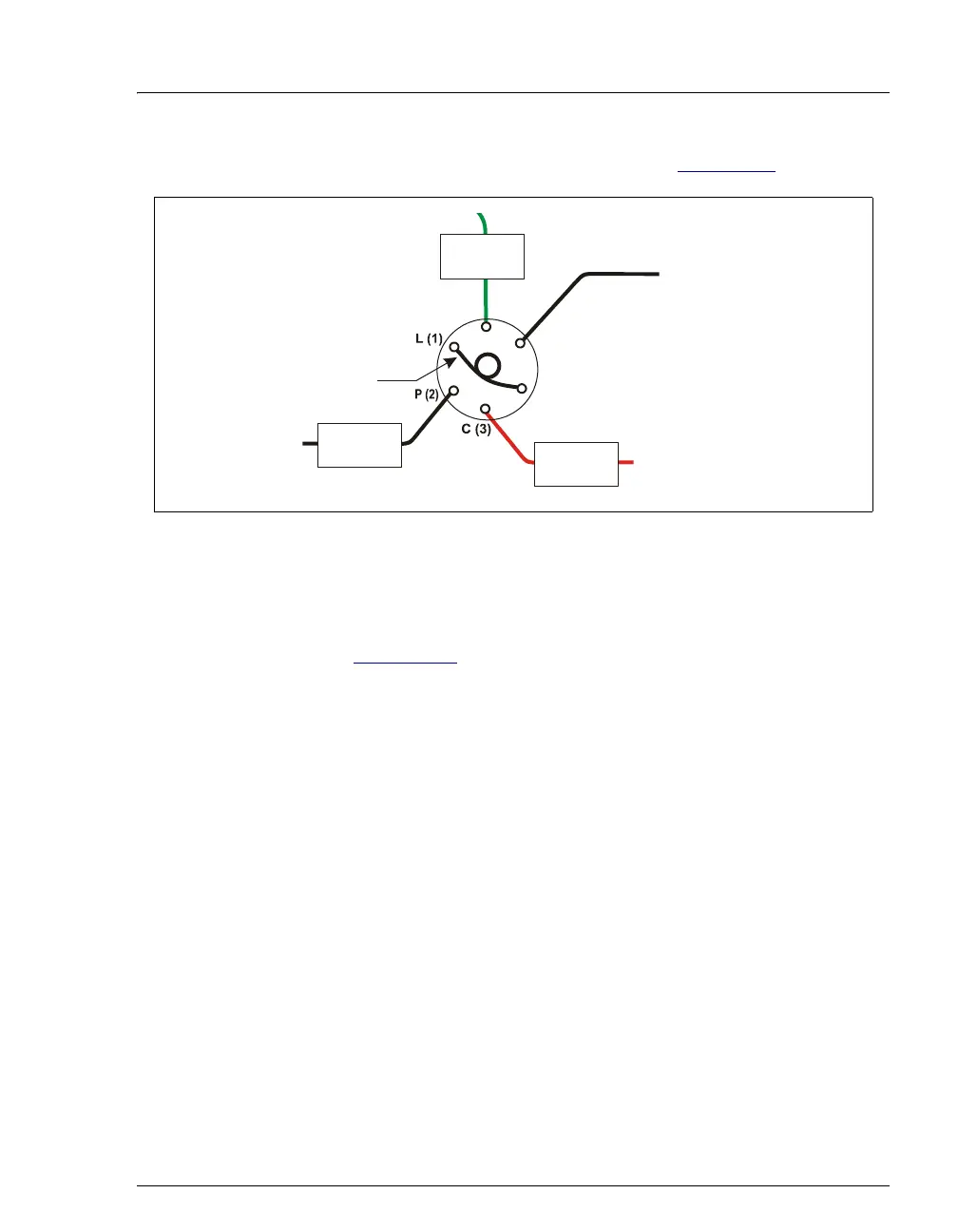
6. Reconnect all liquid lines to the injection valve (see Figure 9-45).
7. Turn on the power to the TC.
8. Turn on the pump flow. Check for leaks from the valve. Tighten fittings as
required (see Section 9.25
).
9. Close the TC door.
9.28 Replacing an Injection Valve Pod
This procedure describes how to replace the mechanical part (the “pod”) of the TC
injection valve.
NOTE If the valve electronics require service, contact Dionex.
Electronics-related repair procedures must be
performed by Dionex personnel.
NOTE Substitution of non-Dionex parts may impair valve
performance and void the product warranty.
1. Turn off the pump flow from the Control panel in Chromeleon or Chromeleon
Xpress or press
PUMP FLOW on the front of the pump.
Figure 9-45. Injection Valve Plumbing (6-Port Valve)
SAMPLE IN
(from door
inject port or
autosampler)
(Red - microbore)
(Black - standard bore
TO INJECT
VALVE -P
TO INJECT
VALVE -W
TO INJ
VALVE -C
25
μL SAMPLE LOOP
(Orange)
L (4)
S (5)
W (6)



 To Next Page