ICS-3000 Ion Chromatography System
328 Doc. 065031-04 1/08
9.26 Setting Up the Column ID System
The TC Ship Kit (P/N 064789) includes two column ID chip cards (P/N 5710.
1500). The optional Column ID Kit (P/N 066353) includes five chip cards.
These are the main steps required to implement the column ID system:
• Specify the column you want to monitor.
• Install a column ID chip card for the column.
• Close the TC door and select the column properties to be monitored.
To select the column to be monitored:
1. Launch the Chromeleon Server Configuration program.
2. In the timebase, right-click the TC and select Properties on the context menu.
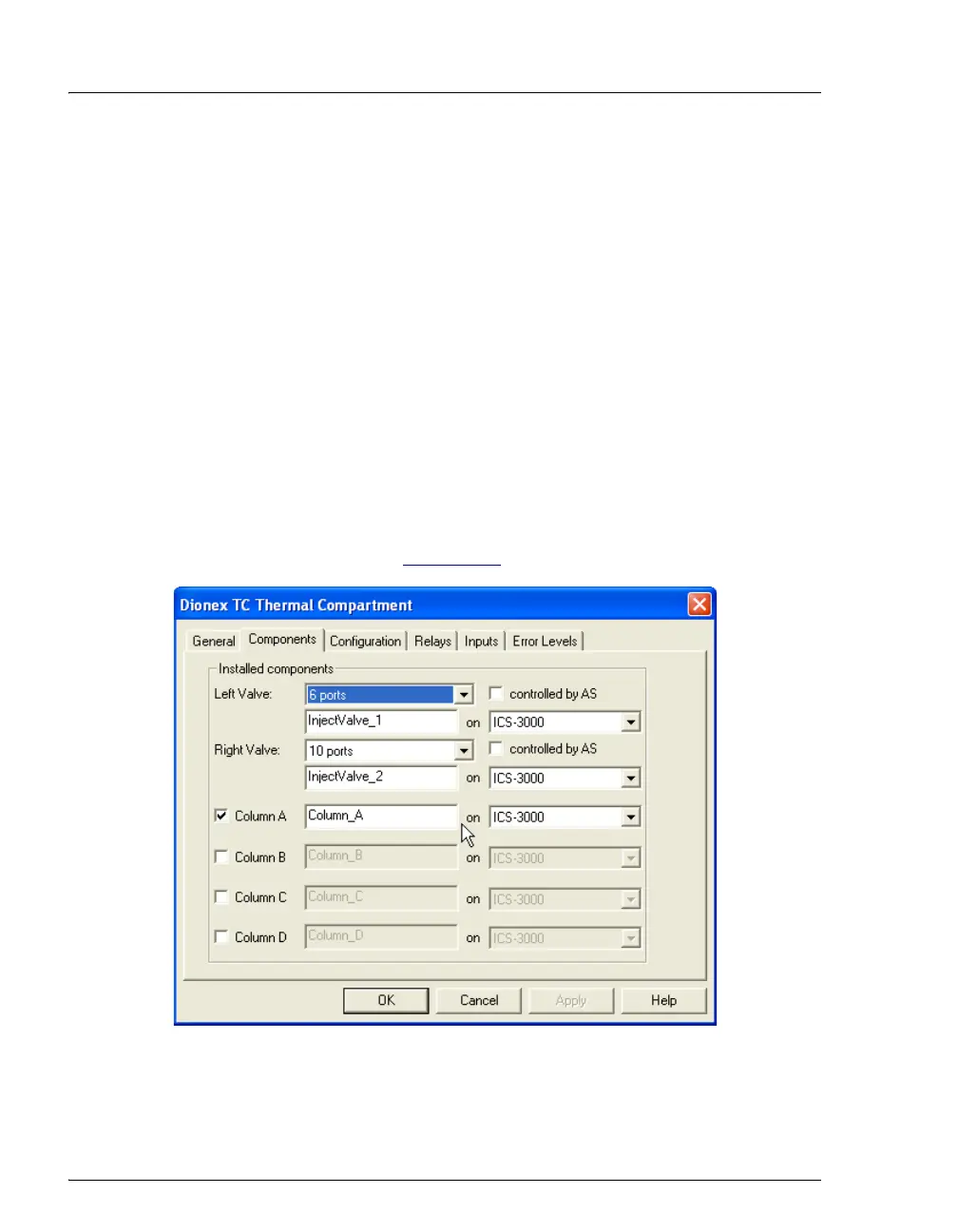
3. In the TC Properties dialog box, select the Components tab to display the
Components tab page (see Figure 9-42
).
4. Select the check box for the column to be monitored (A, B, C, or D) and click
OK.
Figure 9-42. TC Properties Dialog Box: Components Tab Page



 To Next Page