ICS-3000 Ion Chromatography System
274 Doc. 065031-04 1/08
9.7 Replacing the Piston Seal Wash Tubing
Check the piston seal wash tubing weekly for crimping or blockage and replace as
needed.
1. Click Motor on the pump Control panel in Chromeleon or Chromeleon
Xpress to turn off the pump flow.
2. Open the DP/SP door to access the mechanical components.
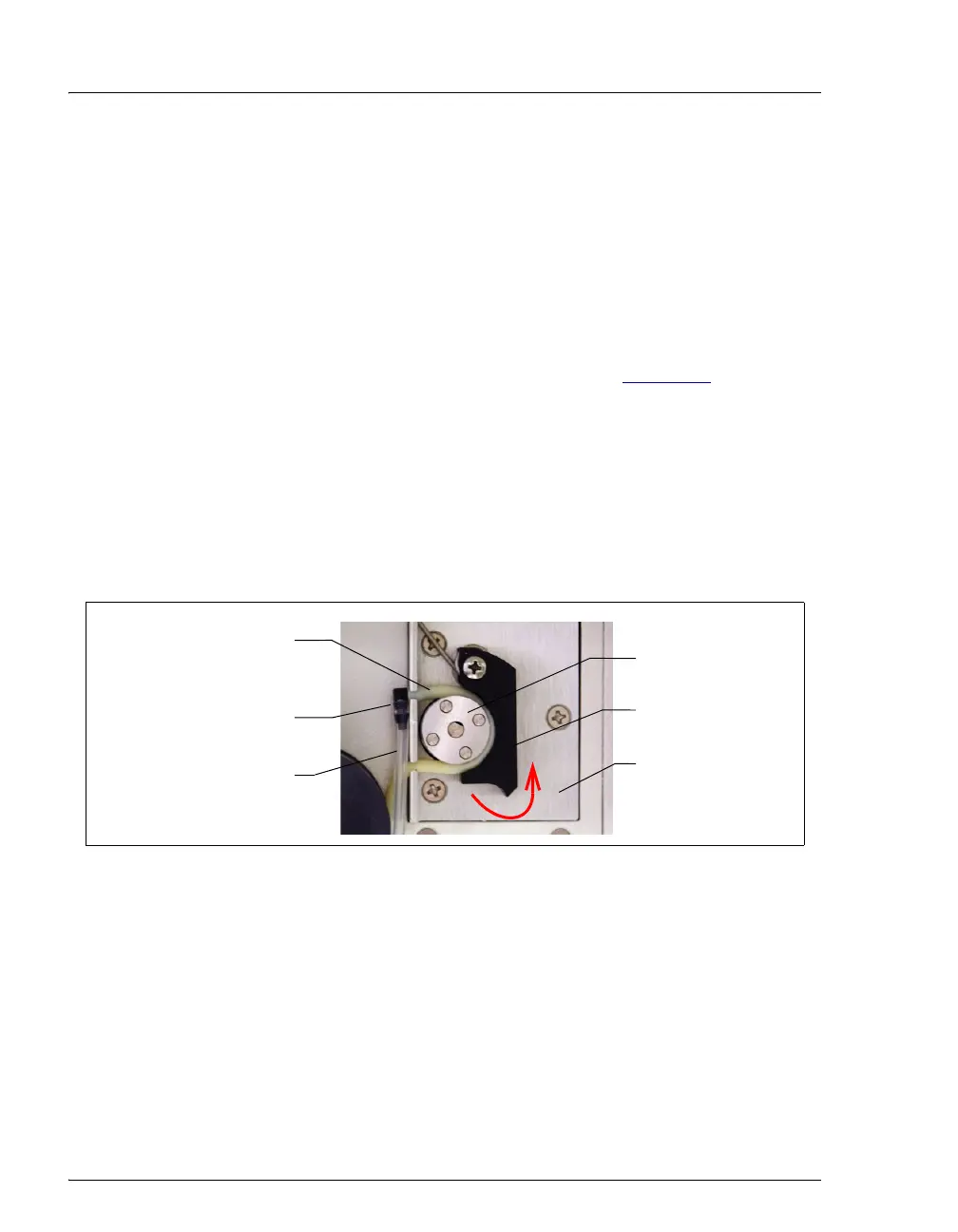
3. Remove the old tubing from the peristaltic pump (see Figure 9-7
) as follows:
a. Lift the lever up and to the right and hold it in that position with one hand.
b. With your other hand, pull the PharMed tubing away from the rotor and
out of the lower notch on the left side of the mounting plate.
c. Release the lever.
d. Pull on the fitting slightly to remove the PharMed tubing from the upper
notch on the pump mounting plate.
4. Pull off the PharMed and Tygon 2075 tubing from the fitting. Save the fitting.
5. Pull off all seal wash tubing from the seal wash reservoir and the primary and
secondary pump heads.
6. Cut three new pieces of Tygon 2075 tubing (0.15-cm (0.060-in) ID;
P/N 064079) and one piece of PharMed tubing (0.159-cm (0.0625-in) ID;
P/N 063268) to the same lengths as the tubing just removed.
Figure 9-7. Peristaltic Pump for Seal Wash System
Rotor
Lever
PharMed Tubing
(P/N 063268)
Fitting
Tygon 2075 Tubing
(P/N 064079)
Mounting Plate



 To Next Page