2 • DP/SP Description
Doc. 065031-04 1/08 25
2.4 DP/SP Rear Panel
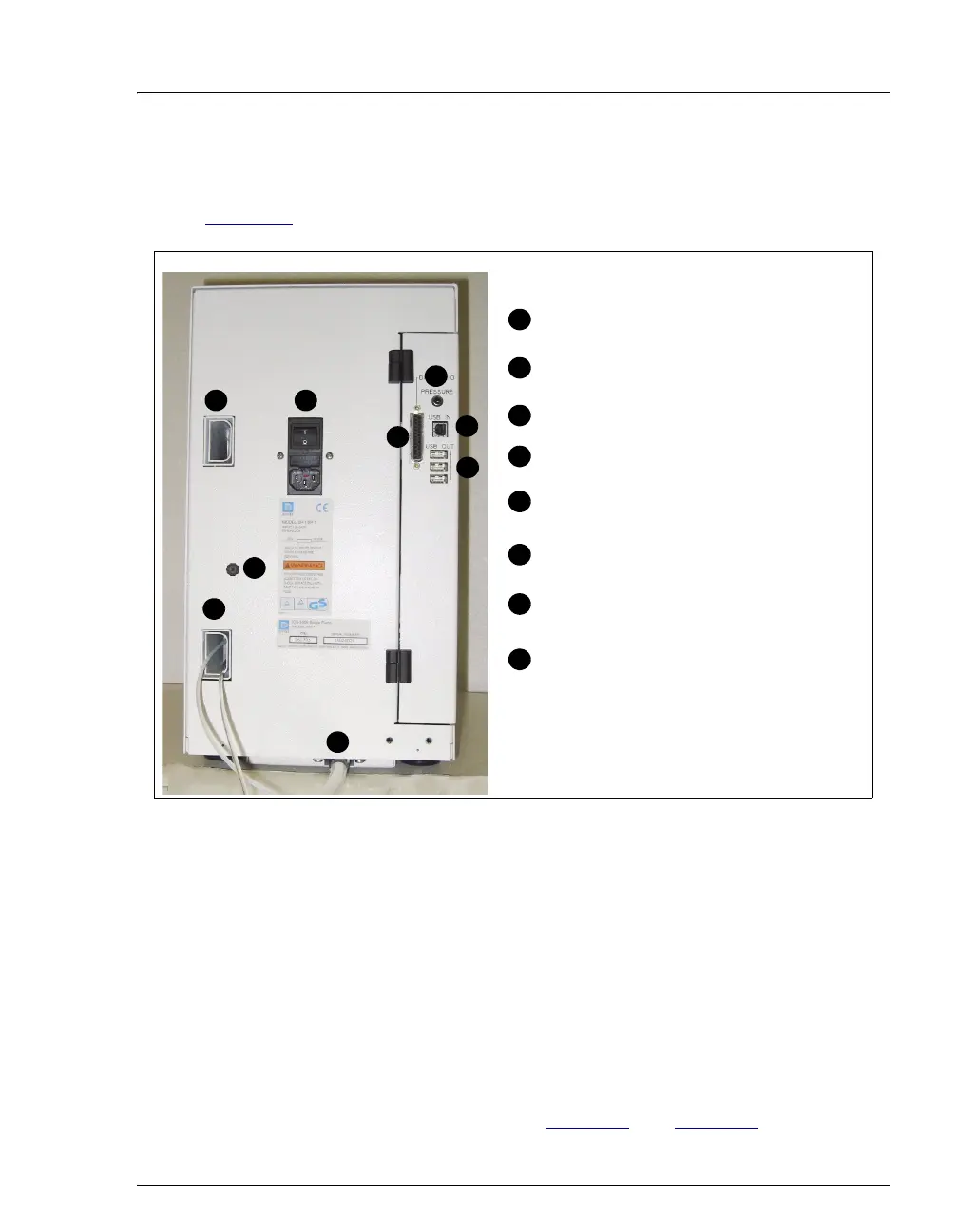
Figure 2-6 illustrates the rear panel of the DP/SP.
Tubing Chases
The tubing chases route tubing from the front of the DP/SP, through the interior of
the module, and to the rear panel.
Main Power Switch, Fuse Holder, and Power Receptacle
The rear panel power switch is the main power switch for the DP/SP. Turn on the
main power switch before initial operation and leave it on unless instructed to turn
it off (for example, before performing a service procedure).
NOTE For routine on/off control, use the POWER button on the
front of the DP/SP (see Figure 2-1
and Figure 2-2). To
Figure 2-6. DP/SP Rear Panel
Tubing Chase (2)
USB Receptacle
(“B” Connectors)
1
2
3
4
5
6
Main Power Switch, Fuse Holder,
and Power Receptacle
Waste Line from
Drip Tray
USB Ports (3)
(“A” Connectors)
1
4
3
5
6
7
8
Digital I/O Port
Analog Pressure Output
1
2
Exhaust Port from Vacuum
Degas Module
8
7



 To Next Page