ICS-3000 Ion Chromatography System
332 Doc. 065031-04 1/08
2. Open the TC door.
3. Disconnect each liquid line connected to the valve.
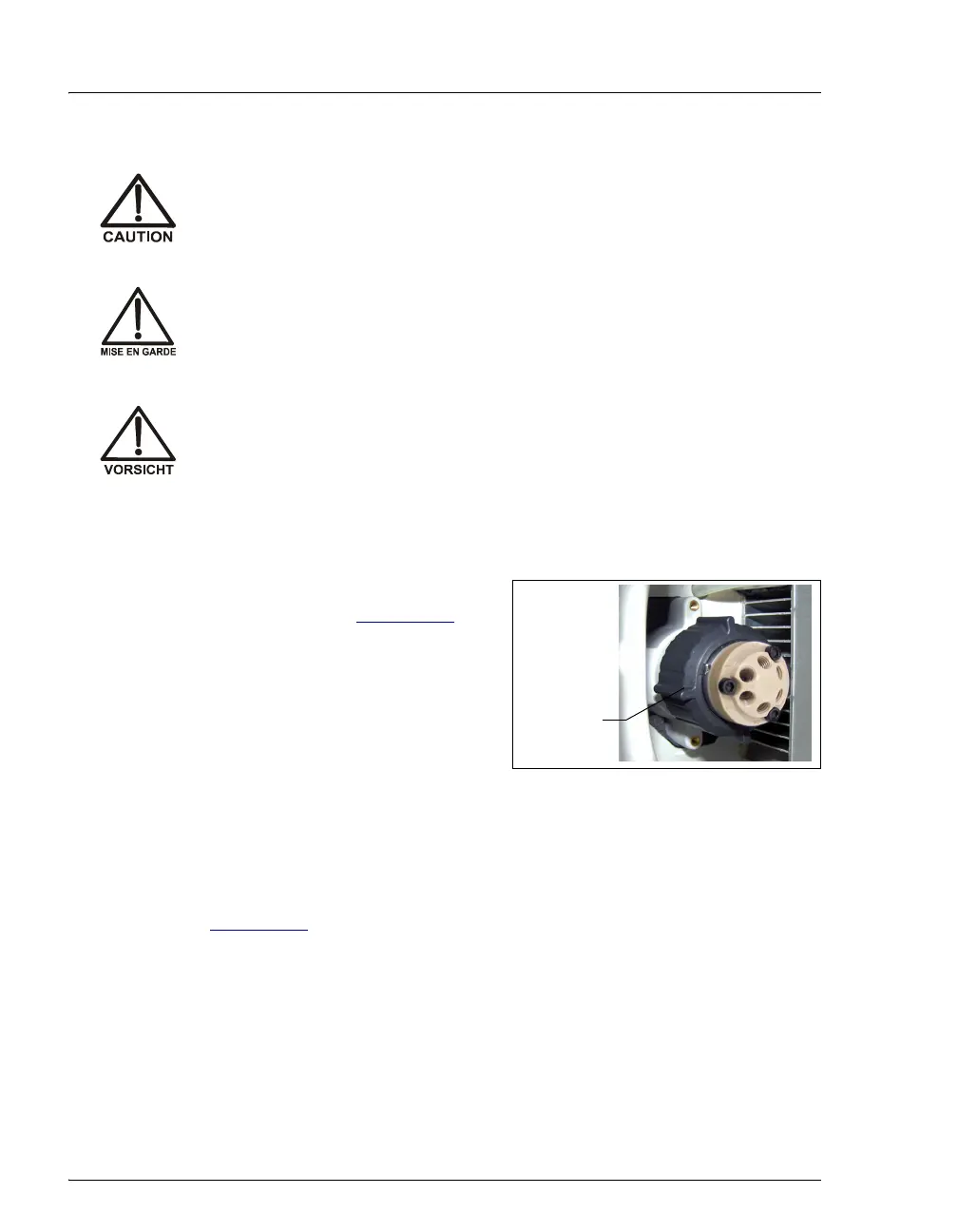
4. Unscrew the black locking ring on the
front of the valve (see Figure 9-46
) and
remove the ring.
5. Grasp the front of the valve pod and
pull out firmly to remove it from the
TC.
Figure 9-46. Unscrewing the Locking Ring
6. Check that the new pod (P/N 061961, 6-port; P/N 061962, 10-port) has the
correct number of ports for the injection valve being serviced.
7. Align the slots in the new pod with the runner in the valve holder in the TC
(see Figure 9-47
). Valve pods are keyed to fit only one way (one slot is
narrower than the other). Verify that the slots are aligned with their matching
runners.
To avoid injury, wait for the TC to cool down before opening the door
or performing any maintenance or service procedures.
Afin d'éviter toute brûlure, laisser refroidir le compartiment thermique
avant d'ouvrir la porte ou d'effectuer des opérations de maintenance.
Um Verletzungen zu vermeiden, warten Sie bitte, bis der TC abgekühlt
ist, ehe Sie die Tür öffnen bzw. Wartungs oder Servicearbeiten
durchführen.
Black
Locking
Ring



 To Next Page