ICS-3000 Ion Chromatography System
264 Doc. 065031-04 1/08
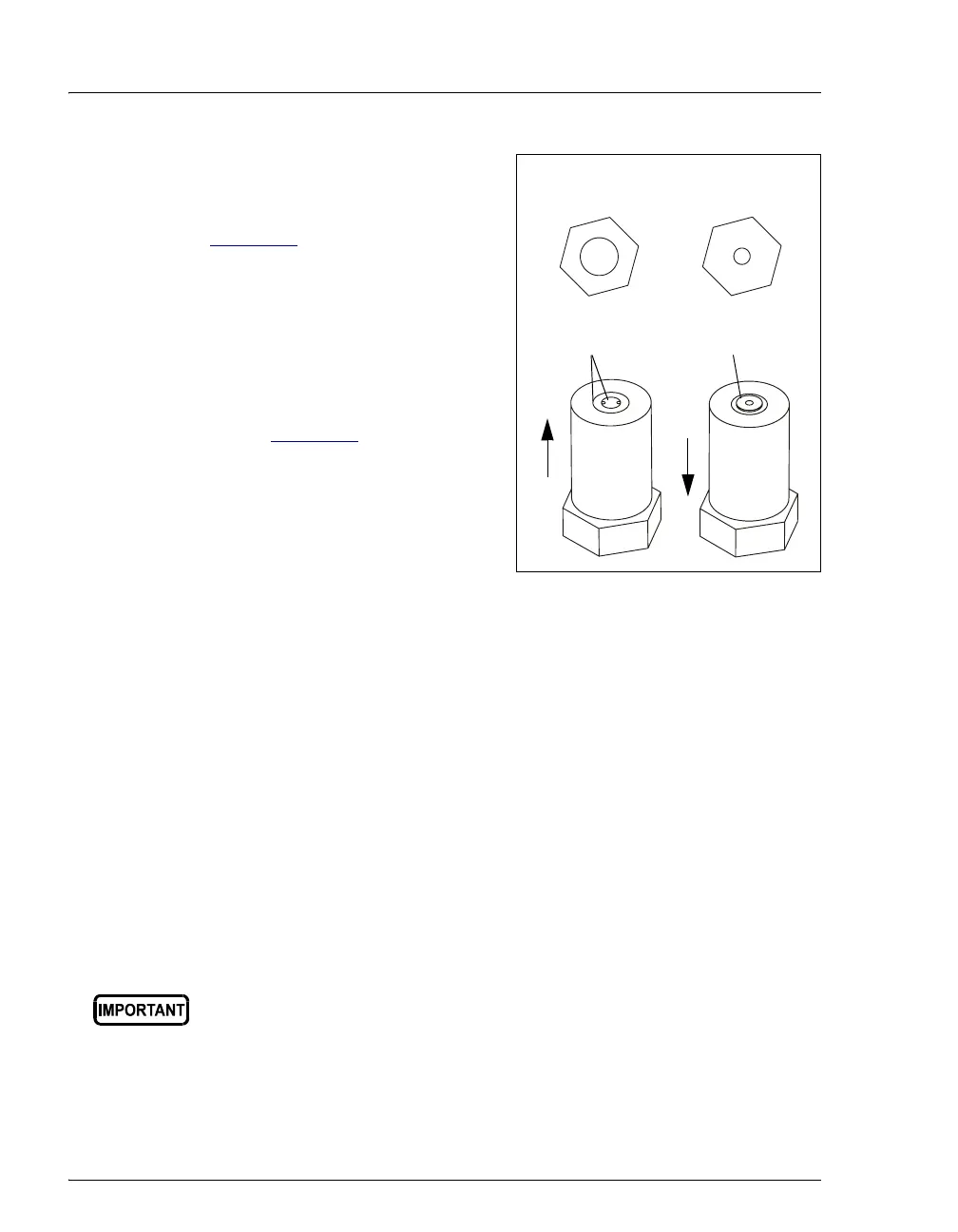
10. Inspect the new inlet check valve
assembly (P/N 045722) to verify that
the double-hole end of the cartridge
(see Figure 9-3
) is visible.
If the double-hole end is not visible,
remove the cartridge from the housing
and install it correctly.
11. Inspect the new outlet check valve
assembly (P/N 045721) to verify that
the single-hole end of the cartridge is
visible (see Figure 9-3
).
If the single-hole end is not visible,
remove the cartridge from the housing
and install it correctly.
Figure 9-3. Check Valve Assemblies
NOTE The pump cannot operate properly unless the cartridges
are installed in their respective housings in the correct
orientation. Liquid enters through the check valve in the
large single hole and exits through the small double
holes.
12. Install the inlet check valve assembly on the bottom of the primary pump
head. Install the outlet check valve assembly on the top of the pump head.
NOTE The opening for the outlet check valve assembly is
slightly closer to the back of the pump head than the
opening for the inlet check valve assembly.
13. Tighten the check valves fingertight, and then use the 1/2-inch wrench to
tighten an additional one-quarter to one-half turn.
14. Push the component mounting panel back into the enclosure. Close the DP/SP
door.
15. Press the
POWER button on the front of the DP/SP to turn on the pump.
Overtightening may damage the pump head and check valve housing
and crush the check valve seats.
Outlet
Check
Valve
Inlet
Check
Valve
Double-hole
Single-hole
Inlet
heck Valve:
1/4-28 Port
utlet
heck Valve
10-32 Port
Flow
Flow



 To Next Page