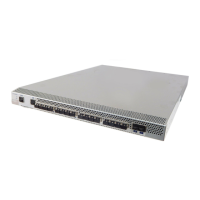
Connectrix DS-32M2 User Guide
g-15
Glossary
Port (1) An access point for data entry or exit. (2) A receptacle on a device
to which a cable for another device is attached.
Port Card Field replaceable hardware component that provides the connection
for fiber cables and performs specific device-dependent logic
functions.
Port Name A symbolic name that the user defines for a particular port through
the Product Manager.
POST Power-On Self Test, a series of self-tests executed each time the unit is
booted or reset.
Preferred Domain ID Domain ID that a switch is assigned by the principal switch in a
switched fabric. The preferred domain ID becomes the active
domain ID except when configured otherwise by the user.
Principal Switch In a multiswitch fabric, the switch that allocates domain IDs to
itself and to all other switches in the fabric. There is always one
principal switch in a fabric. If a switch is not connected to any
other switches, it acts as its own principal switch.
Product (1) Connectivity Product, a generic name for a switch, director, or any
other Fibre Channel product. (2) Managed Product, a generic
hardware product that can be managed by the Product Manager (a
Connectrix switch is a managed product). Note distinction from the
definition for Device.
Product Manager A software component of the Connectrix Management software, such
as a Connectrix switch Product Manager, that implements the
management user interface for a specific product. When a Product
instance is opened from the Connectrix Management software
Product View, the corresponding Product Manager is invoked.
Product Name A user configurable identifier assigned to a Managed Product.
Typically, this name is stored on the product itself. For a Connectrix
switch, the Product Name can also be accessed by an SNMP Manager
as the System Name. The Product Name should align with the host
name component of a Network Address.
Product View The top-level display in the Connectrix Management software user
interface that displays icons of Managed Products.



 To Next Page