2. RADAR, CHART RADAR OPERATION
2-34
2.24.5 Vectors
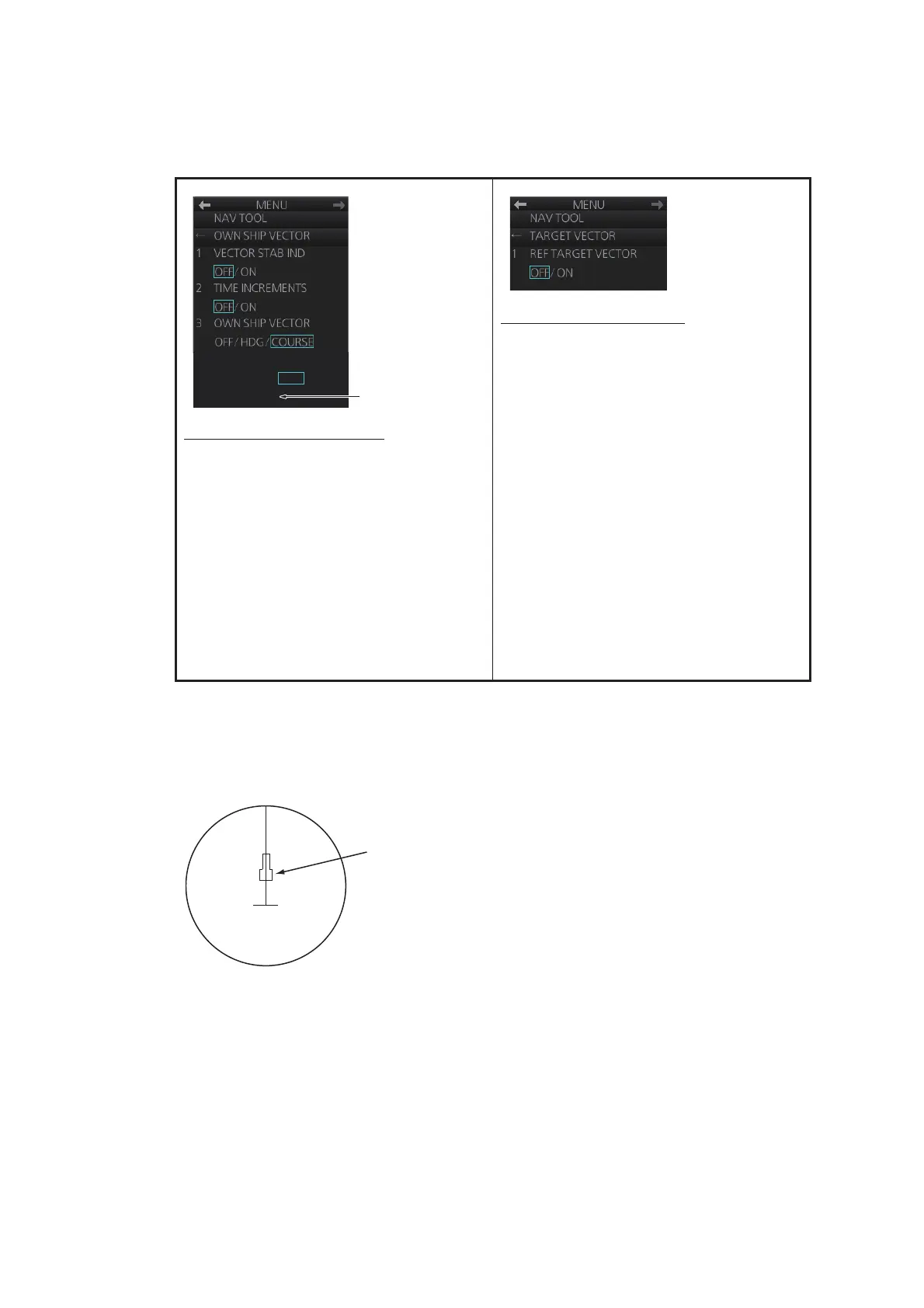
You can show or hide the vector for own ship and reference targets, on the [NAV
TOOL] menu.
2.24.6 Barge marker
The length and breadth of the total barge size can be displayed as a simple rectangle
on the radar display. Up to five rows of barges and nine barges per row can be shown.
This feature is available with an installation preset. Set up barge information as fol-
lows:
OWN SHIP VECTOR menu
[1 VECTOR STAB IND]: Turn ON to show
double arrow for ground tracking; single
arrow for water tracking.
[2 TIME INCREMENTS]: A short horizon-
tal line may be marked on the own ship
vector in one-minute intervals to show ap-
proximate later positions.
[3 OWN SHIP VECTOR]: Turn vector
OFF, or show ship's heading or course
with a vector.
[4 VECTOR COLOR]: Set the color of the
vector for own ship.
TARGET VECTOR menu
[1 REF TARGET VECTOR]: Turn the vec-
tor for the reference target on or off.
4
VECTOR COLOR
GRN / BLU / CYA /
MAG / WHT
[RED] and [YEL]
are added with A
and B types.



 To Next Page