22. SETTINGS MENU
22-9
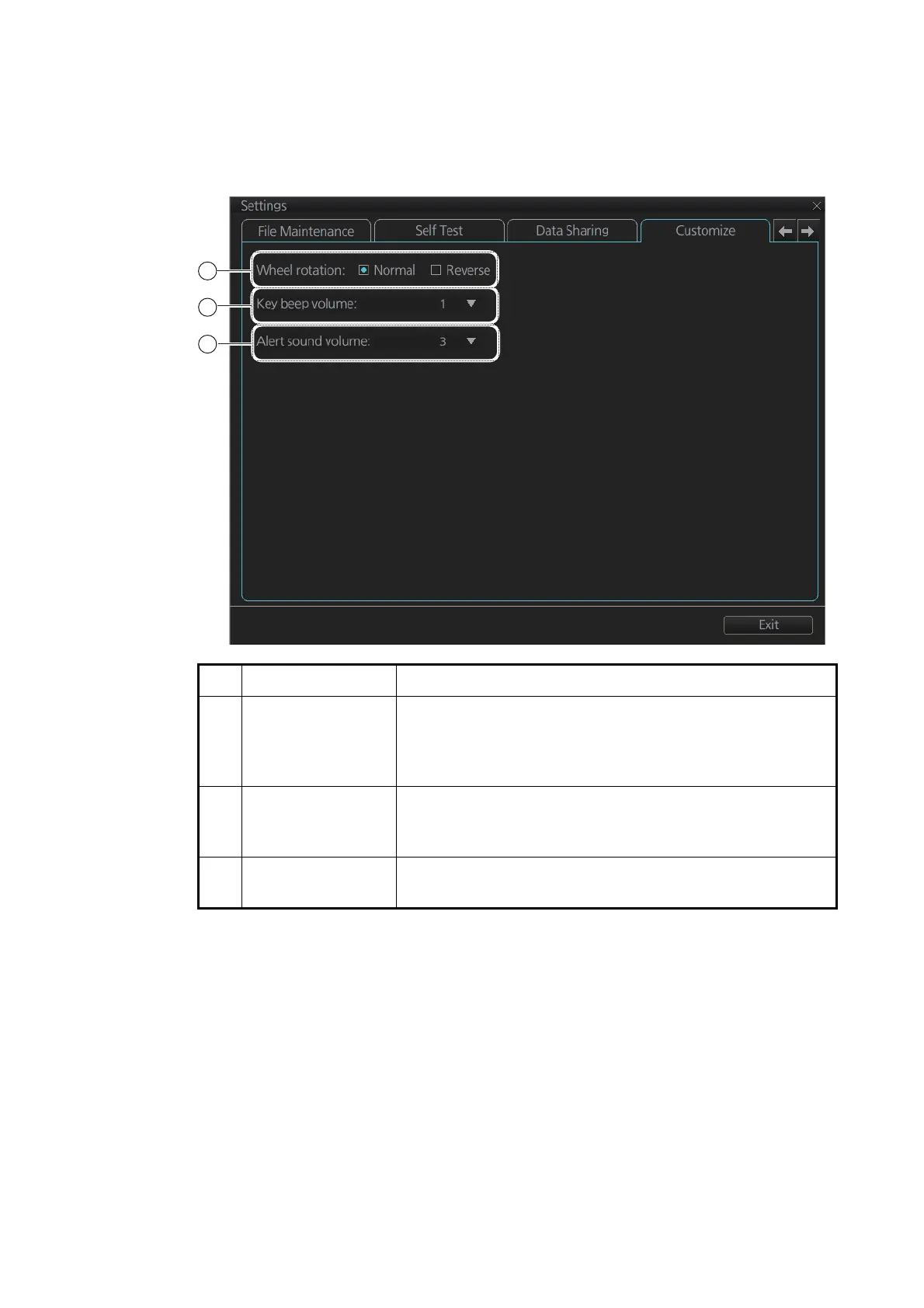
22.8 Customize
The [Customize] page lets you set buzzer volume, key beep volume, and scrollwheel
rotation direction.
No. Name Description
1 [Wheel rotation] Set the direction of scrollwheel rotation direction.
[Normal]: Downward to increase value, upward to decrease
value.
[Reverse]: Reverse of [Normal].
2 [Key beep volume] Set the loudness of the key beep that sounds for correct key
or mouse button operation.
0: No beep, 1: LOW, 2: MID, 3: HIGH
3 [Alert sound vol-
ume]
Set the loudness of the alert buzzer.
1: LOW, 2: MID, 3: HIGH
1
2
3



 To Next Page