2. RADAR, CHART RADAR OPERATION
2-40
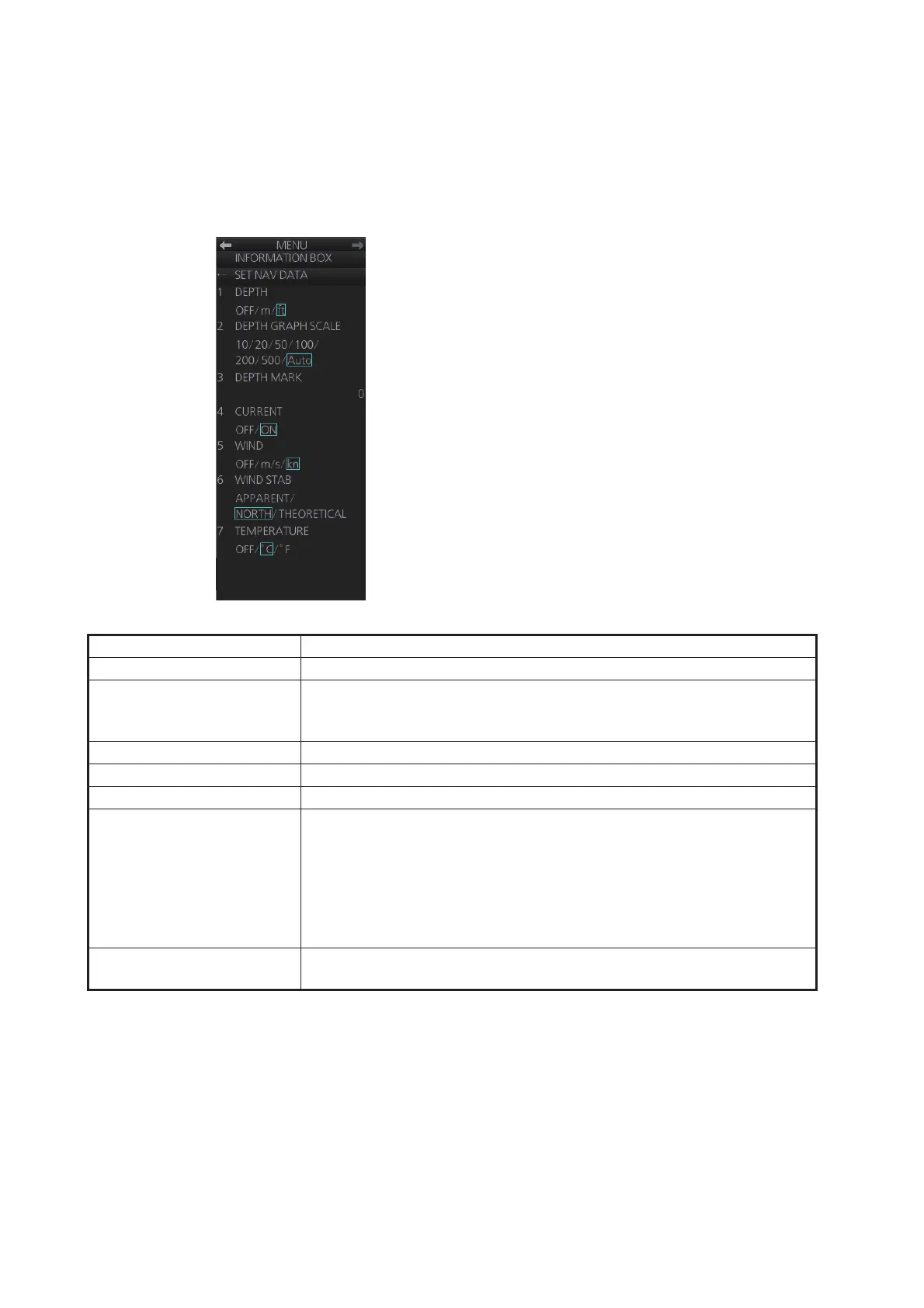
2.27.3 How to turn NAV data on/off
Wind, depth, ocean current, water temperature, date and time and waypoint data may
be set up as follows:
1. Open the menu then select [4 INFORMATION BOX].
2. Select [2 SET NAV DATA].
3. Set up the nav data referring to the table below.
Note: Appropriate sensors are required to display any data. The wind vector
shows a direction from which the wind blows in, relative to own ship heading, and
is labeled "T *". Wind velocity is a true wind speed as a result of compensating for
own ship's speed and orientation. Ocean current (tide) is shown relative to bow in
head-up, cursor gyro and course-up, and reference to North in north-up and true
motion.
4. Close the menu.
Item Description
[1 DEPTH] Selects unit of depth measurement, or turn depth indication OFF.
[2 DEPTH GRAPH SCALE] Selects depth scale range. The depth for the last 30 minutes is plotted
with a yellow line. The [AUTO] setting automatically adjusts the scale
according to depth.
[3 DEPTH MARK] Selects the depth at which to show the depth mark.
[4 CURRENT] Turns the current (tide) display ON (current relative to North) or OFF.
[5 WIND] Selects the unit of wind speed measurement.
[6 WIND STAB] Selects Wind vector format, among three choices:
[APPARENT]: Apparent wind measured by wind meter, with ship's
bow as reference.
[NORTH]: Apparent wind minus ship's movement, with North as refer-
ence.
[THEORETICAL]: Apparent wind minus ship's movement, with ship's
bow as reference.
[7 TEMPERATURE] Turns water temperature indication ON or OFF and selects the unit of
measurement.



 To Next Page