6. CHART OVERVIEW
6-29
6.15 How to Enter Heading
Heading can also be entered in the chart for radar mode. Settings are mutually
changed between the radar and chart for radar modes.
Note: When the vessel is in high latitudes (over 85°), data from the gyrocompass is
not used. The internal filter data is used for heading calculation. In this case, the head-
ing source in the sensor information box appears as "FILT". However, high altitudes
are not supported in RADAR mode.
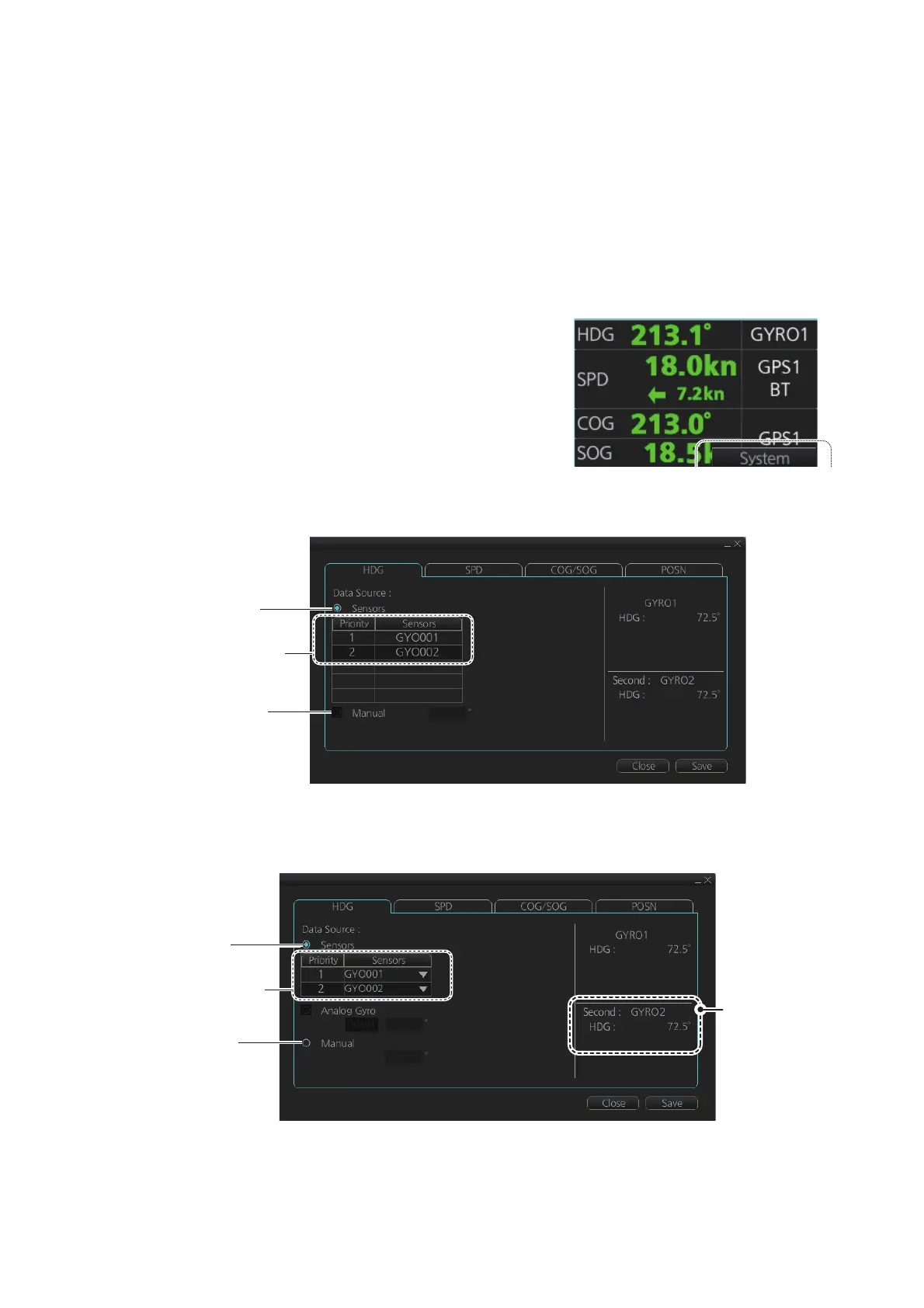
Heading can be entered manually or automatically.
1. Right-click anywhere in the Sensor informa-
tion box to show the context-sensitive menu.
2. Click [Open MENU].
3. Click [System Sensor Settings] or [Local
Sensor Settings].
4. Click the [HDG] tab.
[HDG] page, system sensor
[HDG] page, local sensor
*: This is not available with the [System Sensor Settings] menu.
This is not shown on IMO type.
PRIM:
Check for
manual input*
Sensor
list
Check for
automatic input
*: This is not shown
on IMO type.
PRIM:
Check for
manual input*
Sensor
list
Check for
automatic input
The indication
for the second
gyro appears
even when
only one
gyrocompass
is connected.



 To Next Page