2. RADAR, CHART RADAR OPERATION
2-15
True Motion (TM)
North-up: Ground- or sea-stabilized with compass and speed inputs.
Mode availability
*: Not available with IMO or A type.
2.14.2 How to select a presentation mode
How to select a presentation mode from the Control Unit
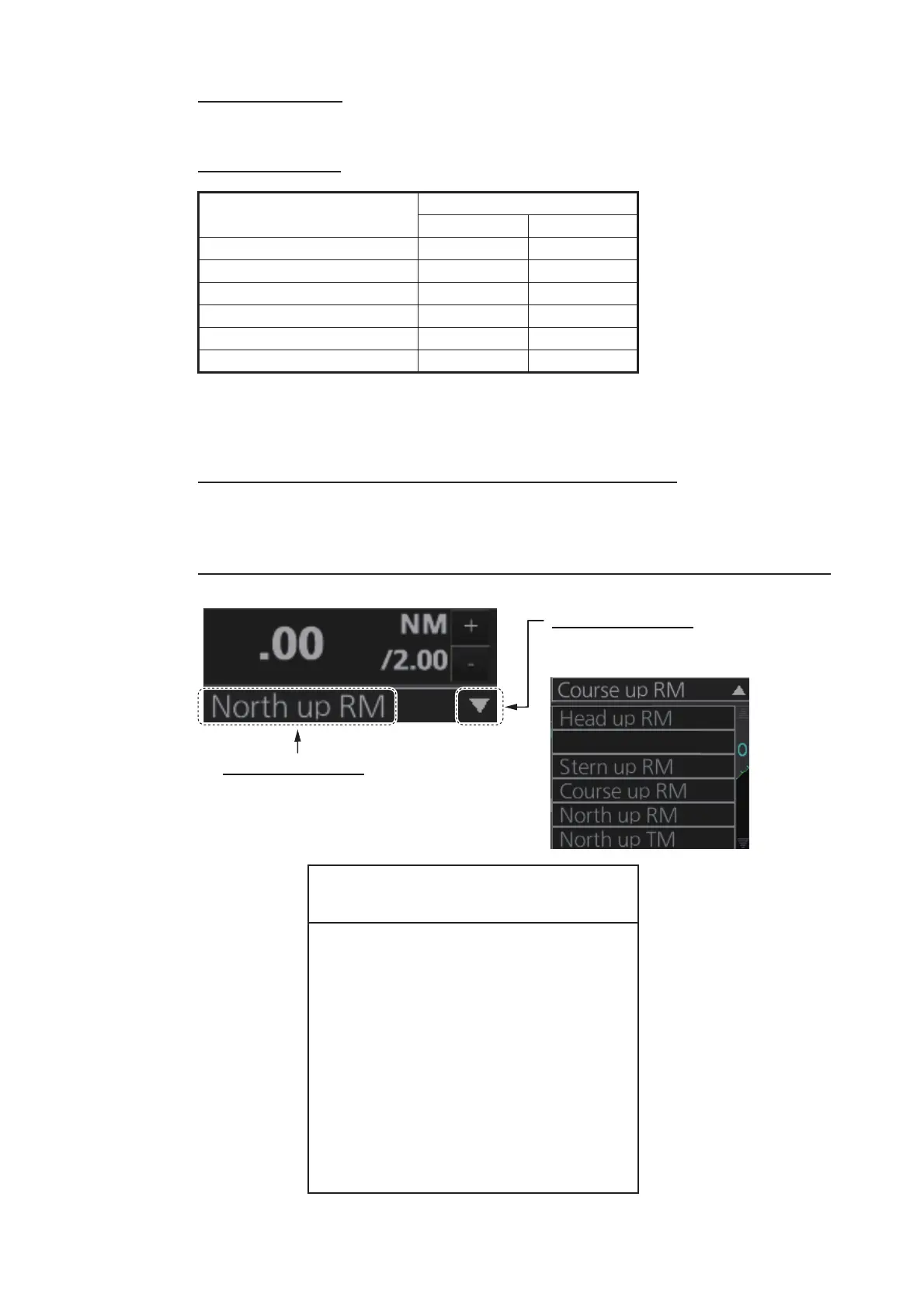
Push the MODE key consecutively to select desired presentation mode. The Range/
Presentation mode box shows the current presentation mode.
How to select a presentation mode from the Range/Presentation mode box
Presentation mode
Availability
Radar Chart radar
Course-up RM Yes Yes
Head-up RM Yes No
STAB H UP RM Yes No
North-up RM Yes Yes
North-up TM Yes Yes
Stern-up RM* Yes No
Loss of gyrocompass signal
When the gyrocompass signal is lost, the Alert
“Gyro xxx COM1 Error” (xxx=a number be-
tween 255 and 259 (ALF format: between
10400,1 and 10400,5) according to gyro no.)
appears in the [Alert] box. After all signals are
lost, the Alert 450 (ALF format: 10601,9)
“Heading Sensor Not Available” appears, the
presentation mode becomes head-up and all
TT and AIS are erased. Check the gyrocom-
pass and select the presentation mode with the
MODE key or the Range/Presentation mode
box.
Selection method 1
Click indication to select mode.
Selection method 2
Click to show drop-down list.
Click desired mode on list.
STAB H UP RM
6



 To Next Page