6. CHART OVERVIEW
6-10
6.1.5 Own ship functions box
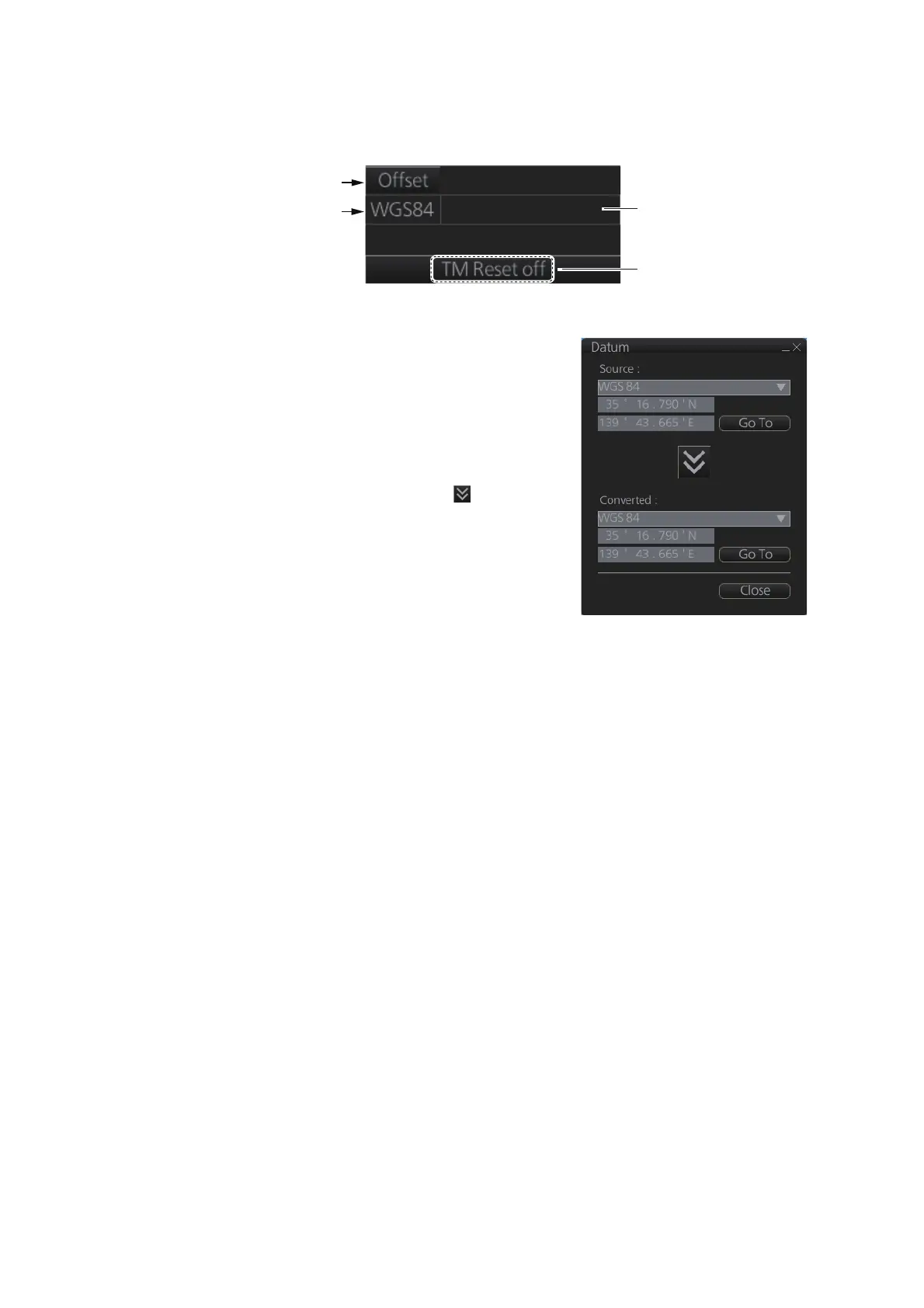
The own ship functions box shows information about own ship, enables offset and TM
reset.
• [Offset] button: See section 16.8.1.
• [WGS 84] button: Convert position data between
datum; go to selected position on the current
chart. Click the button to display the dialog box
shown in the right figure. To convert a position
from one datum to another, select the datum
source at the [Source] pull-down list and enter po-
sition. Select the datum to convert to at the [Con-
verted] pull-down list then click the button. The
position on the chart selected is shown below the
[Converted] pull-down list. To go to a position,
click a [Go To] button.
• ENC info: ENC chart info appears here.
No indication: ENC chart is currently displayed.
"Non-ENC data": Non-official ENC material, in
yellow characters. See section 7.19.
• TM/CU status:
"TM/CU Reset": True motion reset is active. (Chart is stationary and own ship
moves on the chart.)
"TM Reset off": When dragging the chart; true motion is OFF. To restart true motion,
click the indication.
"Ship off screen": Ship is out of the display area.
TM/CU status
[Offset] button
ENC info
appears here.
[WGS84] button



 To Next Page