19. RECORDING FUNCTIONS
19-8
19.3.1 How to set conditions of logging
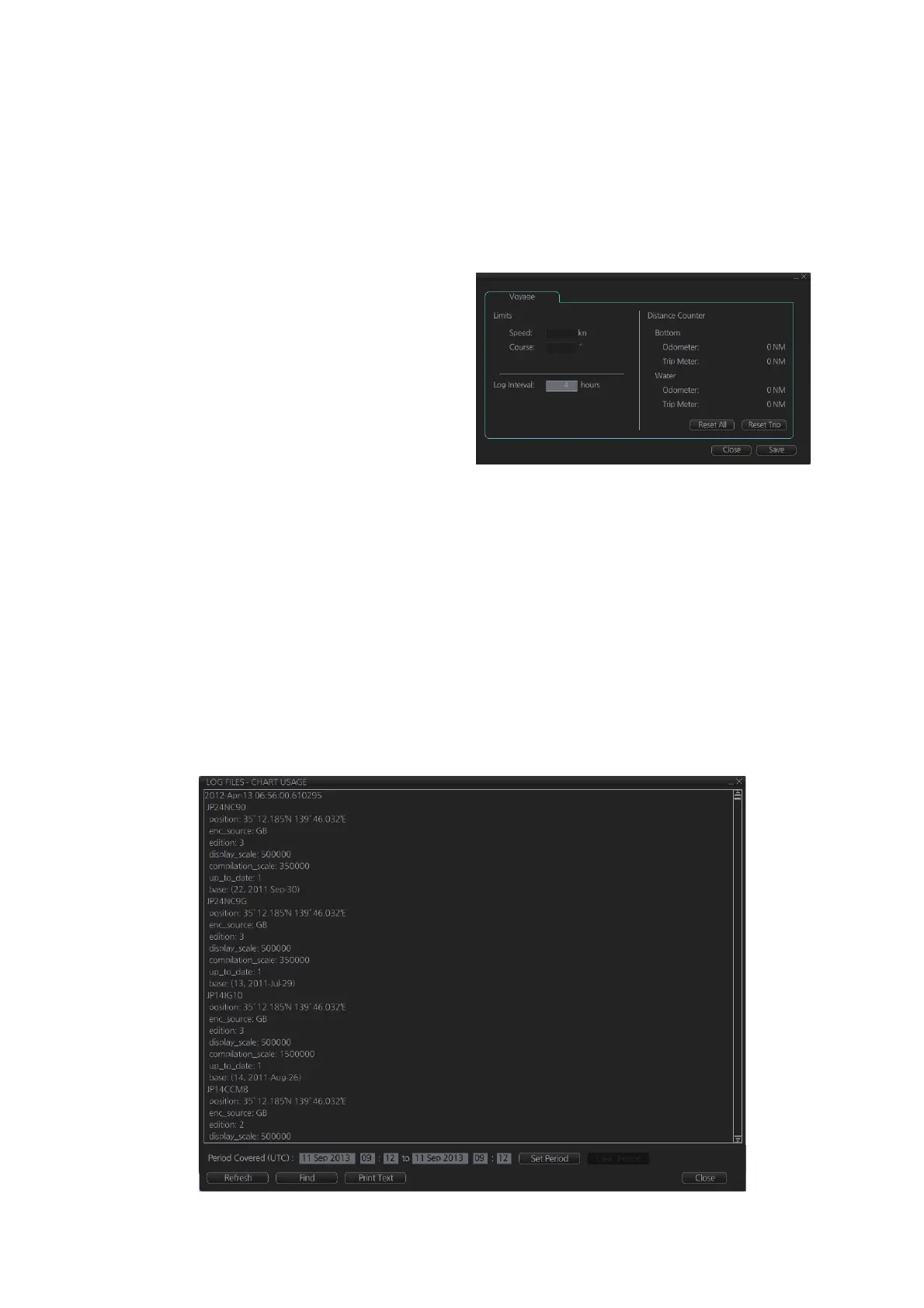
The operator can set the conditions for automatic voyage logging (logging interval on-
ly). When the following conditions are met, data is stored into the Voyage log.
• Speed (or course) change is equal to the set value.
• The logging interval time has elapsed.
To set the conditions of logging, do as follows:
1. Open the menu and select [Log],
[NAV Log] and [Voyage] to show
the [NAV Log] dialog box.
2. Set desired limit for log interval.
Setting range: 1 to 4 hr, 1 hr inter-
val
When your speed or course changes
by the amount set here, an entry is
made in the [Voyage] log, at the inter-
val selected.
19.4 Chart Usage Log
The [Chart Usage] log stores which charts were used in chart alerts. To open the log,
click [Log], [NAV Log] and [Chart Usage] on the InstantAccess bar™. The following
information is recorded in the chart usage log:
• Date and time chart was displayed
• Chart ID
• Center position of display (Lat, Lon)
• Chart source
• Chart edition
• Display scale
• Compilation scale
• The latest update included to chart
• Chart base



 To Next Page