14. HOW TO MONITOR ROUTES
14-4
14.2 How to Stop Route Monitoring (Manual, Auto)
You can stop route monitoring in two ways:
• In the Voyage navigation mode, click the [Voyage] and [Stop Monitor] buttons.
Route monitoring is also stopped automatically.
• In the Voyage navigation mode, click the [Voyage], [Route] and [Unselect] buttons.
When alert 691 (ALF format: 10800,1), 692 (ALF format: 10800,2) or 693 (ALF format:
10800,3) occurs, route monitoring is stopped automatically. See the Troubleshooting
table in section 25.5 for details.
14.3 How to Select What Parts of a Route to Display
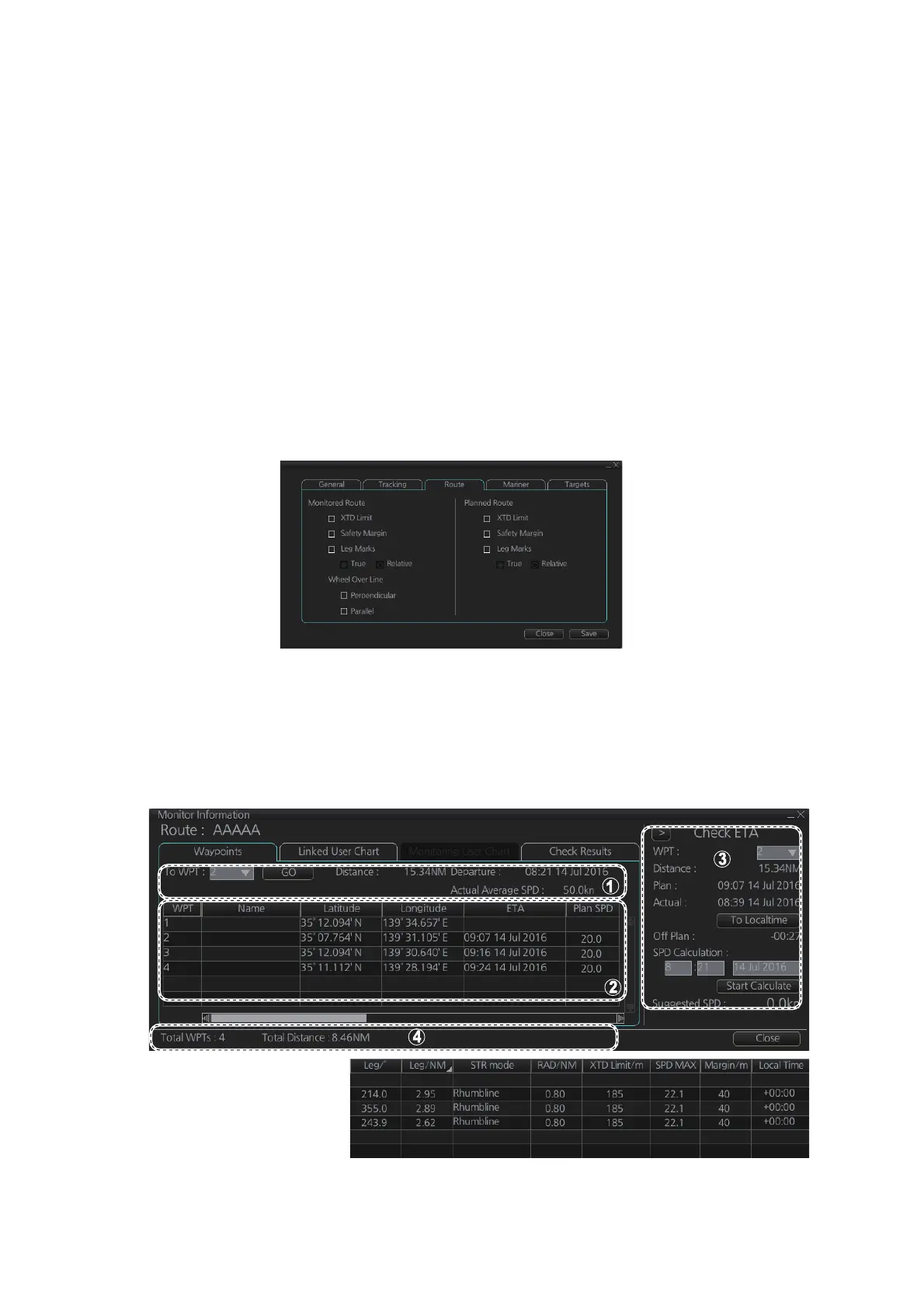
You can specify what parts of the monitored route to display. Click the [DISP], [SET]
and [Symbol DISP] buttons on the InstantAccess bar™. Click the [Route] tab.
14.4 How to View Waypoint Information
Click the [Voyage] and [Monitor INFO] buttons on the InstantAccess bar™ to show the
[Monitor Information] dialog box. Click the [Waypoints] tab to show waypoint informa-
tion.
* Scroll list horizontally to
view items shown in the
right figure.
*



 To Next Page