22. SETTINGS MENU
22-13
22.11 Screenshots
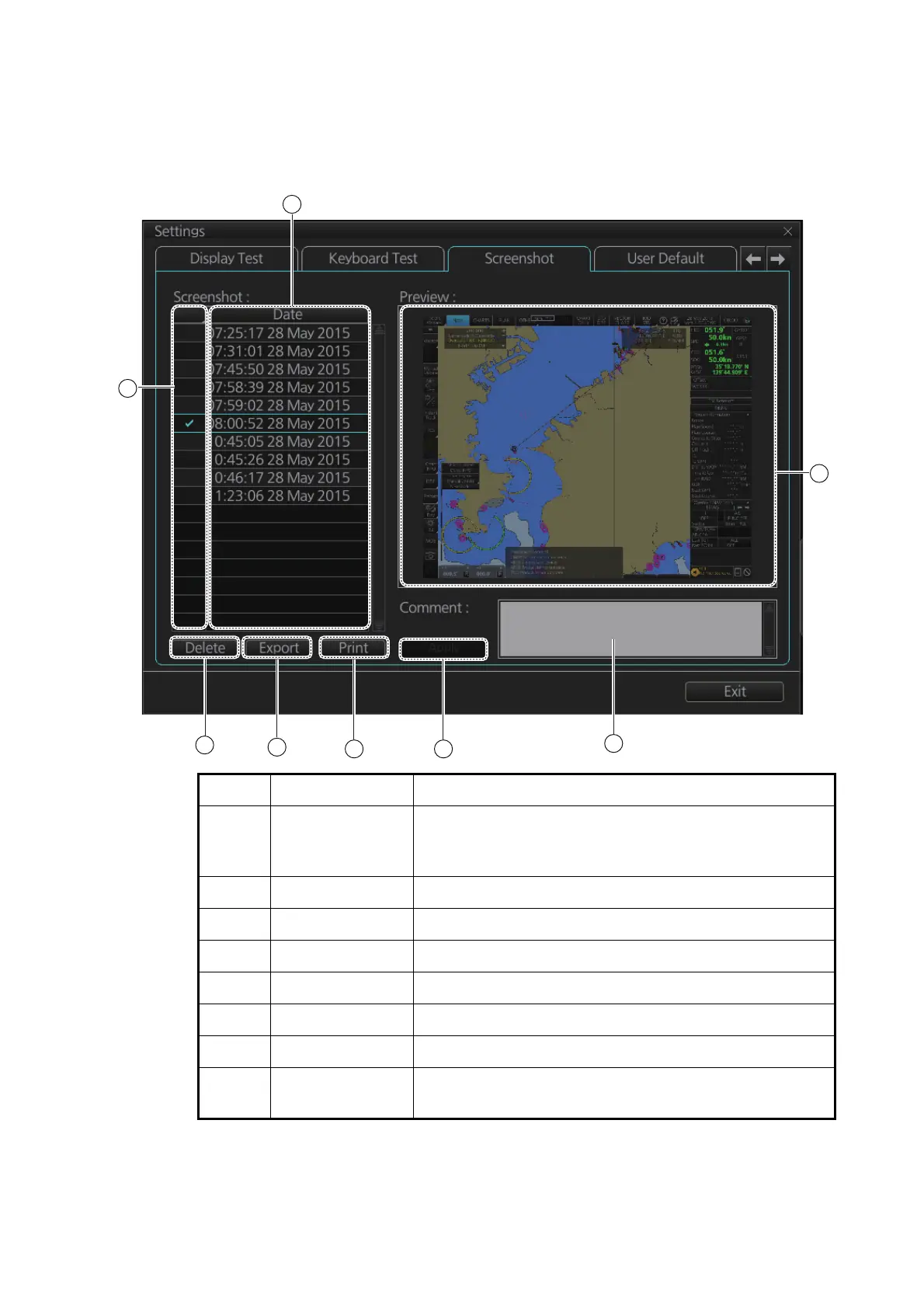
The [Screenshot] page handles the exporting (to a USB flash memory) and deleting
of screenshots from the SSD.
No. Name Description
1 List List of screenshots taken. Screenshots are automatically
assigned a file name consisting of the time and date the
screenshot was taken.
2 Check boxes Put a checkmark in the box of the screenshot to process.
3 [Preview] Preview of the screenshot selected.
4 [Delete] button Delete the screenshot(s) selected.
5 [Export] button Export selected screenshot(s) to a USB flash memory.
6 [Print] button Print the screenshot selected.
7 [Apply] button Save comment.
8 [Comment] box Enter comment for screenshot. Put a check in appropri-
ate checkbox then enter comment.



 To Next Page