1. OPERATIONAL OVERVIEW
1-38
1.24 How to View Chart Software Version No., Chart
System Information, and Operator's Manual
You can show chart program no., chart system information, and the operator's manual
as follows:.
1. Click the Display mode button at the left end of the Status bar to select [CHART
for RADAR].
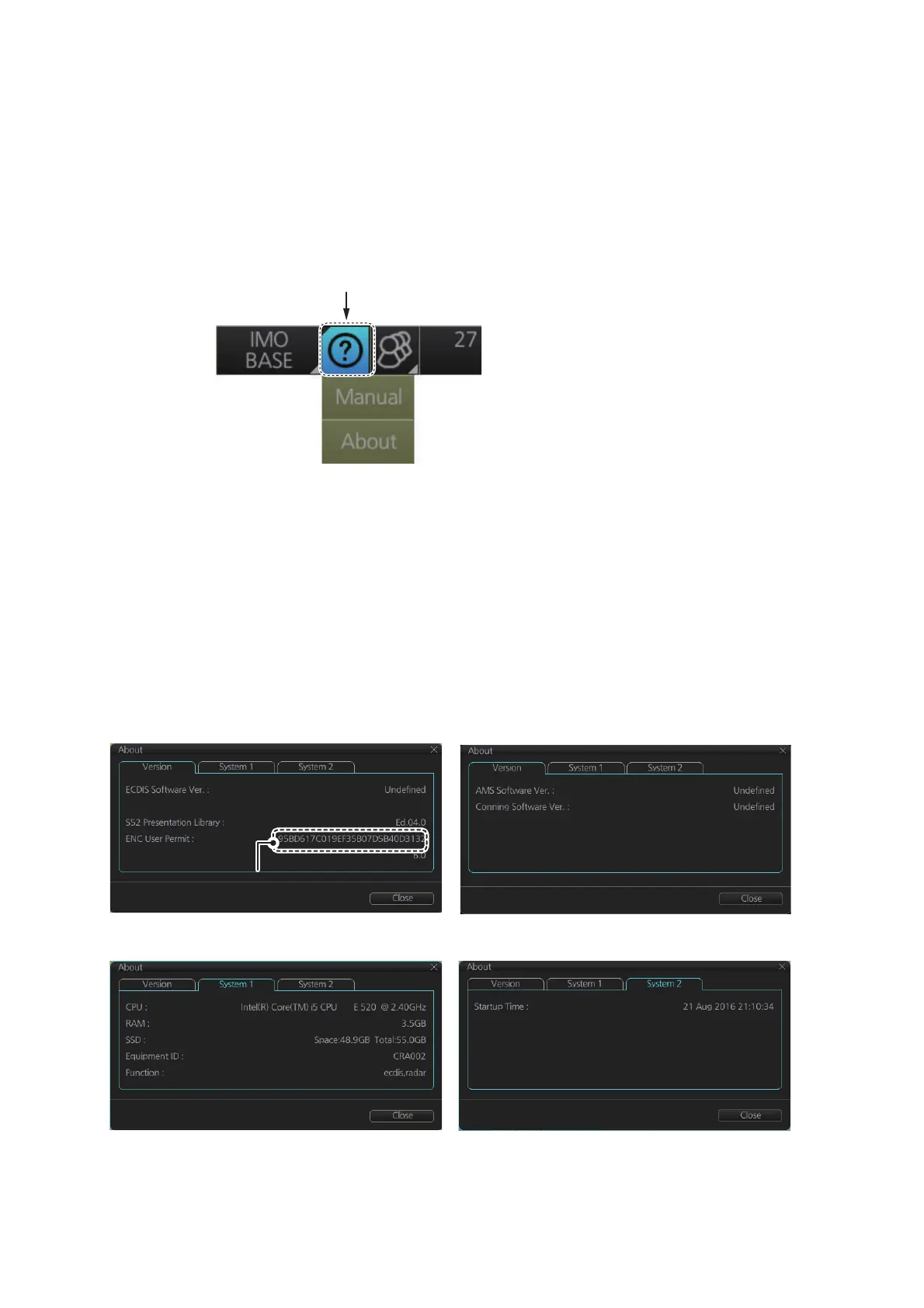
2. Click the [?] button on the Status bar.
3. Select [Manual] to show the operator's manual, or [About] to show chart and sys-
tem information.
On the [About] screen, click the [Version] tab to show the chart software version no.,
conning software version no., S52 presentation library version, ENC user permit no.,
and C-MAP SDK software version no. Click the [System 1] tab to show system infor-
mation: CPU type, RAM capacity, SSD free/SSD capacity, Equipment ID and dongle
information. [Function] shows this unit’s capabilities. Click the [System 2] tab to show
the startup time for this equipment.
The information shown below may be different from those on your system.
Jeppesen SDK Software Ver.:
Chart [Version] tab Conning [Version] tab
[System 1] tab
[System 2] tab
Actual permit number
appears here
Actual permit number
appears here



 To Next Page