6. CHART OVERVIEW
6-14
* NAVI mode only
6.1.13 How to enter alphanumeric data
On some screens it is necessary to enter alphanumeric data. The data can be input
two ways: software keyboard or trackball.
Alphanumeric data entry from the software keyboard
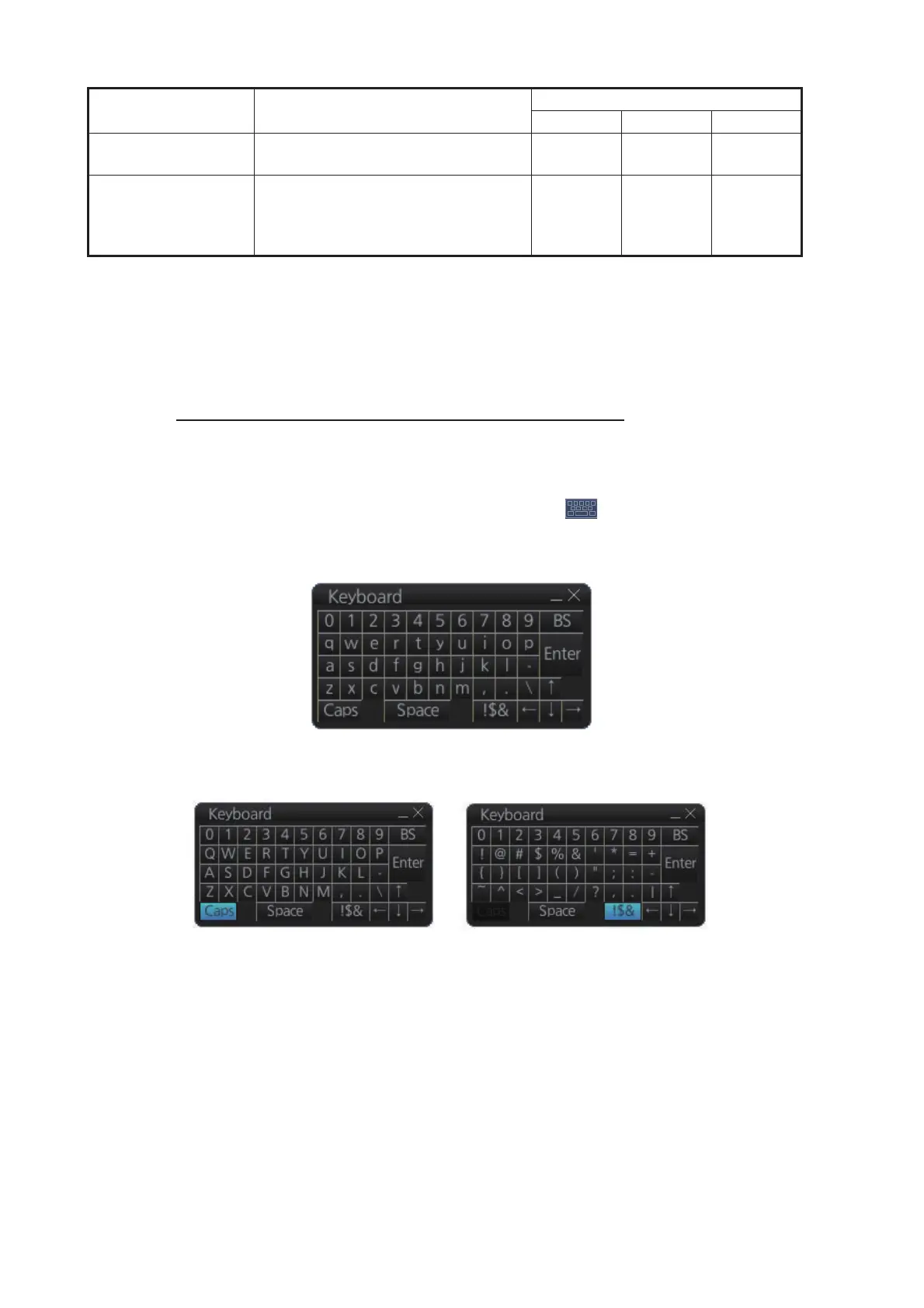
A software keyboard is also available for entry of alphanumeric data. Do as follows to
use the software keyboard. Display the keyboard before opening menus.
1. On the InstantAccess bar™, press the [DISP], [ ] and [ON] buttons to show
the software keyboard. The [BS], [Enter], [n], [p],[ m], [o] and [Space] on the key-
board function the same as those keys on the keyboard of the Control Unit.
2. To switch between the alphabet keyboard and symbols keyboard, click the [!$&]
key.
3. Click the input box.
4. Click appropriate keys and finally click the [Enter] key.
To erase the software keyboard, click the X button at the top right corner of the key-
board.
EBL reference Select EBL reference; offset (head-
ing or north).
Yes Yes Yes
Electronic chart area Own ship mark (or cursor position*)
to screen center; object info; chart
legend; manual update*; divider,
hide MOB, [Message] dialog box.
Yes No Yes*
Item Functions
Mode and availability
NAVI CHARTS PLAN
Alphabet keyboard
Symbols keyboard



 To Next Page