17. AIS SAFETY, NAVTEX MESSAGES
17-2
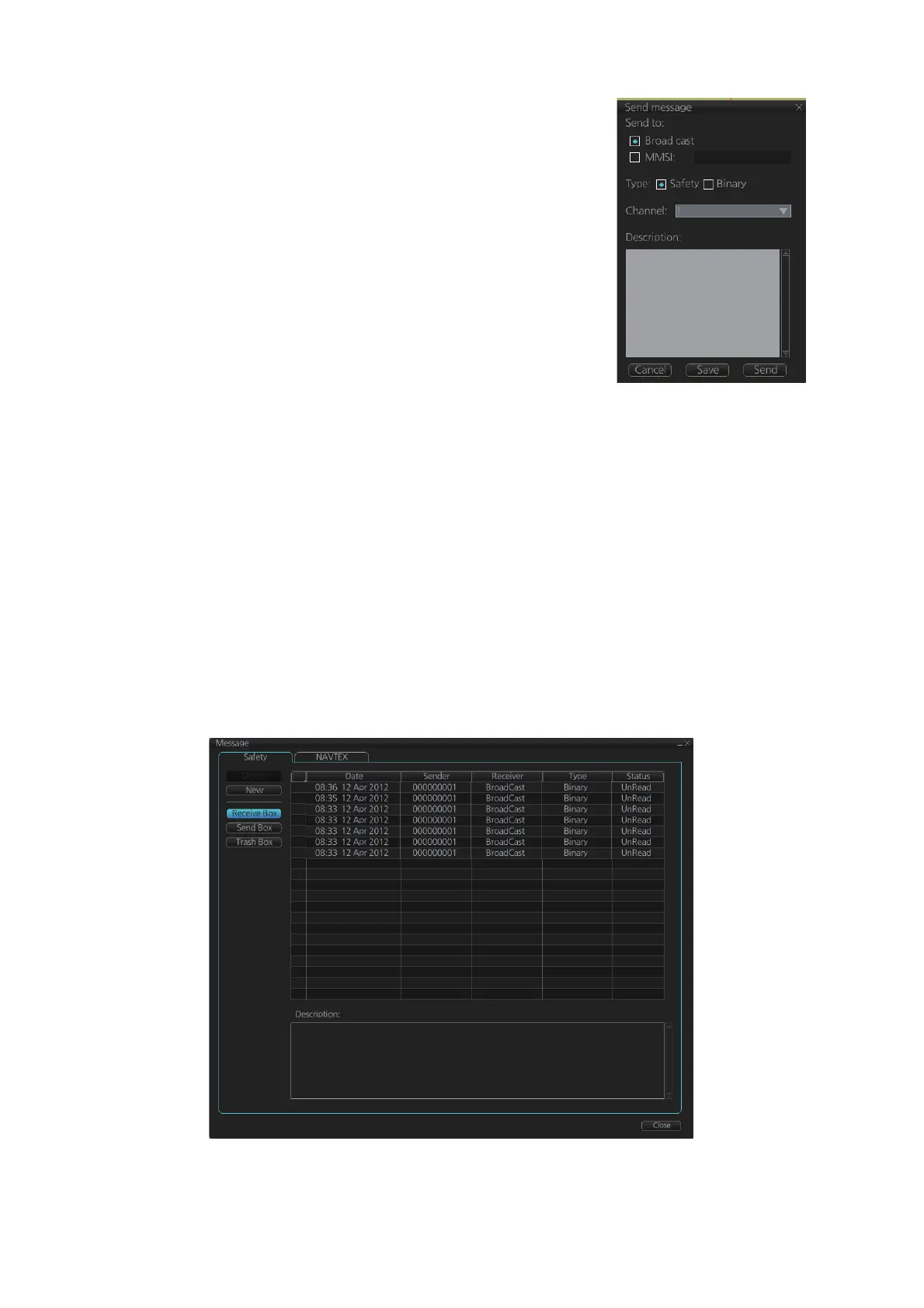
2. Click the [New] button.
3. At [Send to], select where to send the message. Se-
lect [Broadcast] to send the message to all AIS-
equipped ships within communication range, or se-
lect [MMSI] and enter the MMSI of the ship where to
send the message.
4. At [Type], select the type of message, [Safety] or [Bi-
nary] (routine).
5. At [Channel], select the channel to use to send the
message.
6. At [Description], enter the text of your message. The
no. of characters available depends on the type of
message.
Safety message broadcast: 90 characters
Binary message broadcast: 86 characters
Safety message addressed to MMSI: 85 characters
Binary message addressed to MMSI: 80 characters
7. Click the [Send] button to send the message.
17.1.2 How to display received and sent AIS safety messages
When an AIS message is received, the Alert 539 (ALF format: 10540,1) "AIS Message
Received" appears. Do the following to view the message.
1. In Voyage navigation mode, click the [MSG] and [Safety MSG] buttons on the In-
stantAccess bar™.
2. Click the [Receive Box] or [Send Box] button as appropriate.
3. Click a message to view its contents.
WELCOME TO FURUNO



 To Next Page