18. TT AND AIS DISPLAYS
18-2
18.1.3 How to display tracked target data
Control Unit: Put the cursor on a target then push the TARGET DATA key.
Trackball module: Click the target for which you want to show its data.
To erase data from a data box, click the close (u) button.
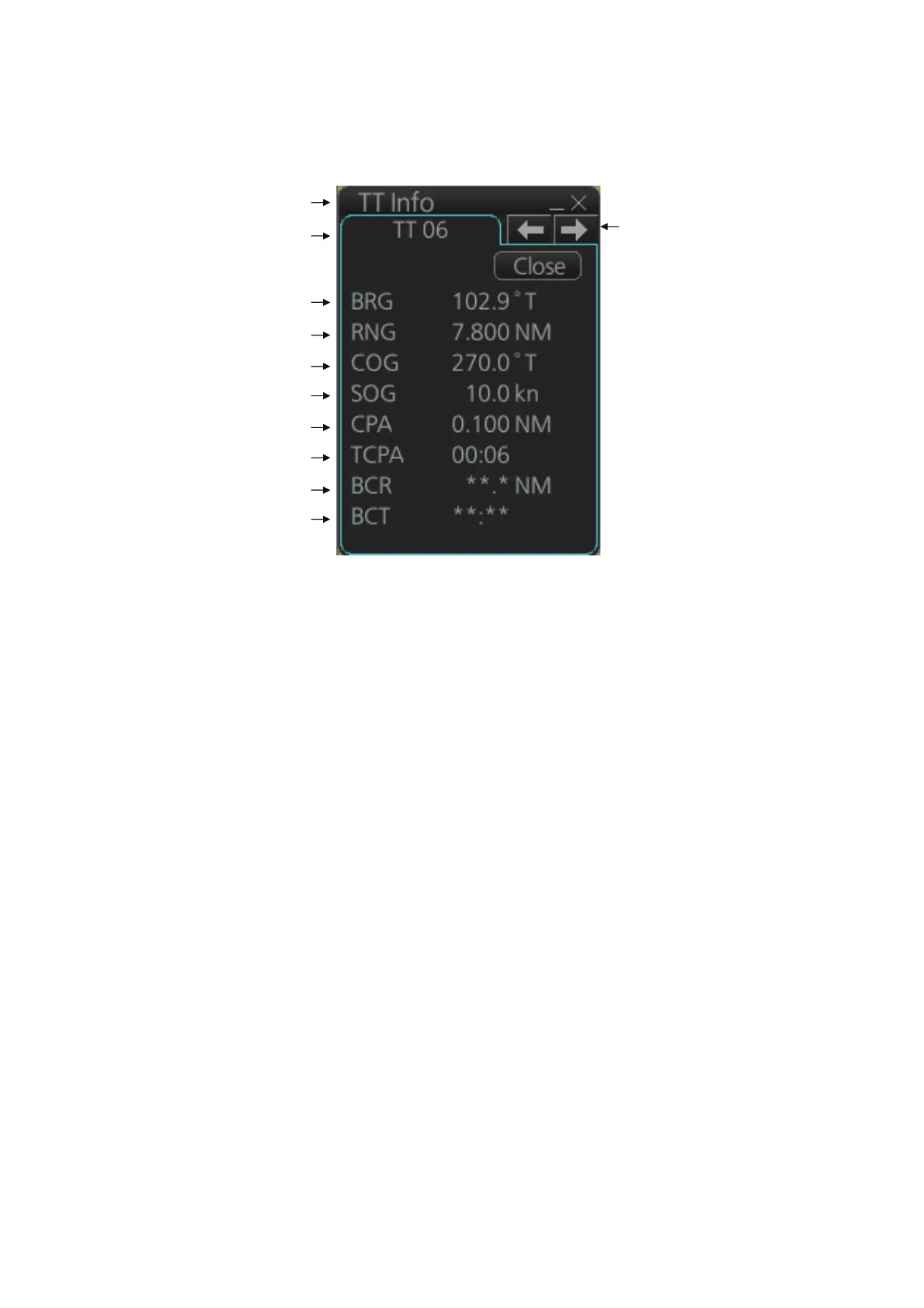
The basic target data display for a TT consists of the following information:
• Target's number. Target numbering starts from "01". When a target is erased the
number will not be reused until the power is re-set or more than 100 targets are ac-
quired.
• Bearing (BRG) and distance (RNG) of the target from own ship
• True speed (SOG) and true course (COG) of the target
• CPA and TCPA. A negative TCPA value means that you have already passed the
closest point and the TT is going away from own ship.
• Bow Crossing Range (BCR) and Bow Crossing Time (BCT)
Title bar
TT No.
Bearing
Range
Course over ground
Speed over ground
CPA
TCPA
Bow crossing range
Bow crossing time
(1/2)
Scroll buttons*
*: Scroll buttons appear only when there is
more than one TT target’s data displayed.



 To Next Page