2. RADAR, CHART RADAR OPERATION
2-57
2.39.2 How to show or hide chart objects
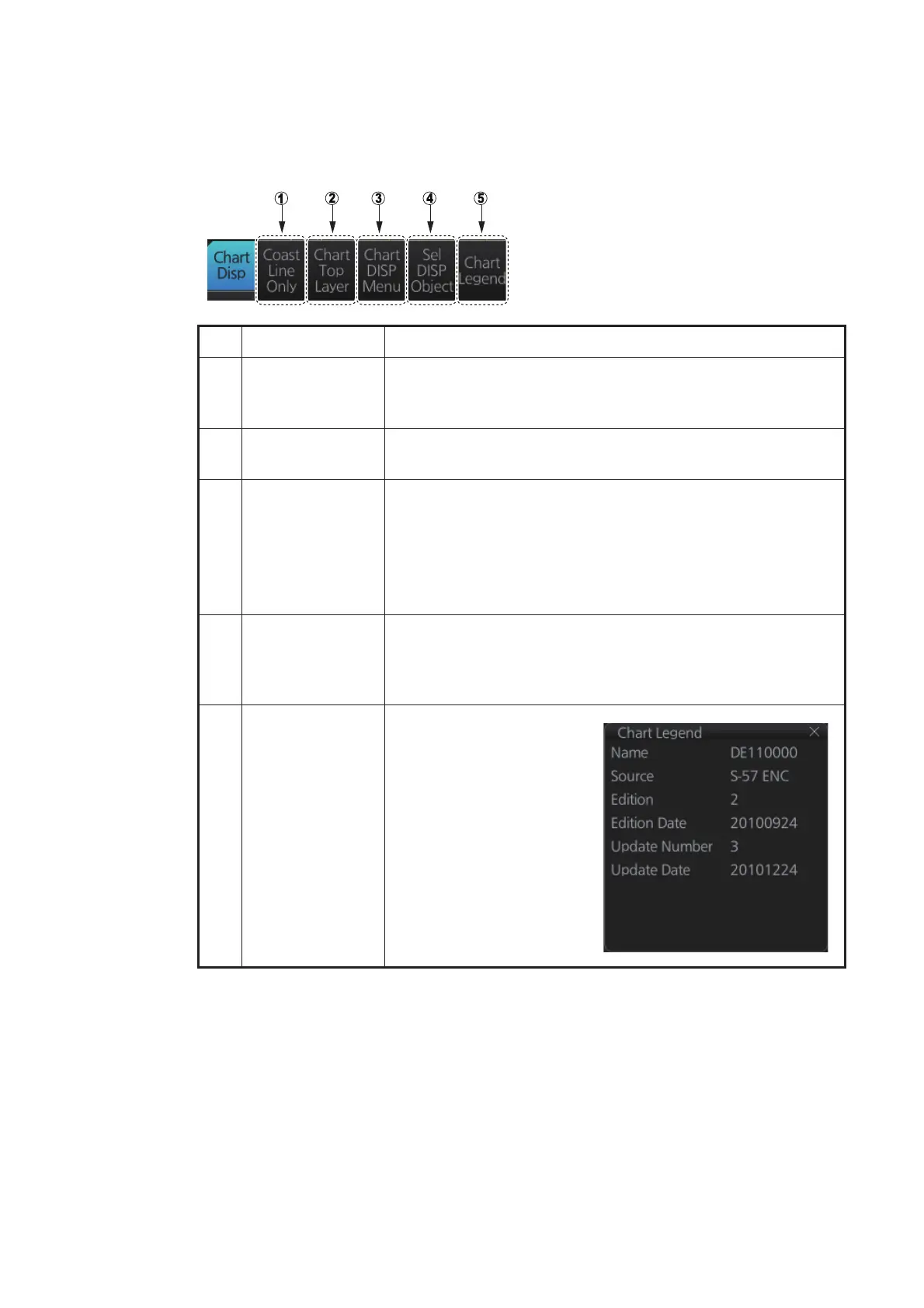
The [Chart Disp] button on the InstantAccess bar™ has several buttons which control
chart object visibility.
No. Item Function
1 [Coast Line Only] Hold down the left button to temporarily display only the coast-
line. Chart symbols (depth contours, navigation buoys, etc.)
are temporarily erased from the screen.
2 [Chart Top Layer] Hold down the left button to temporarily put the chart objects
(buoy, lighthouse, etc.) on the top layer.
3 [Chart DISP
Menu]
Show the [CHART DISPLAY] menu, where you set safety con-
tours, safety depth, etc. See the figure on the next page for the
content of this menu and see section 8.2 How to Control Visi-
ble Chart Objects for details.
Note: This menu can also be shown by right-clicking the
[CHART ON/OFF] button and selecting [Chart Display Menu].
4 [Sel DISP Object] Show the [SEL DISP OBJECT] menu, where you can select
the chart objects and text to show or hide. See the next page
for the menus and see section 8.3 How to Control Visible Nav-
igation Features (symbol display) for details.
5 [Chart Legend] Show the chart legend for
the current chart. See the
chapters on Vector and
C-MAP charts for a
description of the chart
legends.



 To Next Page