18. TT AND AIS DISPLAYS
18-7
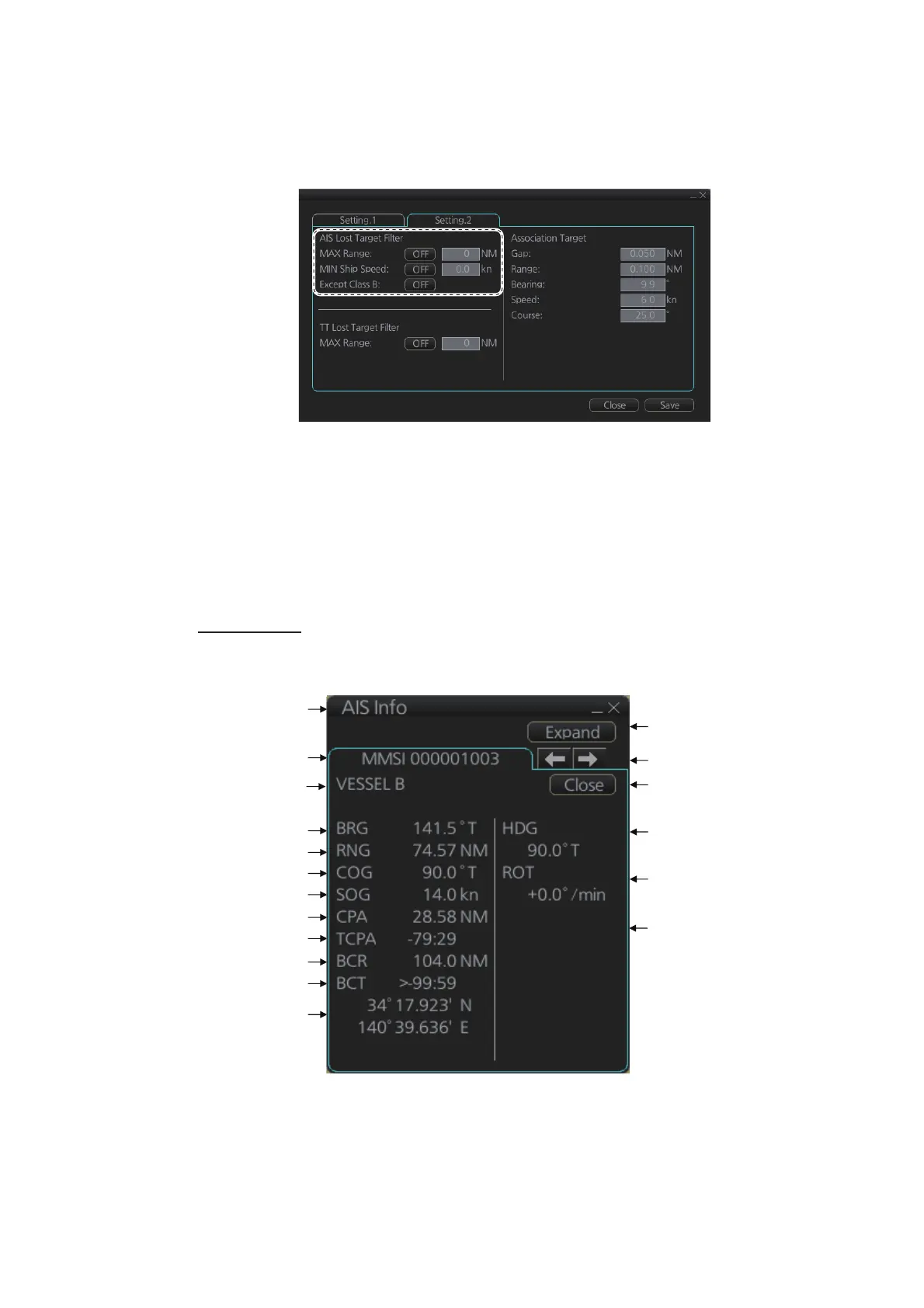
18.2.6 How to set the AIS lost target filter
You can select what AIS targets to exclude from the AIS lost target alert, on the [Set-
ting.2] page in the [TT/AIS] menu.
[MAX Range]: Set the max. range at which a target must be to be declared a lost tar-
get.
[MIN Ship Speed]: A tracked target whose speed is slower than set here does not trig-
ger the lost target alarm.
[Except Class B]: Exclude class B AIS targets from the AIS lost target alert.
18.2.7 How to display AIS target data
Normal data
Put the cursor on an activated target then push the left button.
Title bar
MMSI
Bearing
Range
Course over ground
Speed over ground
CPA
TCPA
Bow cross range
Bow cross time
Position
Normal/Expand
button
Heading
Navigation status*
2
Rate of turn
Scroll buttons*
1
Close button
Vessel name
NAV status: *
Underway
using
engine
(1/2)
*
1
: Scroll buttons appear only when there is more than one AIS target’s data displayed.
*
2
: [Altitude] appears when the selected target is an AIS SART airfcaft.



 To Next Page