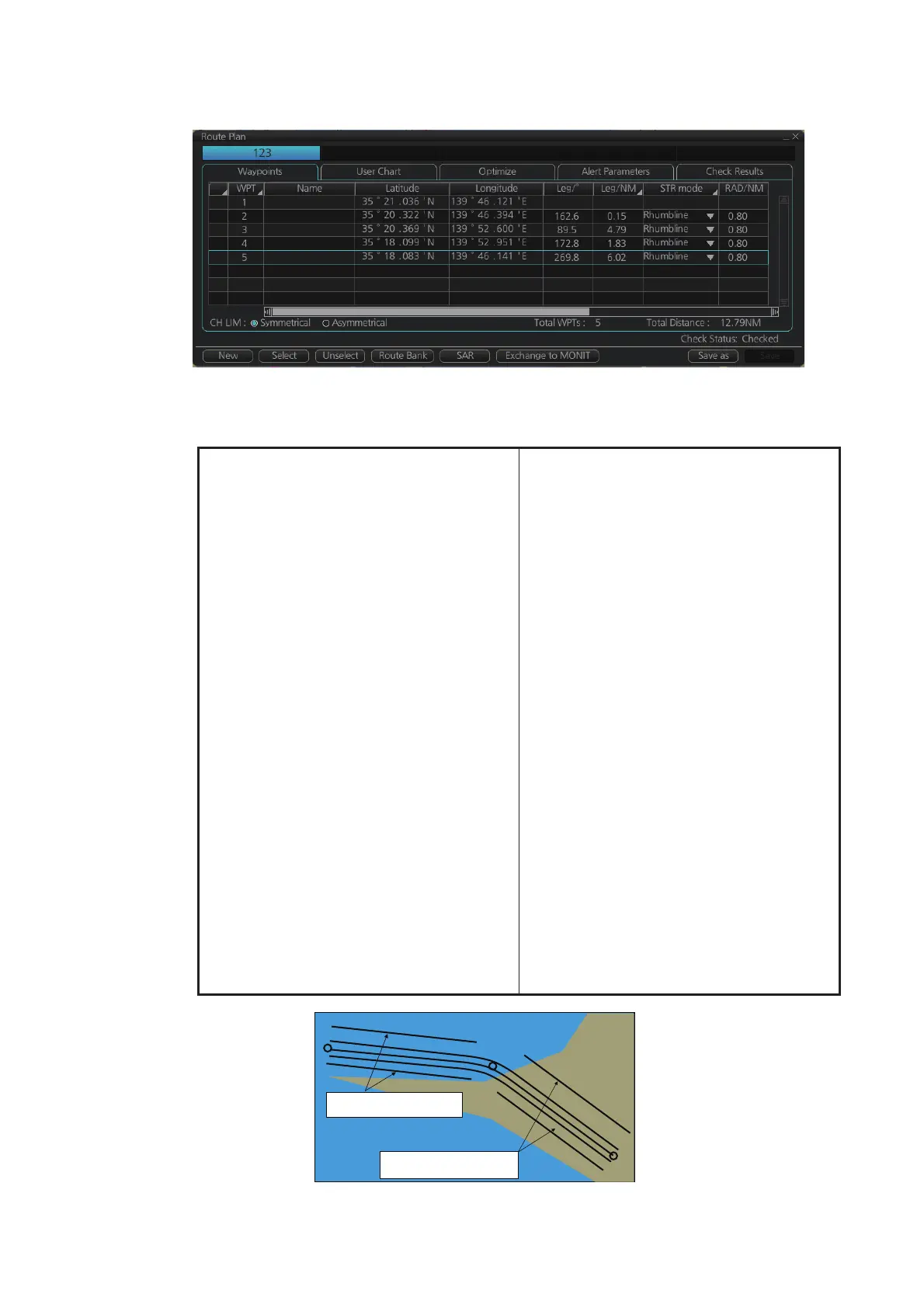
12. ROUTES
12-5
12.4.1 How to use the Waypoints page
The following fields and boxes can be found in the [Waypoints] page. Scroll the list
rightward to see hidden items.
[WPT]: Each waypoint has a number.
[Name]: You can name each waypoint.
[Latitude]: WPTs latitude coordinate is dis-
played in WGS-84 datum.
[Longitude]: WPTs longitude coordinate is
displayed in WGS-84 datum.
[Leg/°]: Bearing of leg (True: reference to
North)
[Leg/NM]: Length of leg (nm). Edit the indi-
cation of leg to show as follows;
1) Right-click the column title [Leg/NM].
2) Select the contents to show.
• [Each]: Shows the distance of each
leg.
• [Total]: Shows the total cumulative
distance from leg to leg.
• [Remain]: Shows the distance re-
maining from leg to leg.
Note: These settings are reflected to
[Leg/NM] in the [Waypoints] page of
the [Monitor Information] dialog box.
[STR Mode]: Define steering mode for
each leg - rhumb line or great circle. Click
to select [Rhumbline] or [Greatcircle].
[RAD/NM]: Define turning radius for each
waypoint. To change a radius, put the cur-
sor in this column to show up and down ar-
rows. Click the arrows to set the radius.
[XTD Limit/m]: For [Symmetrical] selected
at the radio button, define channel limit for
each leg. For [Asymmetrical] selected, de-
fine channel limit for port, starboard side
for each leg at [XTD Port/m] or [XTD
STBD/m] respectively.
[Plan SPD]: Define planned speed to use
with a leg.
[SPD Max]: Define maximum speed to use
with a leg.
[Margin/m]: Define extension for channel
to be checked against selected alerts.
[PL 1/m, PL 2/m]: One or two sets of par-
allel lines, colored orange, can be drawn
on a route. Set the distance (in meters) to
offset the lines from the route,
from -99999 to 99999. Parallel lines allow
the navigator to maintain a given distance
away from hazards. See the illustration be-
low.
[XTD LIM]: Define channel limits.
• [Symmetrical]: Define channel limit for
each leg.
• [Asymmetrical]: Define channel limit for
port, starboard side for each leg, at [CH
Port/m], [CH STBD/m], respectively.
[Local Time]: Define the local time at
which the waypoint is passed.
WPT2
WPT1
WPT3
Parallel Line for Leg 1
Parallel Line for Leg 2



 To Next Page