1. OPERATIONAL OVERVIEW
1-7
1.5 How to Select a Color Palette
This radar provides three sets of color and brilliance sets (palette), day, dusk and
night, to match any ambient lighting condition. The default specifications of each pal-
ette are as shown in the table below. The panel dimmer setting is automatically
changed, and the number of steps depends on the color palette selected.
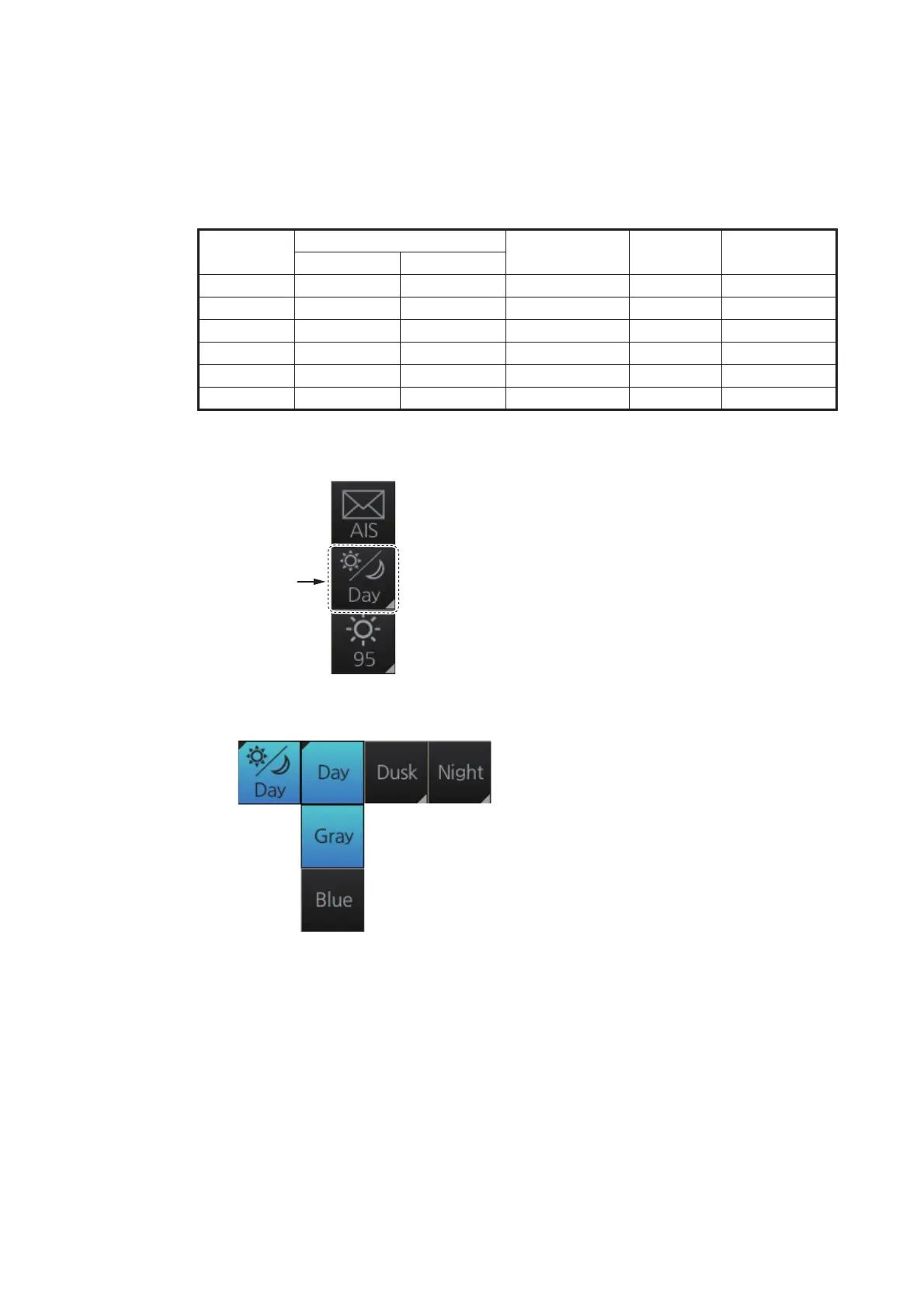
To select a palette, do the following:
1. Click the [Palette] button.
2. Click[Day], [Dusk] or [Night] as appropriate. For example, select [Day] to show its
options.
3. Click the palette (gray, blue) desired.
Note: A palette can also be selected by pushing the BRILL control on the Control Unit.
Palette
Brilliance
Panel dimmer
(step)
Text
color
Background
color
MU-190 MU-231
Day-gray 86 88 9 White Gray
Day-blue 86 88 9 White Blue
Dusk-gray 77 79 8 Light gray Dark gray
Dusk-blue 77 79 8 Light gray Dark blue
Night-gray 53 53 5 Orange Dark gray
Night-blue 53 53 5 Light gray Dark blue
[Palette]
button



 To Next Page