4. AIS OPERATION
4-17
8. Close the menu.
4.16 AIS Messages
You can send and receive messages via the VHF link, to a specified destination
(MMSI) or all AIS-equipped ships within communication range of your ship. Messages
can be sent to warn of safety of navigation, for example, an iceberg sighted. Routine
messages are also permitted. Short safety-related messages are only an additional
means to broadcast safety information. They do not remove the requirements of the
GMDSS.
4.16.1 How to create and transmit a new AIS message
You can create and send an AIS message as follows:
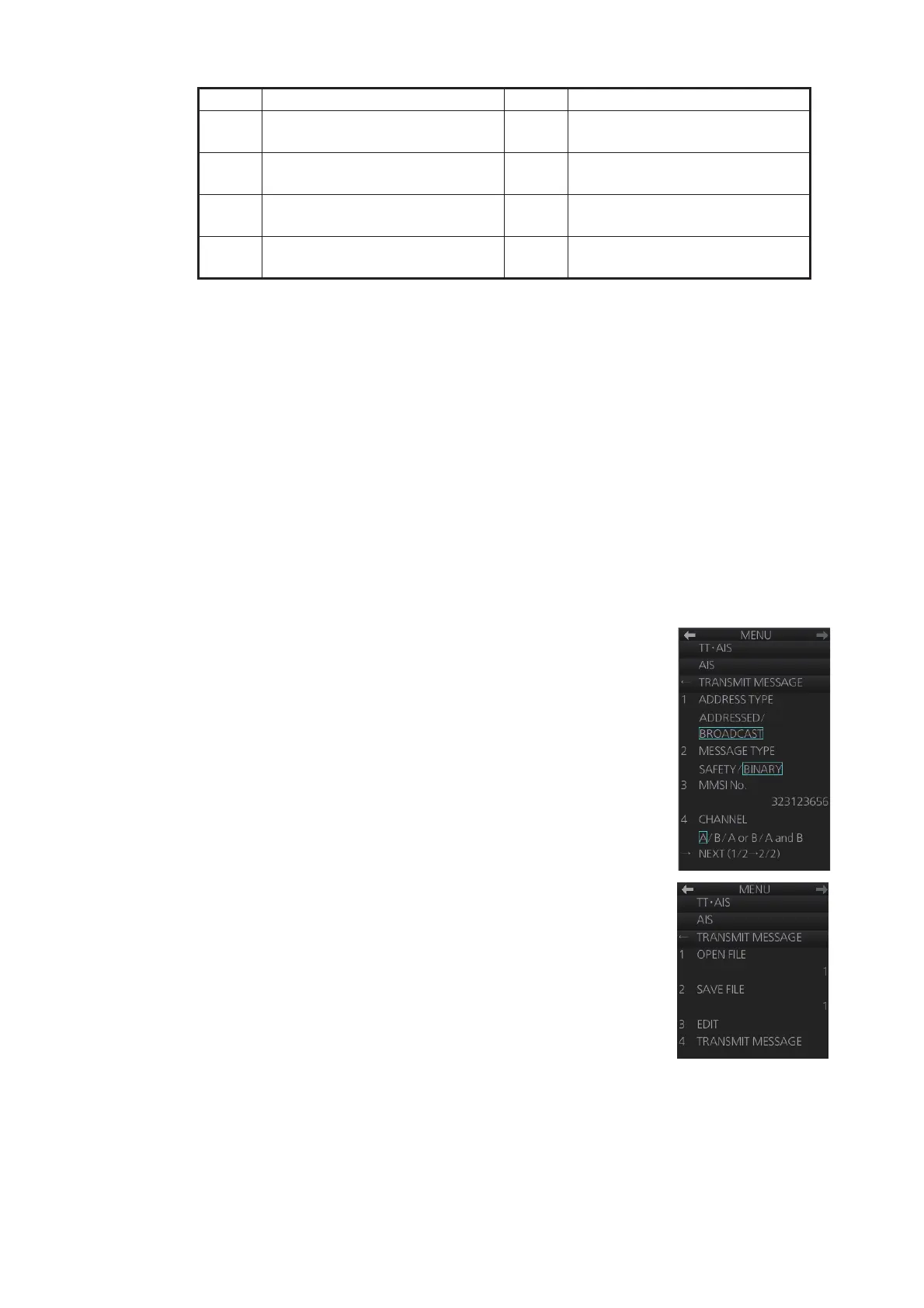
1. Right-click the AIS mode indication then click [AIS Menu]
to show that menu.
2. Open the [8 TRANSMIT MESSAGE] menu.
3. At [1 ADDRESS TYPE], select [ADDRESSED] to send
the message to a specific AIS-equipped ship, or [BROAD-
CAST] to send the message to all AIS-equipped ships
within VHF communication range. For [ADDRESSED],
enter MMSI of ship at [3 MMSI No.].
4. At [2 MESSAGE TYPE], select [SAFETY] for safety mes-
sage, or [BINARY] for routine message.
5. At [4 CHANNEL], select the channel over which to broad-
cast your message. The choices are [A/B], [A or B] or [A
and B].
6. Click [NEXT] to go to the next page.
7. Select [3 EDIT]. A text input box appears together with the
software keyboard. Use the software keyboard to enter
your message. The number of characters that may be en-
tered depends on message type, and the number of char-
acters available appears below the text box.
Safety message broadcast: 90 characters
Binary message broadcast: 86 characters
Safety message addressed to MMSI: 85 characters
Binary message addressed to MMSI: 80 characters
8. To save the file, select [2 SAVE FILE].
1 Carrying DG, HS, or MP, IMO
hazard or pollutant category X
6 Reserved for future use
2 Carrying DG, HS, or MP, IMO
hazard or pollutant category Y
7 Reserved for future use
3 Carrying DG, HS, or MP, IMO
hazard or pollutant category Z
8 Reserved for future use
4 Carrying DG, HS, or MP, IMO
hazard or pollutant category OS
9 No Additional Information
No. Cargo Type No. Cargo Type



 To Next Page