6. CHART OVERVIEW
6-11
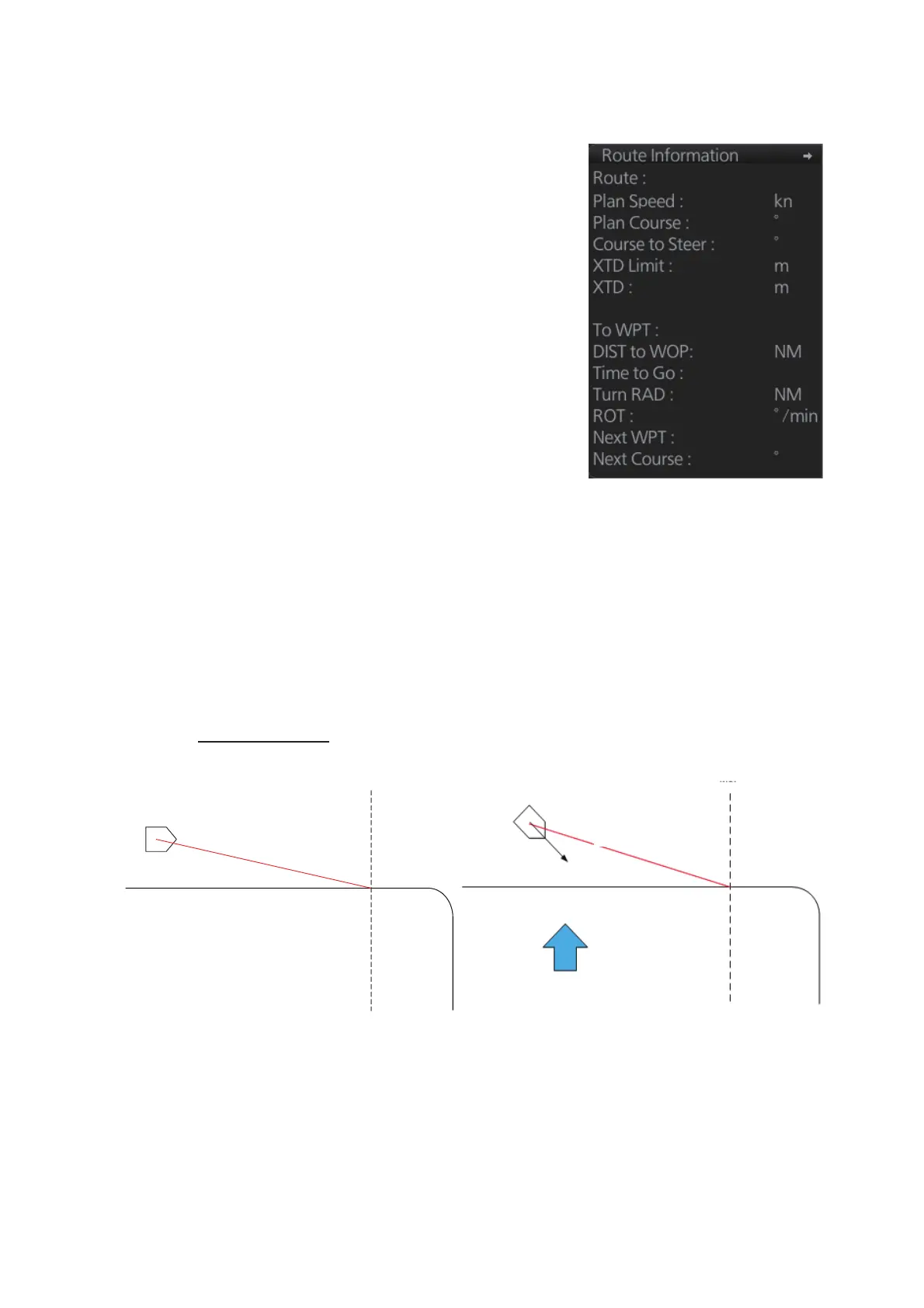
6.1.6 Route information box
Course to steer
Asterisks appear in data locations when no route
is selected for navigation.
• [Route]: Name of monitored route.
• [Plan Speed]: Planned speed to approach "To
WPT".
• [Plan Course]: Planned course between previ-
ous WPT and "To WPT".
• [Course to Steer]: Calculated set course to fol-
low the monitored route, including off track, drift
and gyro error compensation.
• [XTD Limit]: Planned width of channel to ap-
proach "To WPT".
• [XTD]: Perpendicular distance the ship is from
the intended track. The off track figure can be
shown in meters or nautical miles. Click this
box, then select [Off Track] and unit desired, or
open the menu and select desired unit with [unit
of “Off Track”] in the [Route Information] menu.
• [To WPT]: The waypoint that the ship is ap-
proaching.
• [DIST to WOP] (Wheel Over Point): Distance to
the point where rudder order for course change
at "To WPT" is given.
• [Time to Go]: Time to go to WOP (hh:mm:ss).
• [Turn RAD]: Planned turning radius at "To
WPT".
• [ROT]: Calculated rate of turn that is based on
current speed and planned turning radius.
• [Next WPT]: The WPT following the "To WPT".
• [Next Course]: Next course (in degrees).
cc_import_03
20.0
337.5
332.9
185.0
112.1
0.9
36
37
0.50
0.50
000.0
00:05:38
WOL (Wheel Over Line)
Course to steer: 110°
Planned course: 90°
Current
Course to steer: 120°
WOL
Planned course: 90°
No current
Current present



 To Next Page