21. PARAMETERS
21-4
21.4 Instant Track Parameters
The instant track feature can create, in route monitoring, a simple route in the following
situations:
• Return to the monitored route when the vessel goes outside the channel limits.
• Temporarily deviate from the monitored route (avoid collision, etc.).
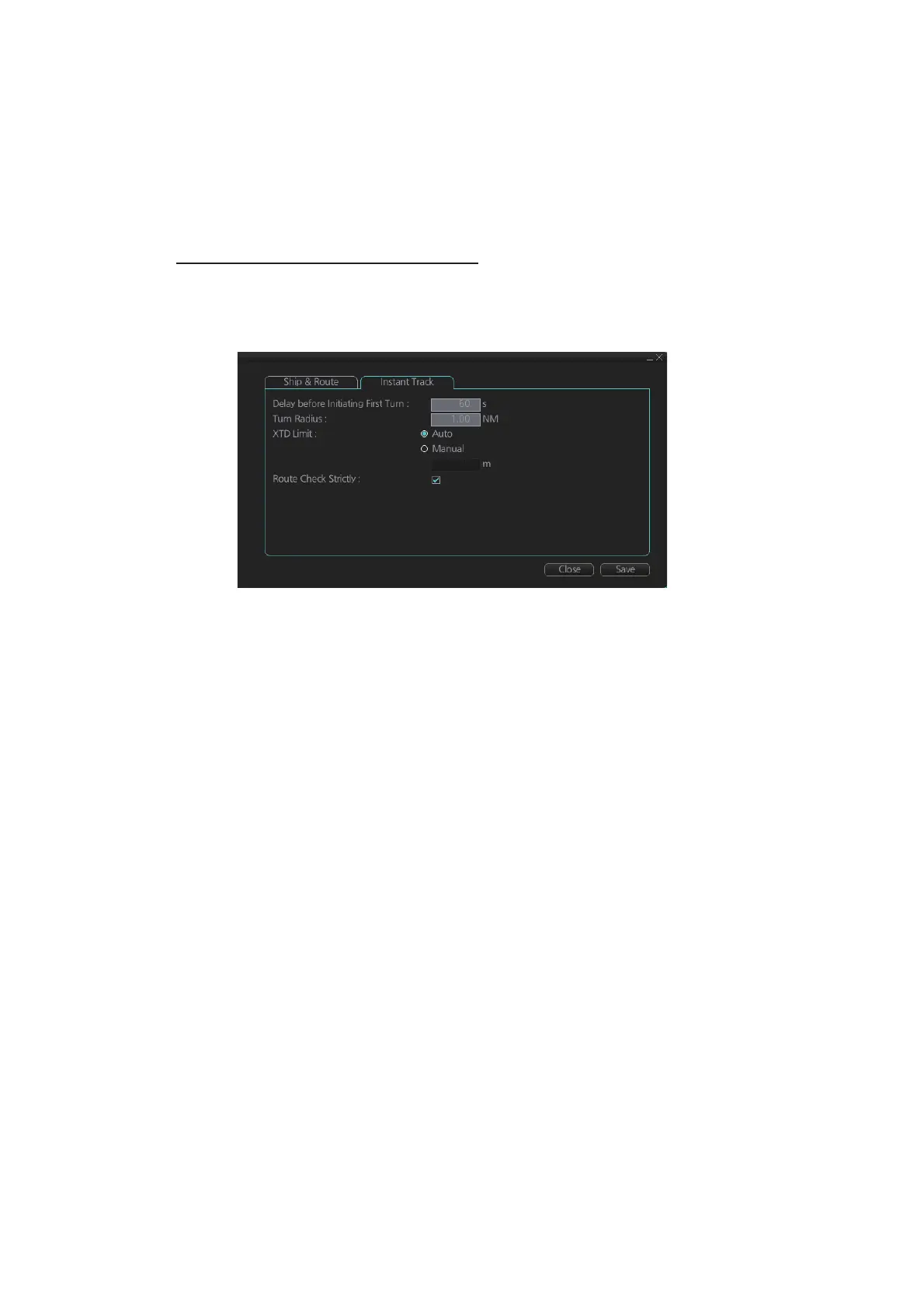
How to set instant track parameters
Set the parameters for the instant track ([MENU] o [General] o [Ship & Route Pa-
rameters] o [Instant Track] tab).
[Delay before Initiating First Turn]: Set the number of seconds (30 - 600 seconds) to
wait before initiating the first turn in the simple route.
[Turn Radius]: Set the turning radius (0.02 - 3.00 NM) to use between waypoints (four
waypoints) in the simple route.
[XTD Limit]: Set the channel limit (10 - 3704 m) for the instant track, automatically or
manually. The [Auto] setting uses the channel limit set for the monitored route.
[Route Check Strictly]: Check to prevent monitoring of instant track when a chart alert
(alarm or warning) is found through the route check. Uncheck to monitor instant track
in spite of chart alert found through the route check.



 To Next Page